44 Eos Operations Manual
Using [Format]
Some displays have multiple formats. When the display is first opened, it opens in its default view.
The default view for Live/Blind is table view, with all parameter categories displayed. When the
default format has been changed, those new settings will be used whenever the display is changed
back to that format.
Live and Blind share formatting. When you change from one format to another format, you are
always working with the same format until you change it. The exception to this is spreadsheet,
which is only available in blind. If you are working in blind spreadsheet, when you return to live you
will be working with the table or summary view, based on which one you were last using.
Summary View
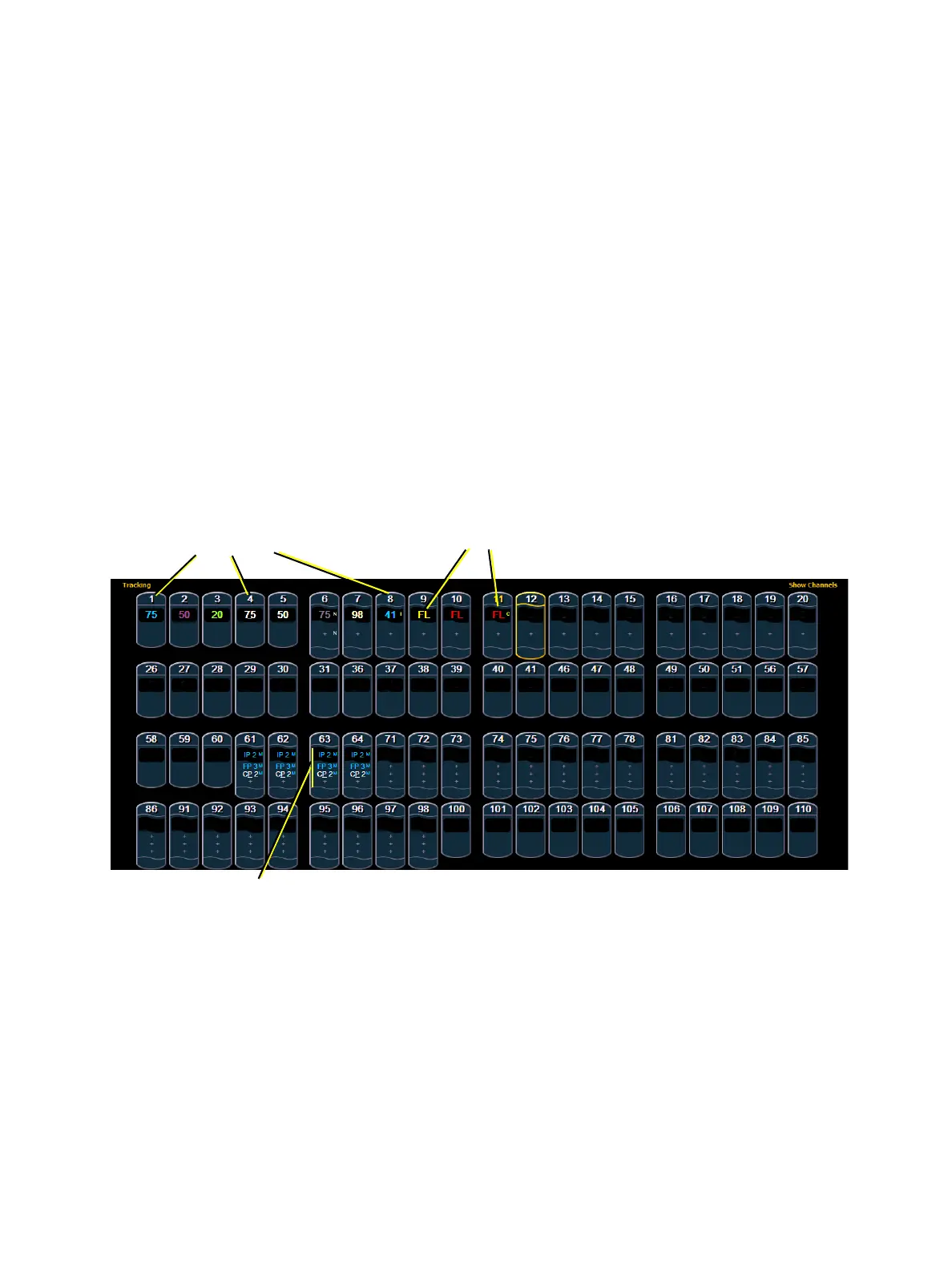
The summary view displays the largest number of channels of any of the formats. Below you can
see channels 1-60 are shown. This format is best used to see large numbers of channels’ intensity
data and/or parameter category data. Individual parameters are not visible in this view.
FCB icons will appear at the bottom of the channel area for channels that have those parameters
patched to them.
When the summary view has been collapsed to show only intensity data, you may include focus,
color, or beam data in the summary view by holding down the [Params] key and pressing any
parameter category key. This displays all categories.
Channel numbers
Intensity data
F, C, B data



 To Next Page