19 Using Park 257
Park Values from the Park Display
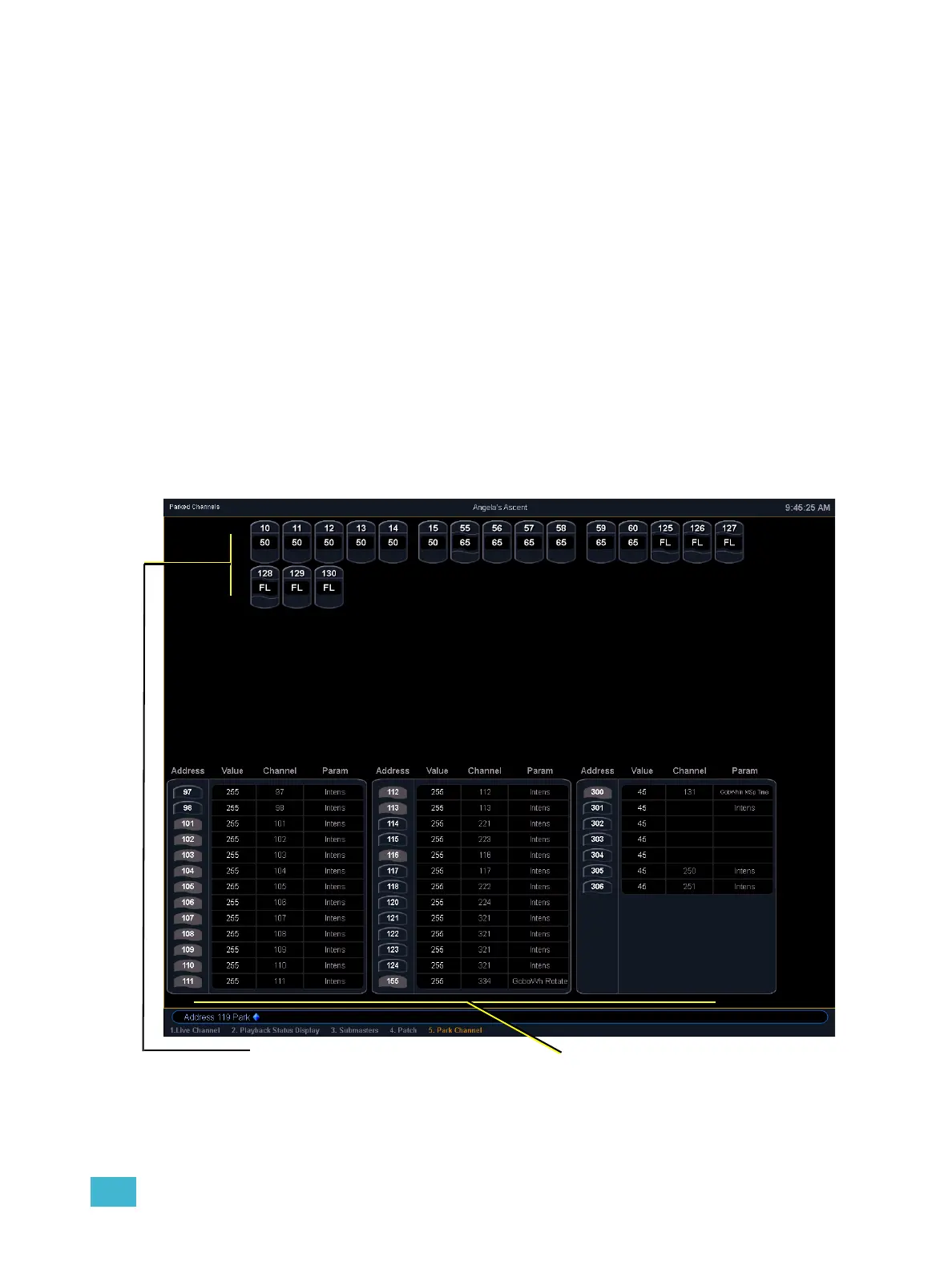
You can park and unpark channel parameters or addresses from the park display. Open the display
by pressing [Park] [Park] or [Blind] & [Park]. While in this display, it is assumed that you want to
park channels or parameters, therefore the use of the [Park] key is not necessary when parking,
but is required for unparking.
Following are examples for parking channel parameters from the park display:
• [3] [At] [4] [5] [Enter] - parks channel 3 at 45%.
• [3] [Color Palette] [4] [Enter] - parks color for channel 3 at color palette 4.
Following are examples for clearing parked values while in the park display:
• [Select Active] [Park] [Enter] - clears all parked channel parameter values.
• [channel list] [Park] [Enter] - unparks channels in the list.
• [channel list] [At] [Enter] - unparks channels in the list.
Below are examples for parking addresses in the park display:
• {Address} [5] [At] [5] [0] [Enter] - parks address 5 at 50% intensity.
• {Address} [5] [At] [Enter] - unparks address 5.
Parked addresses
Parked channels



 To Next Page