56 Eos Operations Manual
Select the specific show file
• Navigate within the specified storage location and select the show file you wish to open, press
[Select].
• If the selected show has multiple time stamps, navigate to the desired revision and press
[Select].
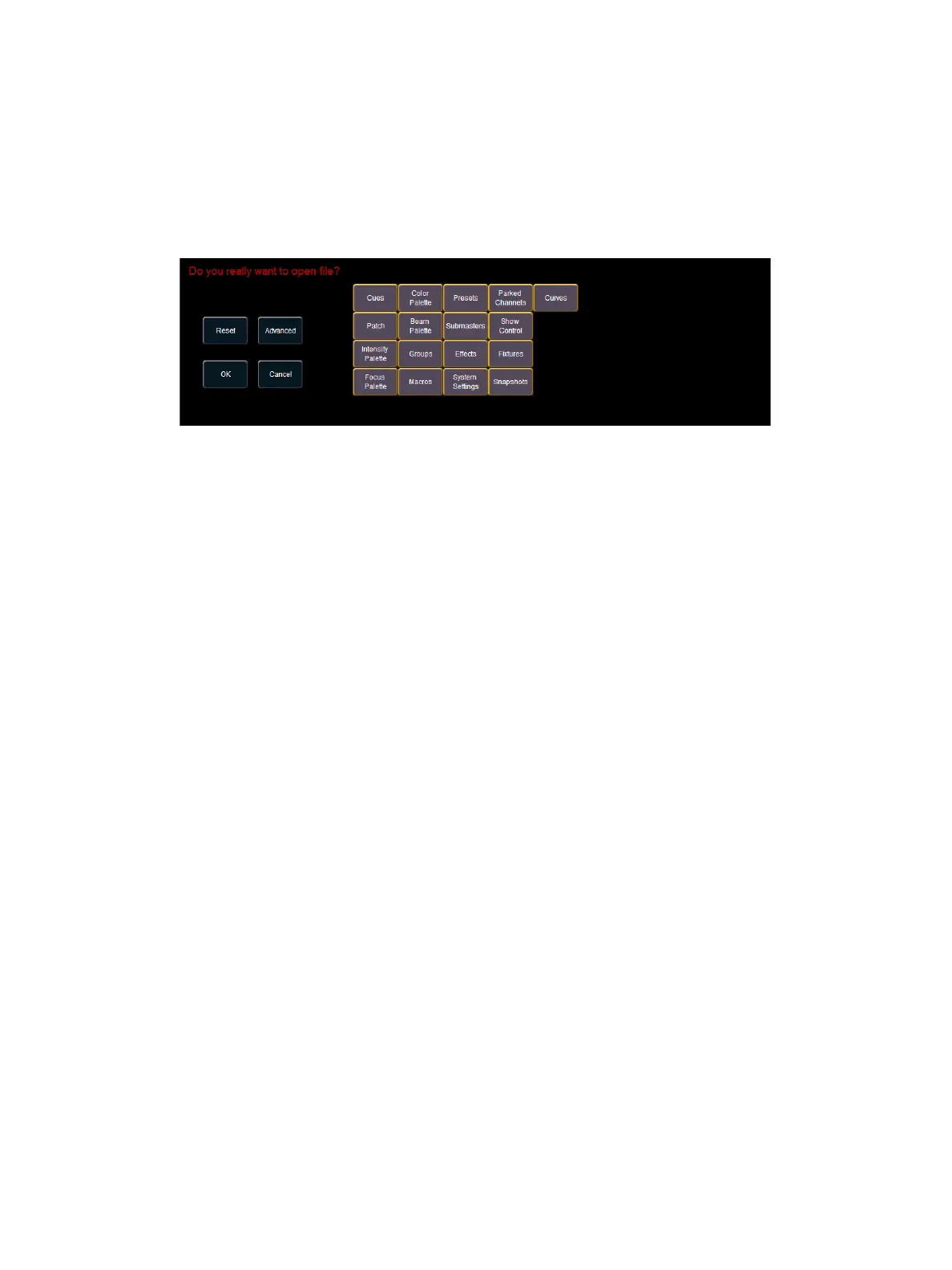
This will open the partial show loading screen in the CIA.
From this screen you can select which components of the show file you wish to load. The
touchbuttons at the center of the CIA represent all of the show components that you can choose to
load. By default all components are selected (gray) and will be loaded. To withhold any show
components from loading, simply deselect them in the CIA by touching the respective button.
To reselect all show components, press the {Reset} touchbutton and all buttons will return to gray
(selected). To stop the show load process, press the {Cancel} button.
When you have selected/deselected all of the show components you require, press the {OK}
touchbutton.
Eos loads the selected show to the console.



 To Next Page