Overture Software Manual
Page 2-12
Revision 1.5 USING OVERTURE
In the above example, the CompactFlashName is the name of the compact flash card in the hardware
device (for example, card0 or card1) and "
Logoname"… "LogonameN" are the entries that represent
each logo to be designated as a "system" logo.
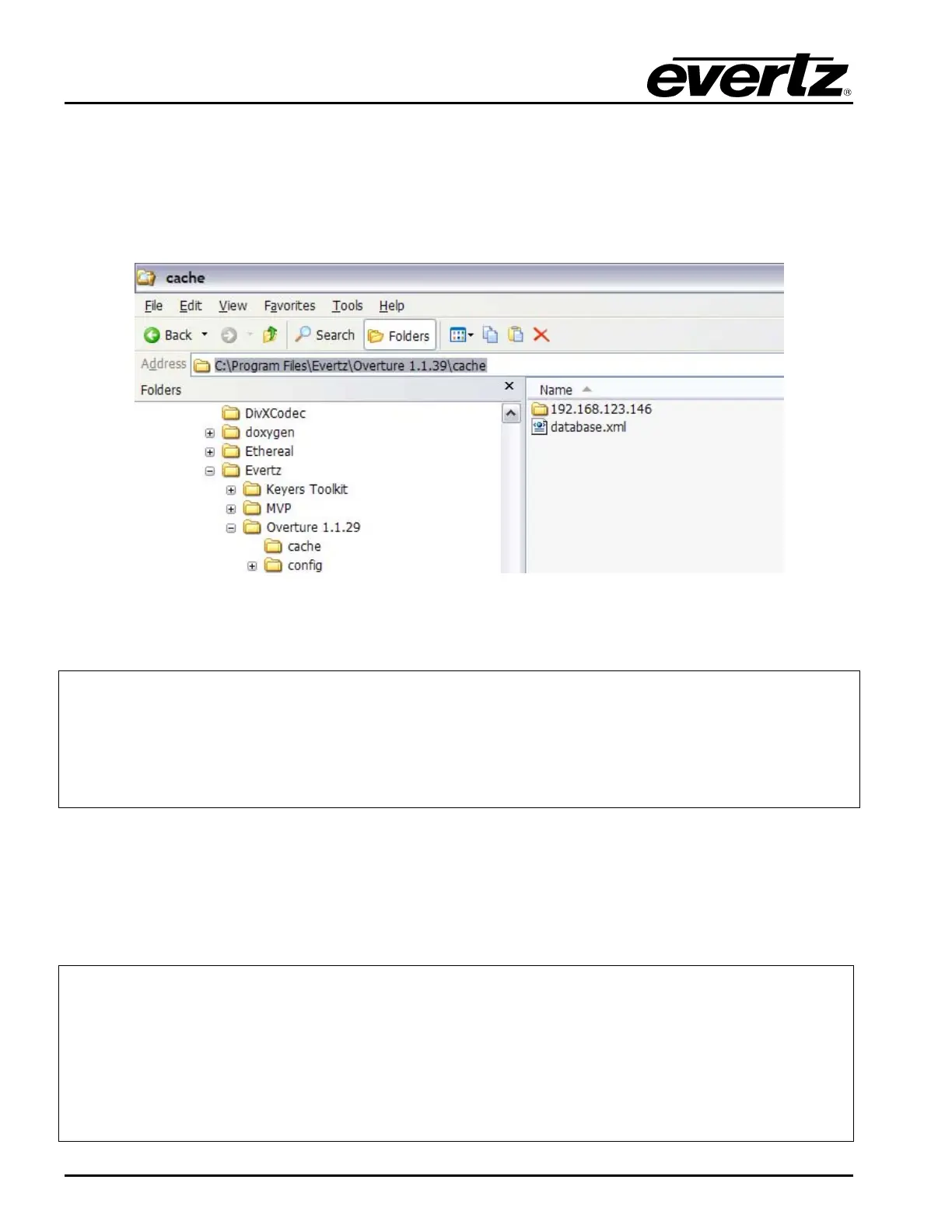
The following screenshot shows the location of the default file (database.xml) and the folders
(192.xxx.xxx.xxx) that it must be copied to for each hardware device.
Figure 2-16: Location of the Template Database
The default database.xml file contains the following xml code.
<?xml version="1" encoding="UTF-8"?>
<root>
<cf name="[card1]">
<file name="systemlogo1"/>
<file name="systemlogo2"/>
<file name="systemlogo3"/>
</cf>
</root>
Edit the database.xml file to contain your specific system logo definitions. Once completed, copy the
database.xml file into each sub-folder in the main cache folder. Refer to Figure 2-15 to view a
screenshot of the logo system feature.
If System Logos are to be located on both the internal and external compact flash cards (if equipped) a
second configuration block is required, such as:
<?xml version="1" encoding="UTF-8"?>
<root>
<cf name="InternalCompactFlashCard">
<file name="Logoname"/>
</cf>
<cf name="ExternalCompactFlashCard">
<file name="Logoname"/>
</cf>
</root>



 To Next Page