Overture Software Manual
Page 2-24
Revision 1.5 USING OVERTURE
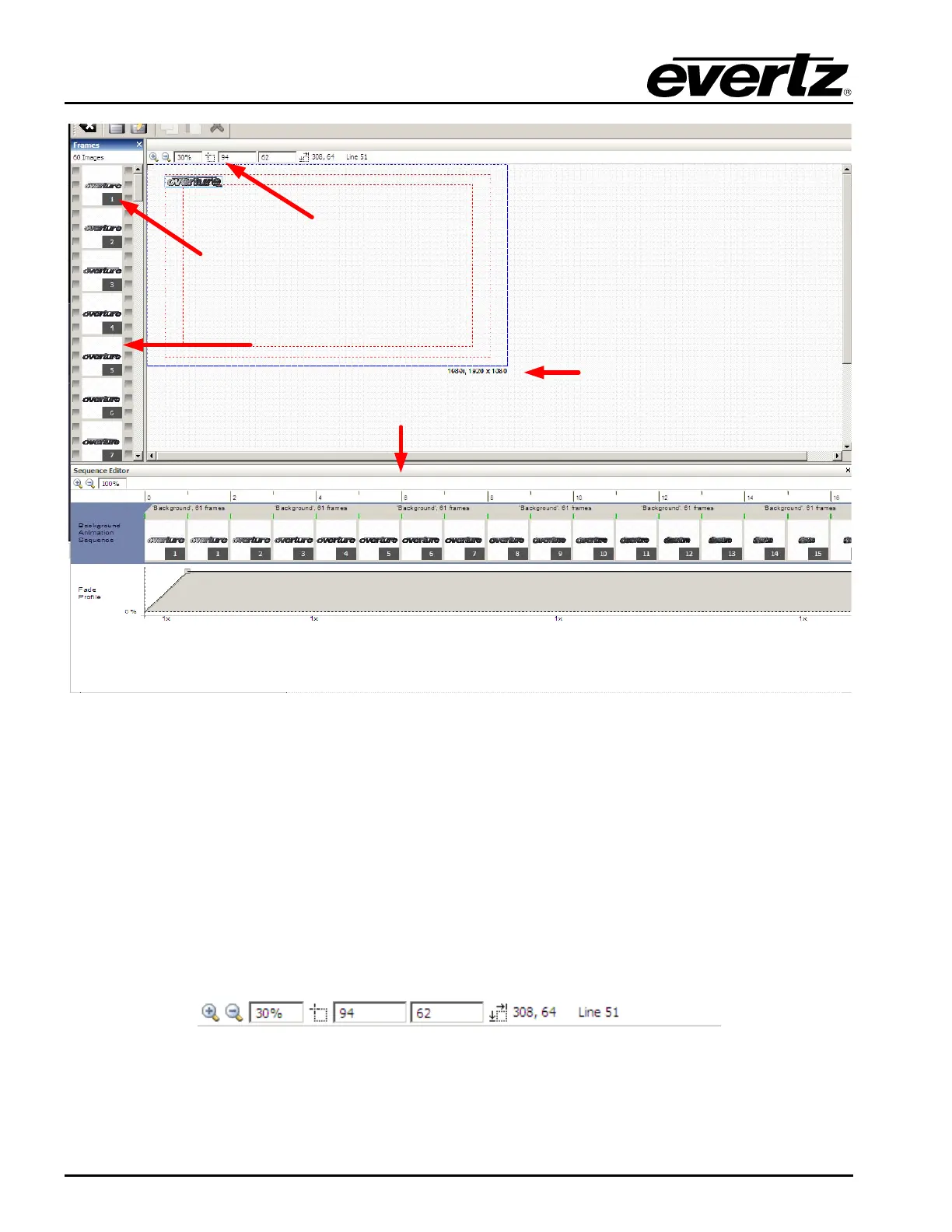
Frame Panel
Sequence Editor
Frame
Indicator
Video
Standard
Logo
Positioning
Figure 2-37: Design Canvas Panels
2.3.1.7. Logo Positioning
Overture enables the user to accurately place an image on the design canvas. This is done by the
Logo Positioning information that is available on the Design Canvas. The following is the information
that is provided:
• Pixel and line position of the object with respect to the top-left corner (0,0) of the video standard
selected. The user can enter these values manually or use the mouse to move the frame.
• The size of the object box in terms of pixels and lines from the top-left corner of the highlighted
object box.
• The line number of the object box is currently on.
Figure 2-38: Logo Positioning Information
2.3.1.8. Help Menu
The Help drop down menu displays the version number of the Overture software.



 To Next Page