Overture Software Manual
USING OVERTURE Revision 1.5 Page 2-49
"
In order for the Date to function properly, the user MUST ensure the selected
Font Type is loaded onto the device. The Utopia font is on the device by default.
2.8. Creating a Digital Clock
To create a Clock Image, the user can select the Digital Clock from the Image Object (see 2.3.1.5).
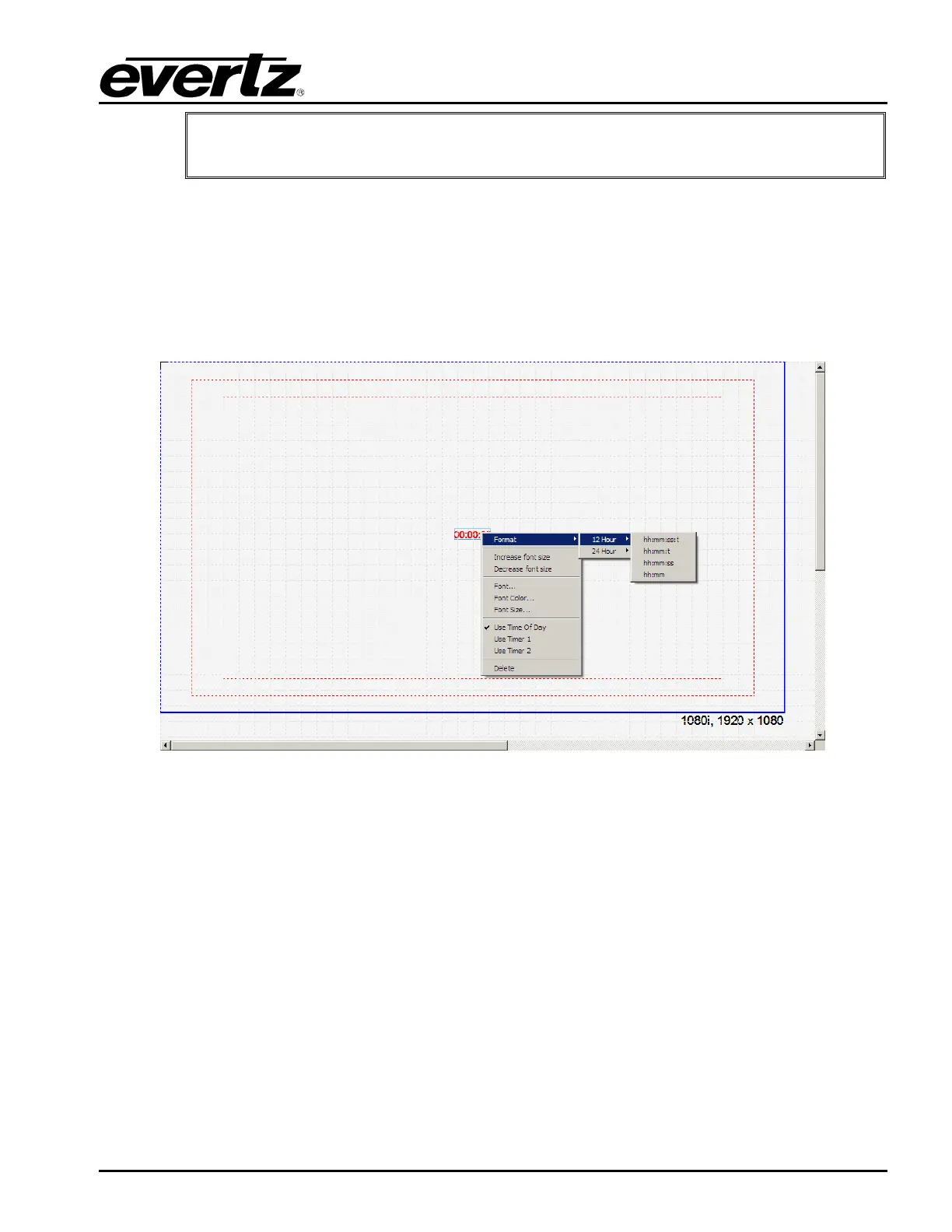
Once selected, the user will see a clock object appear on the design canvas as shown in Figure 2-66.
The user can set the placement of the clock by selecting the clock object and dragging it to the desired
position by using the mouse.
Figure 2-66: Clock Image
2.8.1. Clock Menu
The Clock menu provides the following options shown in Figure 2-66. The choices available are:
• Format enables the user to set the format of the clock.
• Increase font size enables the user to increase the font size of the clock by a single increment
at a time.
• Decrease font size enables the user to decrease the font size of the clock by a single
decrement at a time.
• Font… enables the user to specify the font type of the clock.
• Font Colour… enables the user to set the font colour of the clock.



 To Next Page