Overture Software Manual
USING OVERTURE Revision 1.5 Page 2-43
2.6. Creating a CG Text
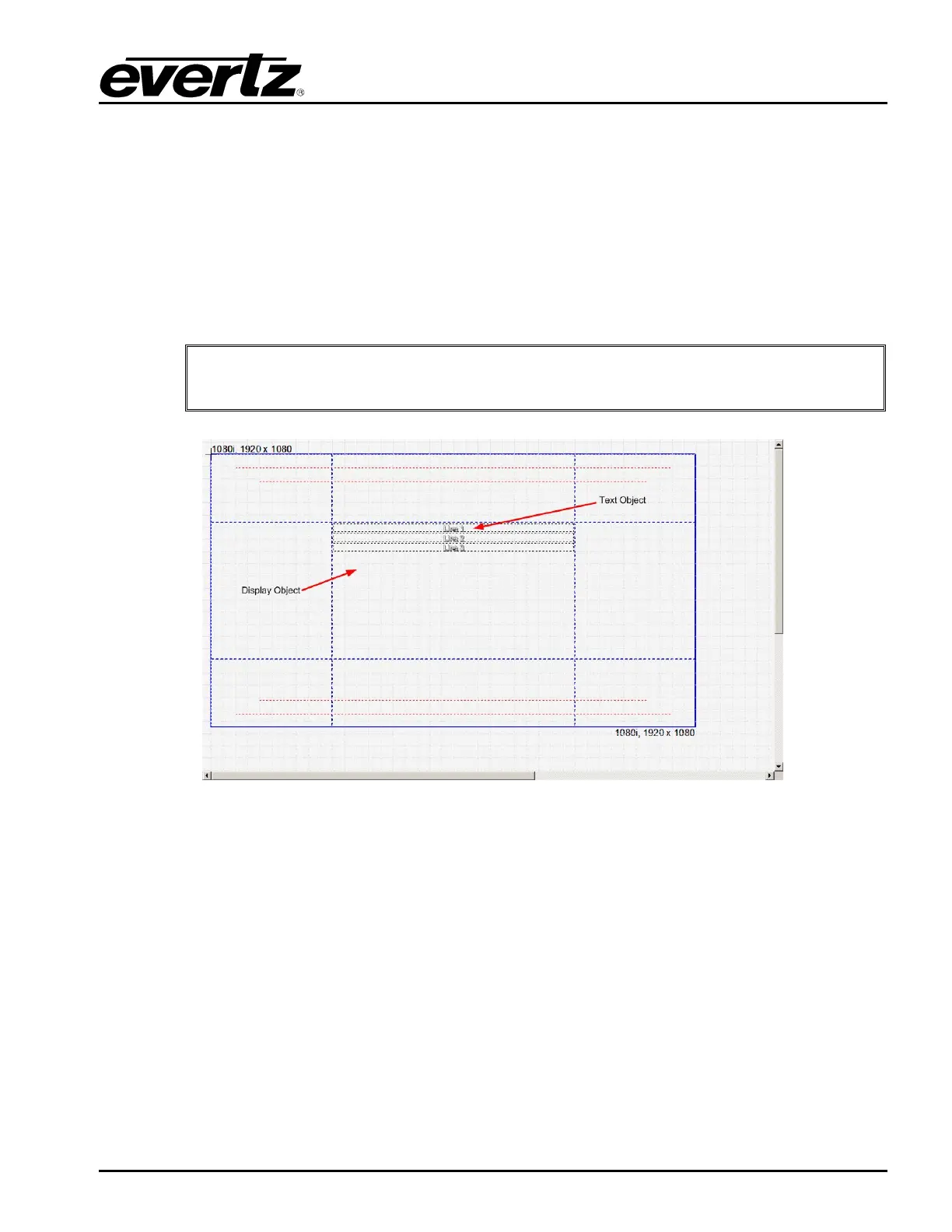
The CG text headliner feature allows the user to create a one to three line “headliner” that can be
faded, wiped, or pushed on. The source of the headliner is a text file that is created by the user that
contains the headliners that they want to show.
To create a CG text headliner, the user can select the CG Text from the Image Object (see section
2.3.1.5). The CG Object consists of three lines of text and a display area. The user can select the
display area by selecting the area defined by the 4 dashed lines. The user can select the text objects
by selecting the text. The Display Area Menu will be displayed as shown in Figure 2-61. The Text
Object Menu is shown in Figure 2-64.
"
This feature is an optional feature that MAY not be available in all versions of
Overture.
Figure 2-60: Creating CG Text
2.6.1. Setting the CG Text Contents
To set the contents of the CG text headliner, the user will use the Display Object menu shown in Figure
2-61. The Display Object menu will enable the user to define the source of the text, the text action,
transition information, and font information. The Display Object menu provides the following choices:
• Direction sets the direction in which the text will appear on the program. The direction value is
used if the text is wiped or pushed on.
• Fade enables the user to use a fade transition between headlines.
• Wipe enables the user to use a wipe transition between headlines, where the direction is set by
Direction.



 To Next Page