Overture Software Manual
USING OVERTURE Revision 1.5 Page 2-31
5. Once the images are transferred to the ImageSequence[x] settings timeline, the user can exit
the Images dialog box using the close button
.
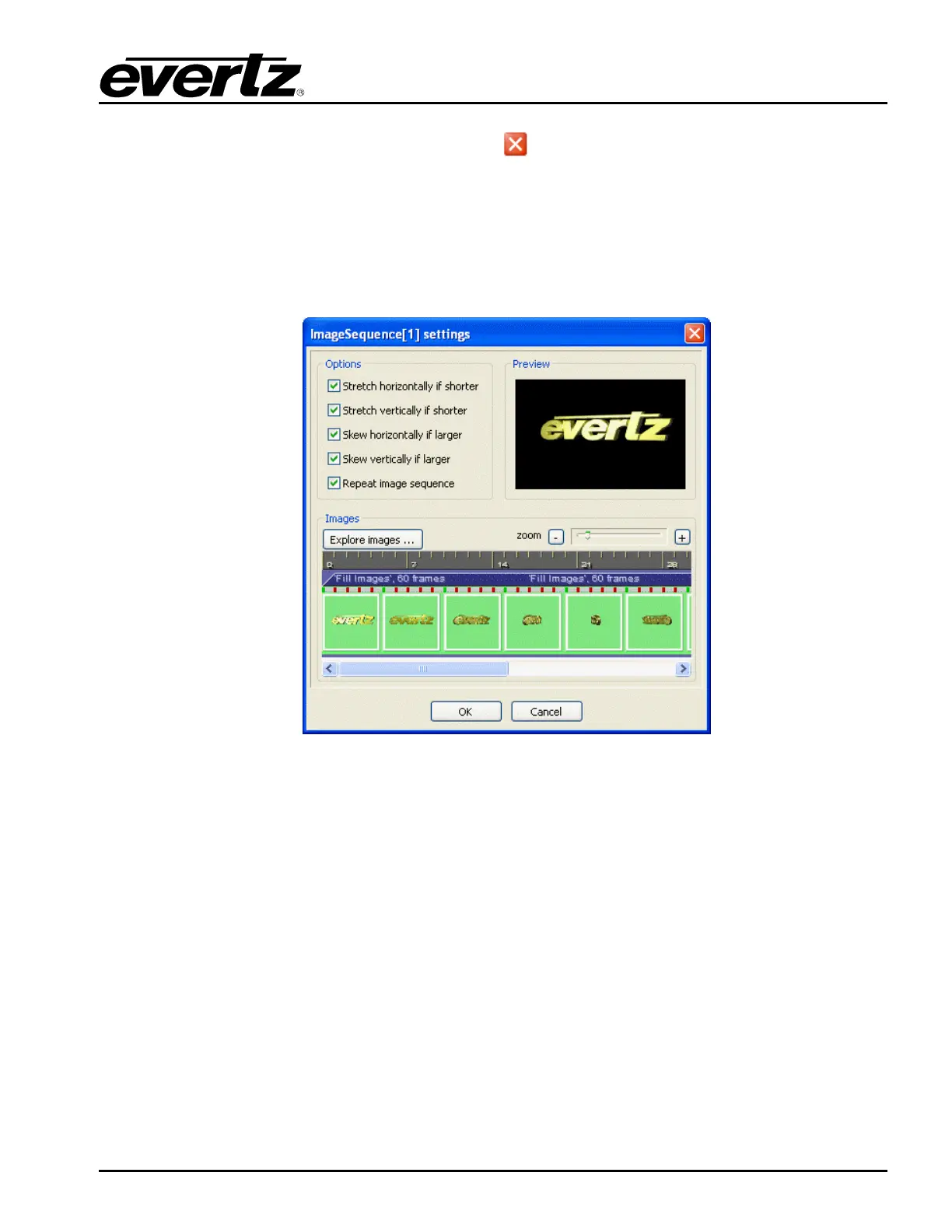
6. The ImageSequence[x] settings timeline will display the inserted images and their placement
in the sequence (see Figure 2-49). Thumbnail images will be displayed in the Image Sequence
timeline and a green marker will indicate the frame of the displayed thumbnail. Both the green
and red markers in the timeline indicate the presence of an image on a frame; however, red
markers will not have thumbnails displayed. The dark blue bar in the image sequence timeline
identifies the number of frames in the image sequence.
Figure 2-49: Inserted Images on an Image Sequence Timeline
7. An image can be deleted from the image sequence by selecting the image in the timeline and
clicking on the Delete option when the drop down menu appears (see Figure 2-50). Selecting
the Delete option from the drop down menu will delete only the selected image. Selecting the
Delete all option from the drop down menu will delete all of the images in the image sequence.
Selecting the Select all option from the drop down menu will select all of the images in the
image sequence.



 To Next Page