Getting Started
Power Blazer 13
Inserting and Removing Transceiver System
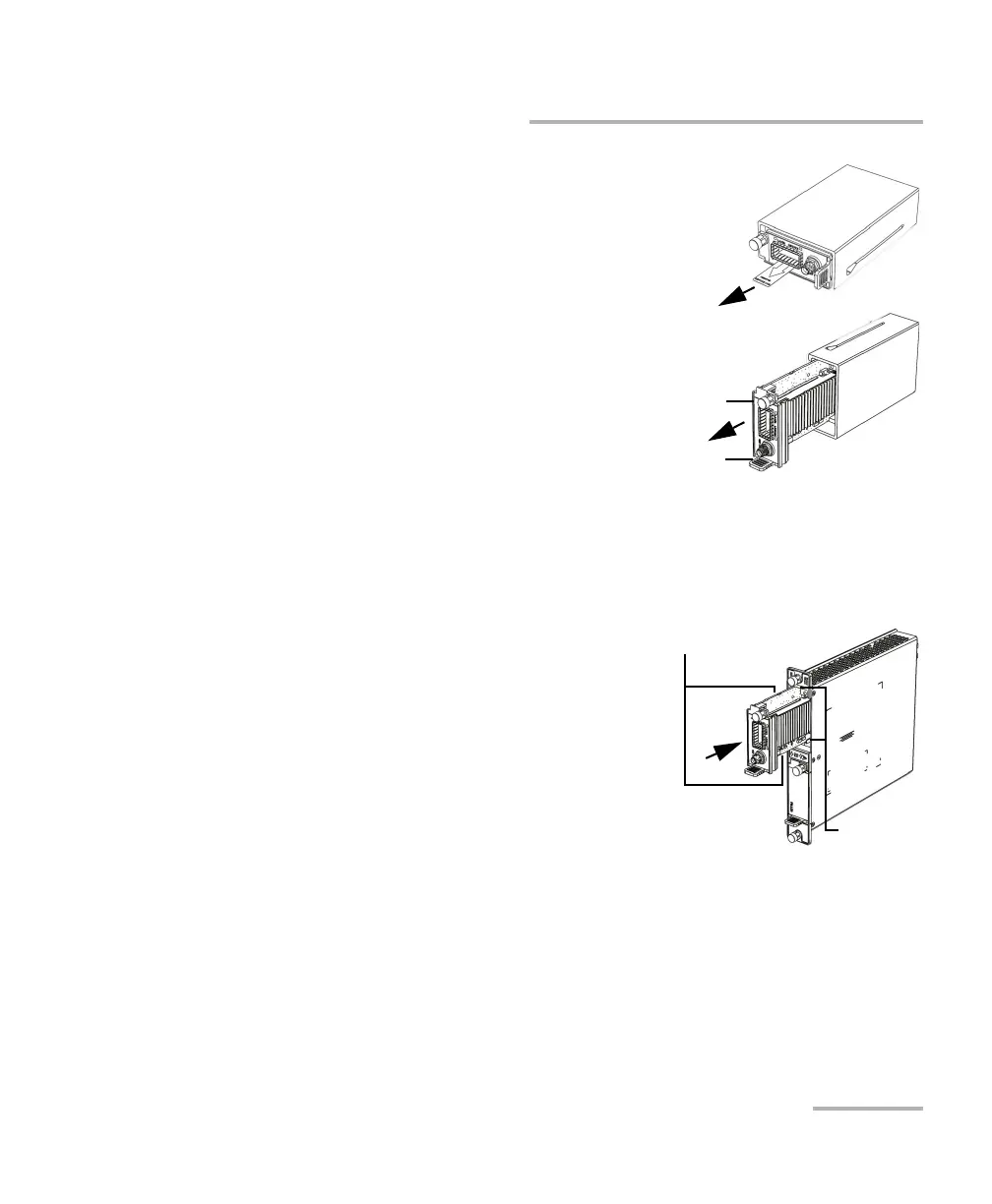
3. Remove the transceiver system from
its packaging:
3a. Pull the battery insulator tab to
activate the battery.
3b. Turn the retaining screw
counterclockwise until it is
loose.
3c. Hold the transceiver system by
the handle and/or the retaining
screw (NOT by the connectors)
and pull it out. Don‘t throw
away the transceiver system packaging, it is recommended to
insert the transceiver system into its packaging when carrying it
outside the FTBx-88260 module.
4. Insert the transceiver system into the FTBx-88260 module:
4a. Take the transceiver system and
place it so that the connector pins
are at the back as shown below.
The identification sticker and the
protruding edges are on the left
side.
4b. Insert the protruding edges of the
transceiver system into the
grooves of the receptacle’s
module port.













 To Next Page