RESTRICTED USE ONLY Fargo Electronics, Inc.
HDP600 High Definition Card Printer/Encoder User Guide (Rev. 2.3)
11-10
Setting the Transfer EOF
This procedure controls the point on the card at which the Transfer Roller lifts and ceases
transfer. Refer to the Preparing to adjust the Print Offset, Transfer TOF and Transfer EOF
procedure for proper sequence.
Step Procedure
1 Adjust the Transfer EOF to -99.
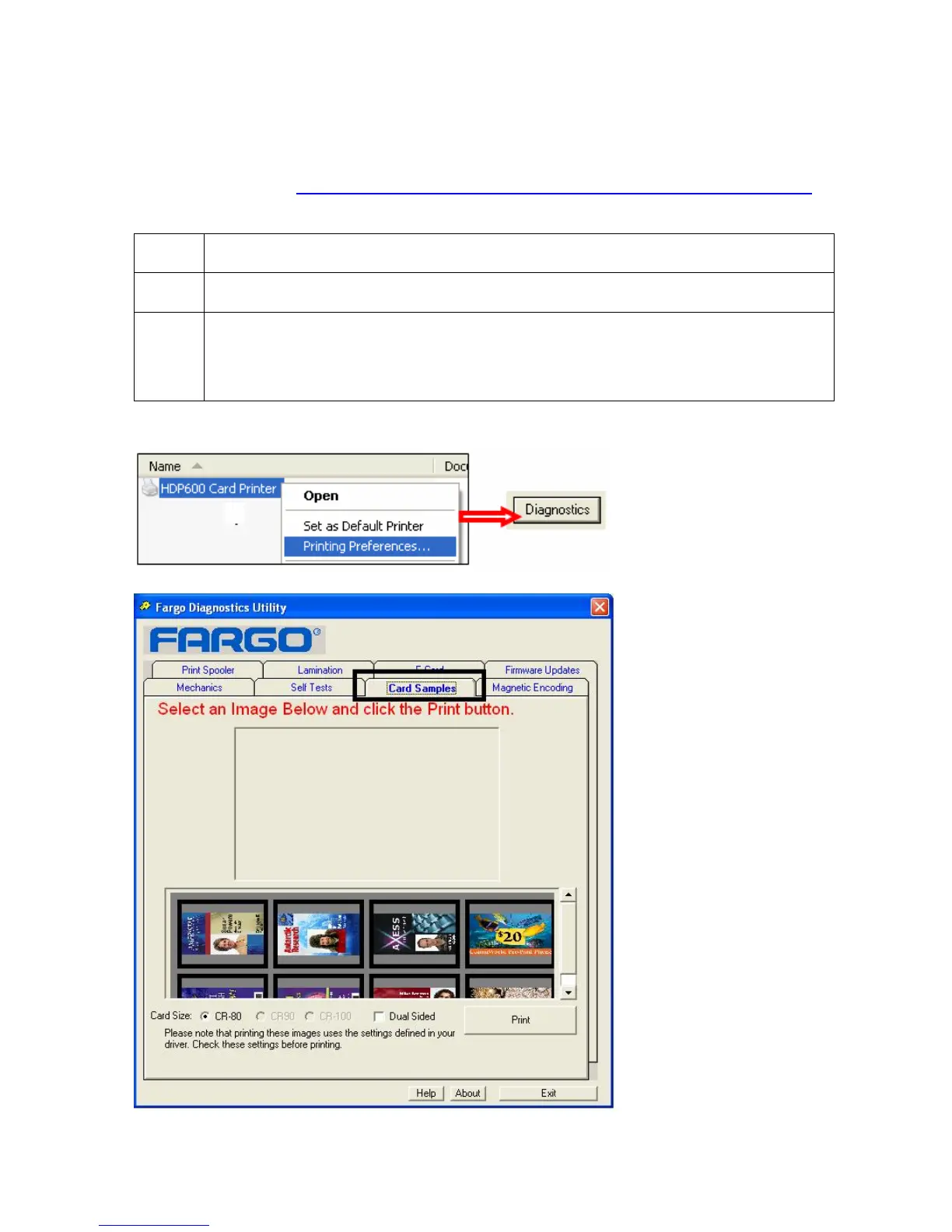
2 Using the Diagnostics Utility, print any one card from the Sample Cards tab.
The diagnostics utility can be accessed through Printer preferences as
shown below.












 To Next Page