RESTRICTED USE ONLY Fargo Electronics, Inc.
HDP 800 Series Card Printer/Encoders Service Manual (Rev. 5.0)
145
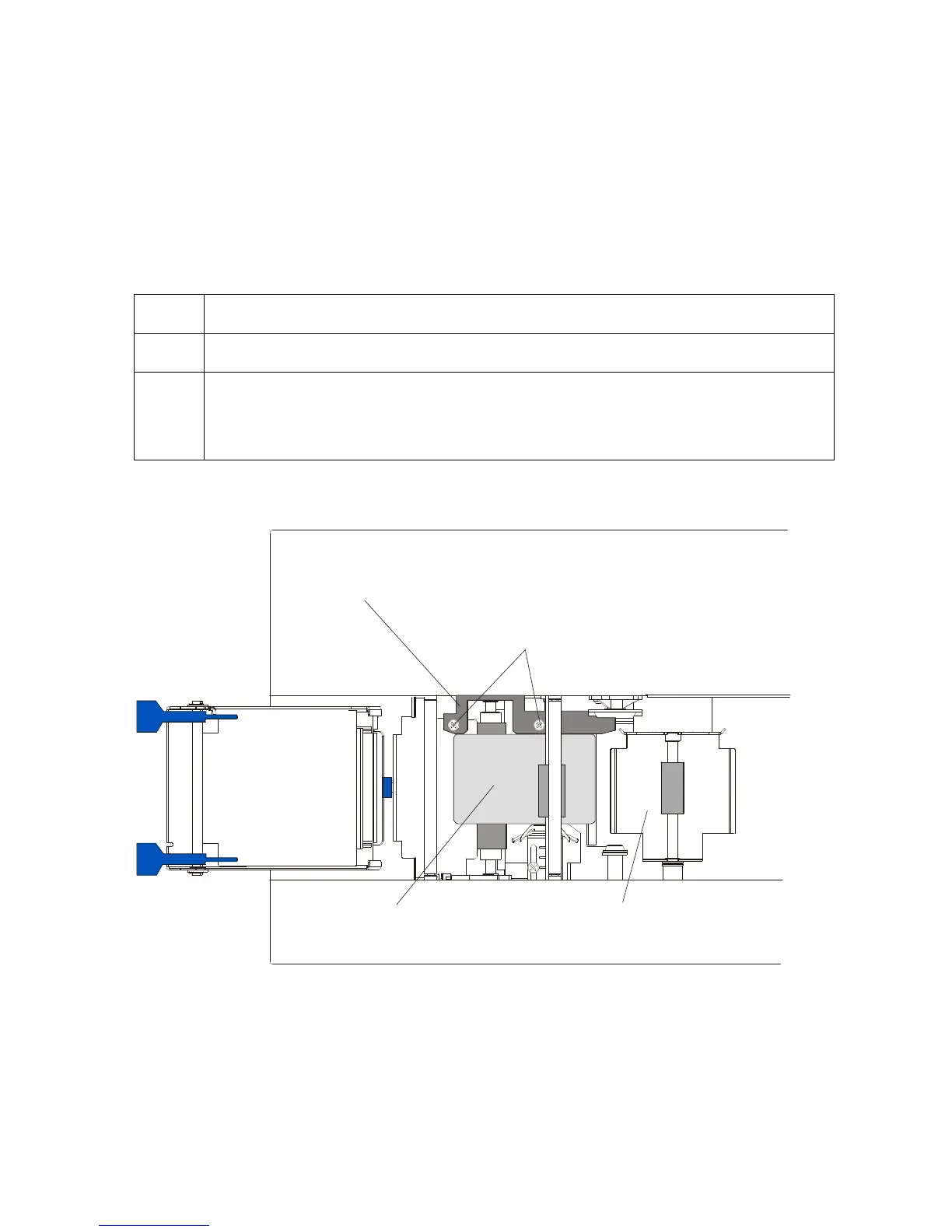
Adjusting the Card Guide Rail
If applying PolyGuard Overlaminate, you may find that the individual patch from the
overlaminate roll may be off-center when applied to a card. (Note: Although the patch
placement will vary slightly from card to card, they should never hang over the edge of the
card.)
• To center the vertical placement of these patches across the card width, a mechanical
adjustment can be made. (Note: This adjustment is described below.)
Step Procedure
1 Open the Lamination Module's Top Cover and Lamination Station.
2 a. Feed a blank card into the Module by inserting it through the output hopper
and reverse feeding it by pressing the Lamination Module's Resume button.
b. Manually position the card so its edge is flush with the Card Guide Rail.
Continued on the next page
Card Guide Rail
Blank Card
Screws
Card Flipping
Mechanism
CR90
CR80












 To Next Page