RESTRICTED USE ONLY Fargo Electronics, Inc.
HDP 800 Series Card Printer/Encoders Service Manual (Rev. 5.0)
93
Resolving the Film Sensor errors
Step Procedure
1 Check that all LCD settings are set as follows:
• Film Drive: 0
• Ribbon Drive: 0
• Transfer Tension: +5
• Ribbon Tension: +5
(Technician Note #1: Transfer tension can be set higher than +5 if it is
observed that the Film Take-up Motor delays at the beginning of Lamination.)
(Technician Note #2: Ribbon tension can be set higher than +5 if it is
observed that the Ribbon is sticking to the Film during printing.)
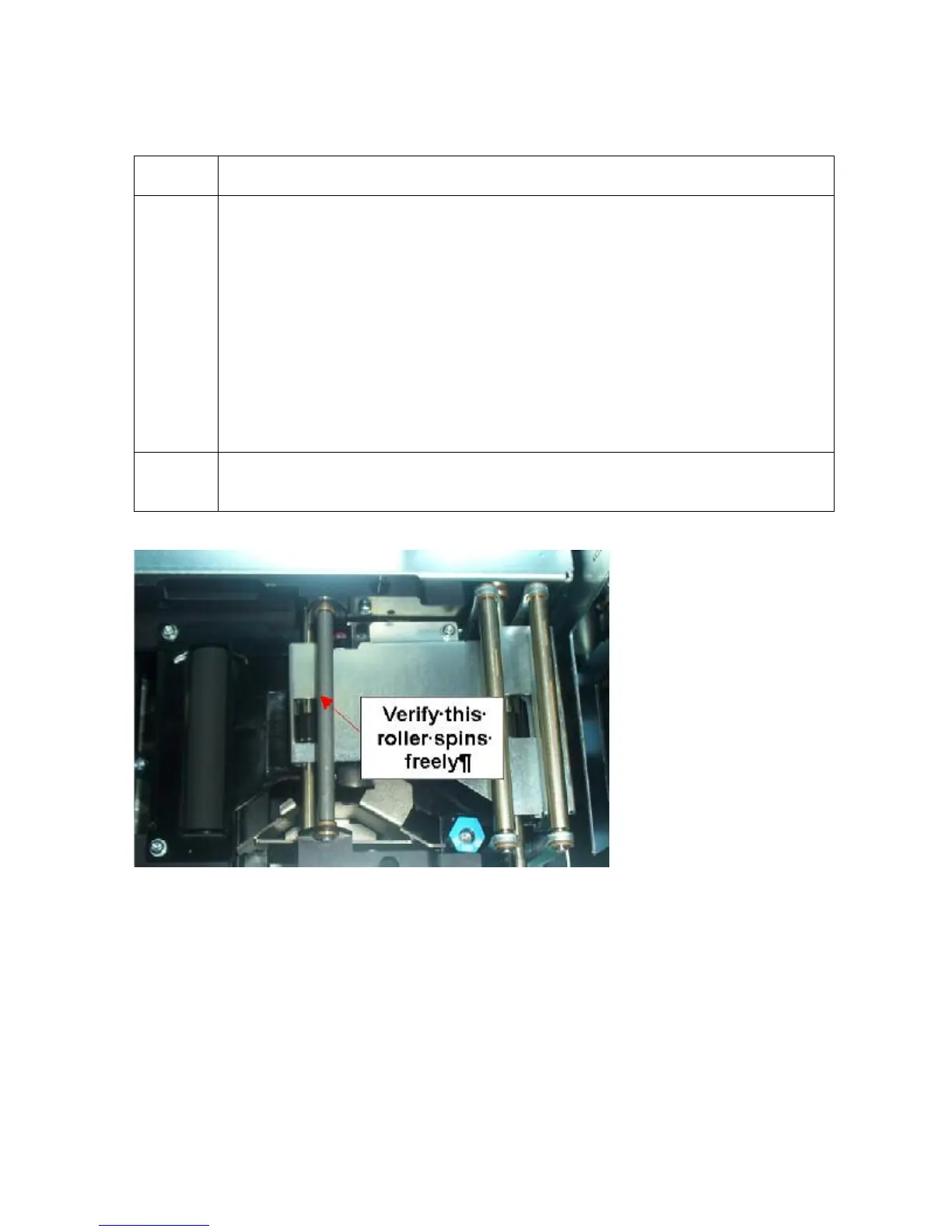
2 a. Verify the base Film Drive Idler Roller (D840867) moves freely (see
picture).












 To Next Page