RESTRICTED USE ONLY Fargo Electronics, Inc.
HDP 800 Series Card Printer/Encoders Service Manual (Rev. 5.0)
450
Aligning the Print Offset
This procedure positions the image correctly on the HDP Film. Refer to the Preparing to
adjust the Print Offset, Transfer TOF and Transfer EOF procedure in Section 8, page 449, for
proper sequence.
Step Procedure
1
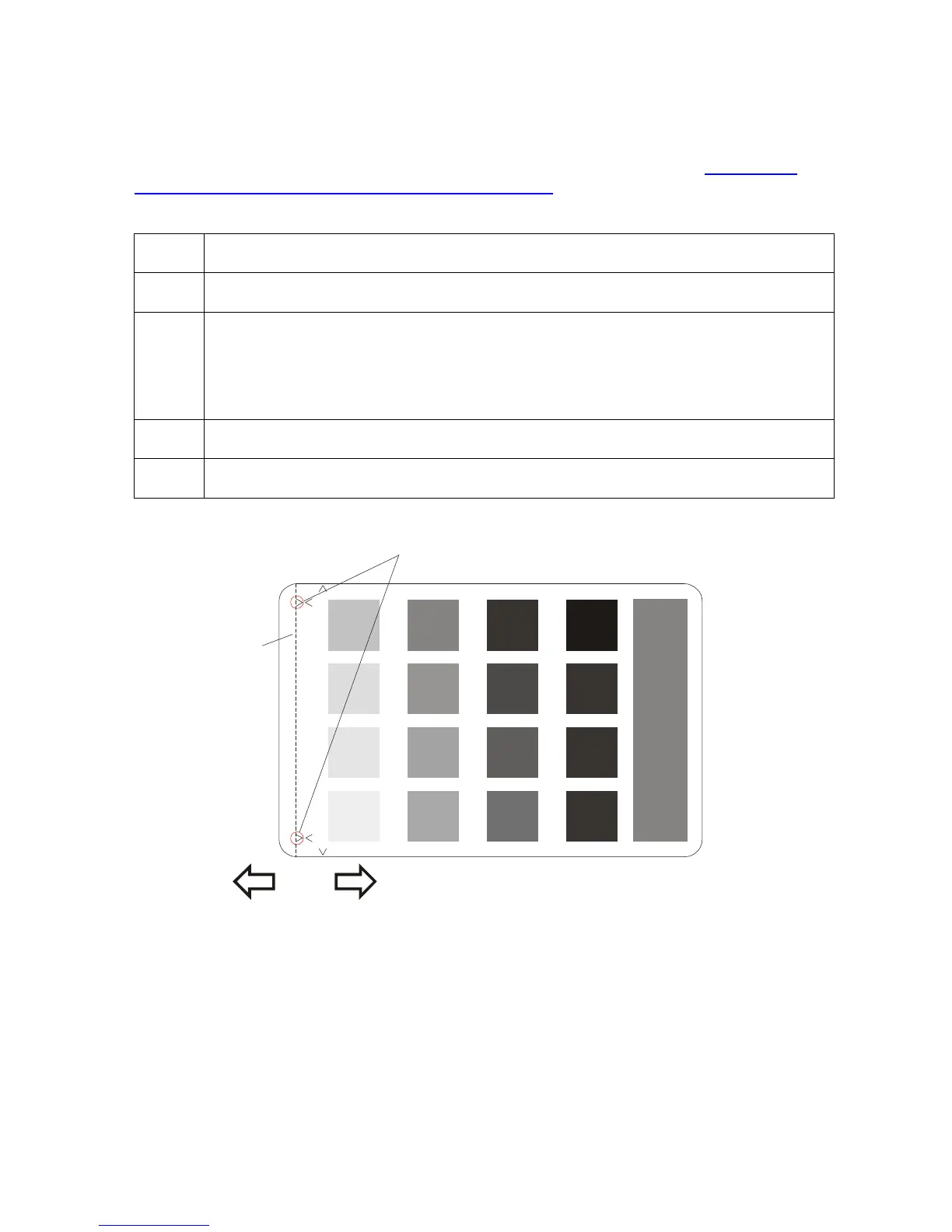
Choose MENU, Print Test Image and Gray/Align YMC to print a test card.
2 a. Examine the test card. The open end of the Outer Alignment Arrows should
appear at the edge of the Film (shown below as a dotted line).
b. Go to step 5 on the next page to adjust the Print Offset if the test card does
look like the display (shown below).
3 Select MENU, Setup Printer and Print Offset.
4
Record the Print Offset value on the test card last printed.
Arrows
TOF
Leading Edge
of Card
EOF
of Card
Edge of
Transfer Film
- +
Continued on the next page












 To Next Page