RESTRICTED USE ONLY Fargo Electronics, Inc.
HDP 800 Series Card Printer/Encoders Service Manual (Rev. 5.0)
176
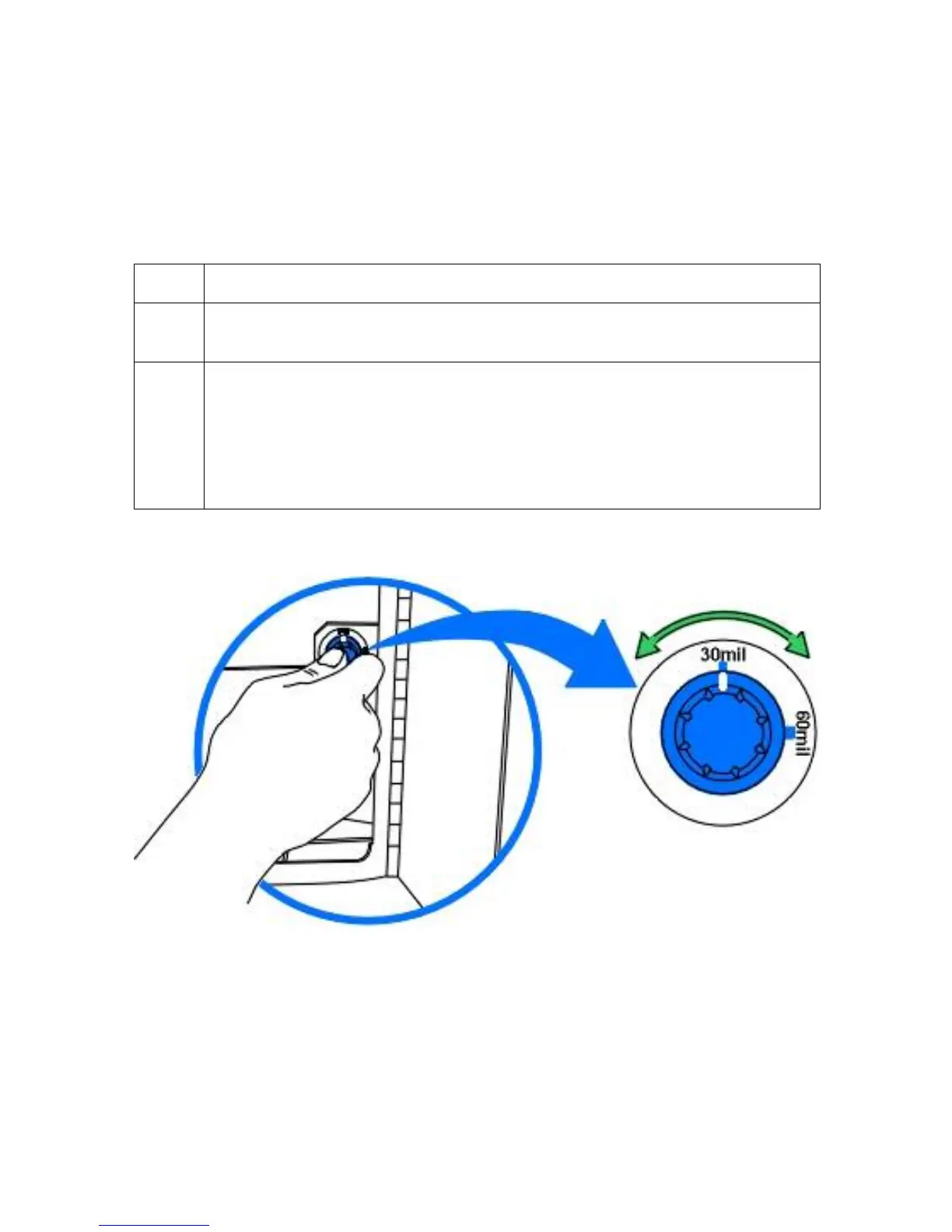
Adjusting the Card Thickness Knob
When loading thicker or thinner cards, it is important that the Card Thickness Adjustment
Knob be set accordingly to ensure the Printer feeds only one card at a time. (Note: If the
Printer is equipped with the Card Lamination Module, only cards with a thickness ranging
from 30 mil to 40 mil can be laminated. Thicker cards will, however, be allowed to pass
through the Lamination Module if you choose to print-only.
Step Procedure
1 Open the Printer's Front Access Door and locate the Card Thickness
Adjustment Knob.
2 Rotate this knob clockwise to the setting that matches the thickness of the
cards. (Note: If you do not find a setting for the exact card thickness, set the
adjustment knob to the setting closest to the thickness of the cards.)
The adjustment knob controls the position of the Printer's internal Card
Separator, which is designed to accommodate a range of card thicknesses
surrounding the given card thickness settings.
Continued on the next page












 To Next Page