RESTRICTED USE ONLY Fargo Electronics, Inc.
HDP 800 Series Card Printer/Encoders Service Manual (Rev. 5.0)
151
Adjusting the Internal Card Guide (continued)
Step Procedure
3 To verify proper adjustment, feed a blank card into the Module by inserting it
through the output hopper and reverse feeding it by pressing the Lamination
Module's Resume button. (Note: Manually position the card so its edge is
flush with the Card Guide Rail.)
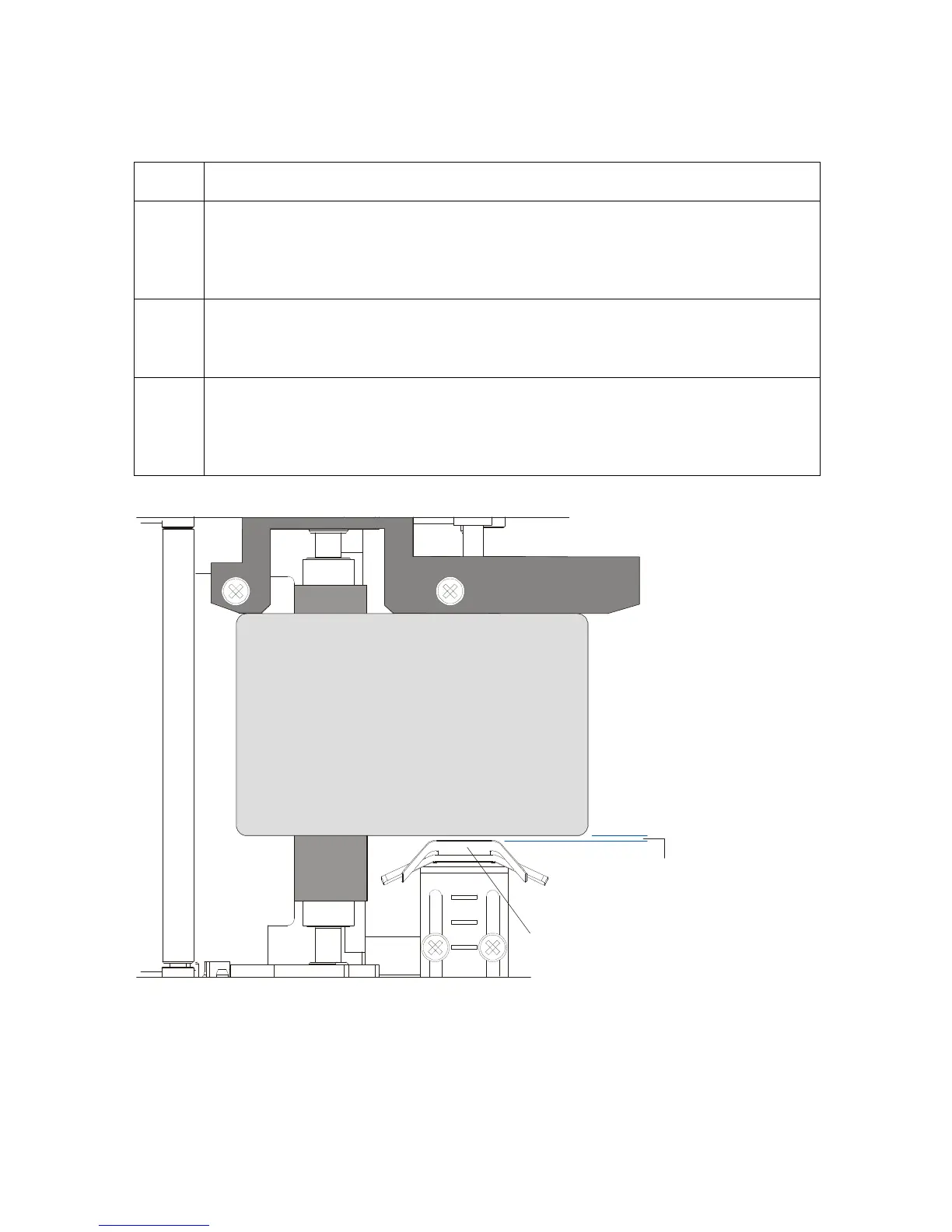
4 When adjusted properly, there should be a slight space of about .010"/.25mm
between the card edge and the Internal Card Guide as indicated here. (Note:
Adjust further to this indicated position if necessary.)
5 Always make very slight adjustments to the Internal Card Guide and run a test
print after each adjustment until the optimum position is found. (Note: Be sure
the Internal Card Guide always remains parallel to the card path and that the
screws loosened in step 1 are retightened after each adjustment.)
space
CR100
CR90
CR80












 To Next Page