RESTRICTED USE ONLY Fargo Electronics, Inc.
HDP 800 Series Card Printer/Encoders Service Manual (Rev. 5.0)
201
Using the Image color tab (continued)
Step Procedure
2
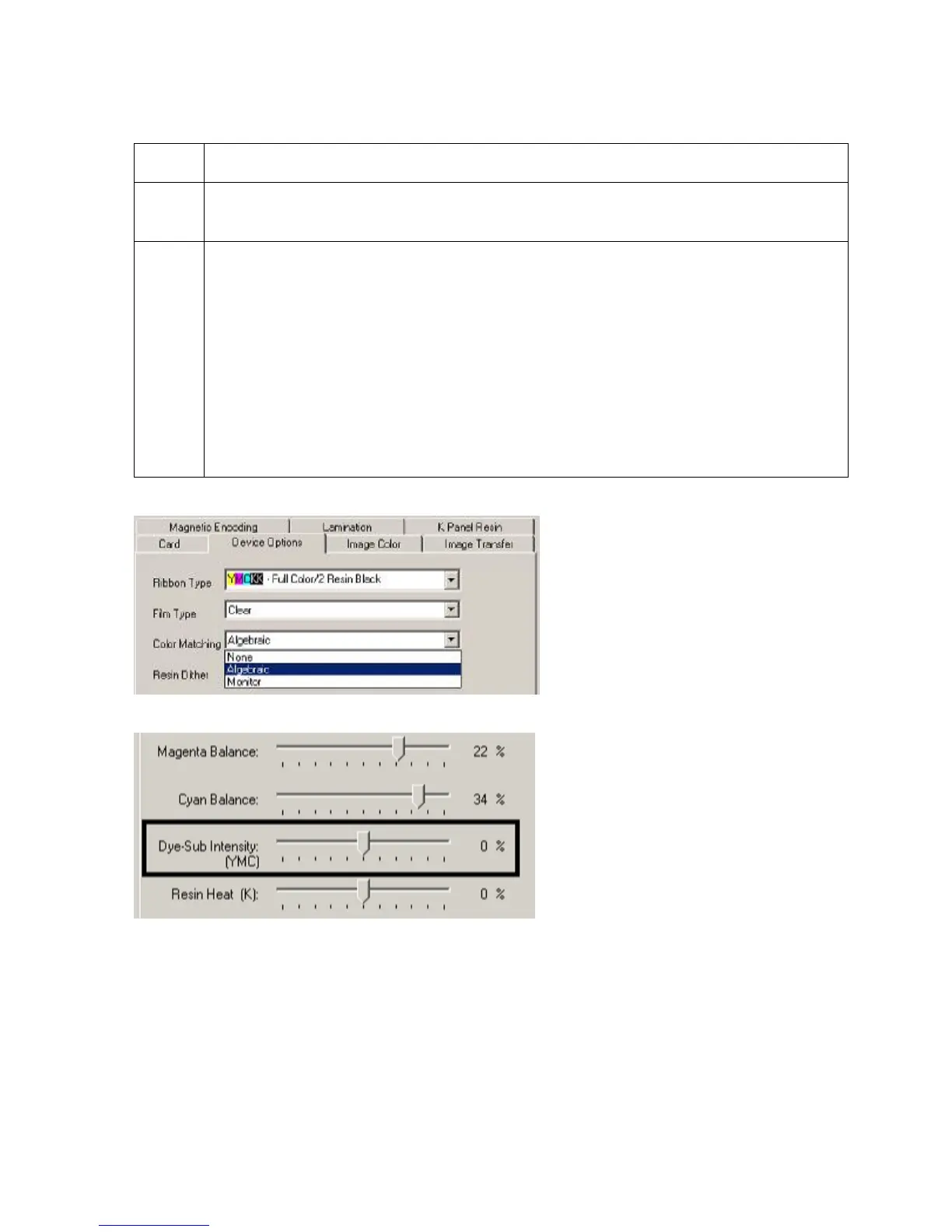
Select the None or Monitor option (see the Device Options tab, shown below) to
only display the Dye-Sub Intensity and Resin Heat sliders.
3 Control the overall darkness and lightness of the dye-sub printed image by
adjusting the Dye-Sub Intensity slide by clicking and dragging the slide's box.
• Move the slide to the left to cause less heat to be used in the printing process,
thus generating a lighter print.
OR
• Move the slide to the right to cause more heat to be used, thus generating a
darker print.
(Note: This slide only affects those images printed with dye-sublimation ribbon
Panels (YMC).)












 To Next Page