RESTRICTED USE ONLY Fargo Electronics, Inc.
HDP 800 Series Card Printer/Encoders Service Manual (Rev. 5.0)
66
Resolving a Card Feeding problem (HDP820/820-LC) (continued)
Step Procedure
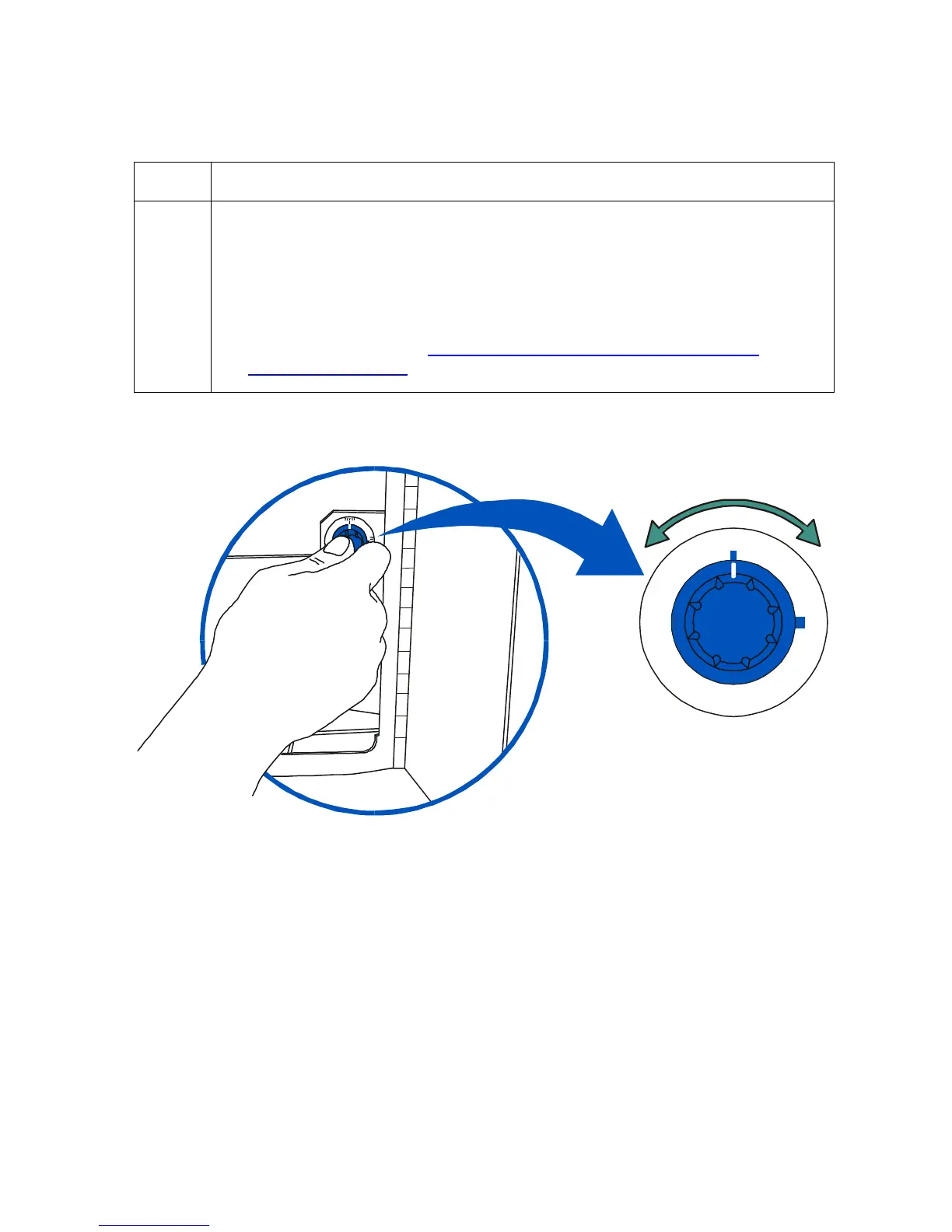
3 When loading cards, ensure that Card Thickness Adjustment Knob is properly
set to ensure that the Printer feeds in only one card at a time.
a. Open the Front Access Door
b. Locate the Card Thickness Adjustment Knob.
c. Adjust this knob to the setting that matches the card thickness. For fine
scale changes, see the Fine Tuning the Card Separator Adjustment
Assembly (D840995) procedure in Section 3, page 165.
Continued on the next page












 To Next Page