HDP8500 Service Manual, PLT-01583, 1.1
© 2013 HID Global Corporation/ASSA ABLOY AB. All rights reserved.
65
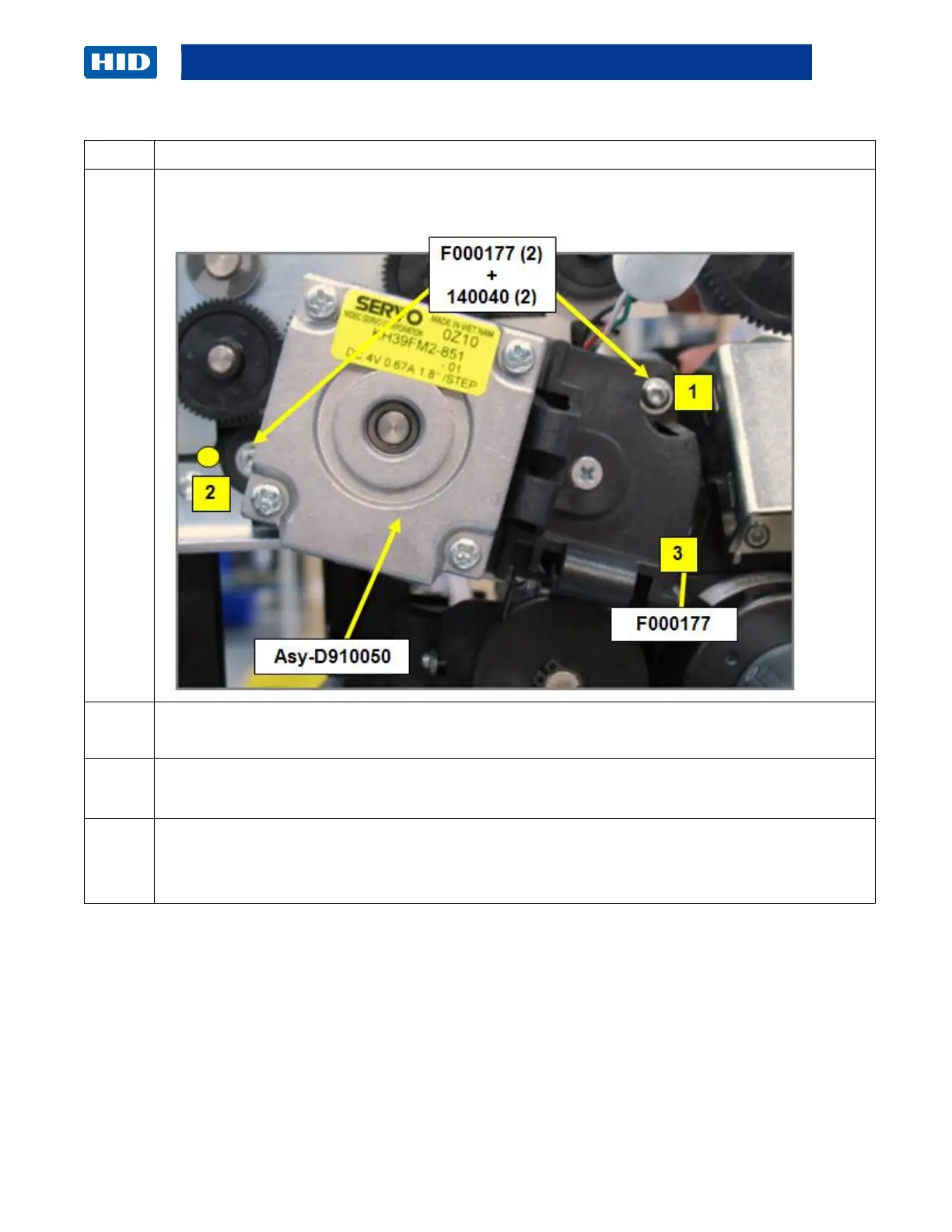
Remove the 3 screws (F000177) that hold the Motor (D910050) to the Frame.
Screws # 1 & 2 have washers ( 140040)
Roll the Motor (D910050) in a downward angle CCW to release the Print Stepper Motor Belt
(F000093) from the Pulley.
a. Check the Belts and Pulley for excessive wear.
b. Replace the Belt (F000093) or the Pulley (D840888).
a. If replacing the Gear, remove the clip that attaches the Gear to the Shaft.
b. Replace it with the new Gear (D840888).
c. Replace the clip on the Shaft.



 To Next Page