HDP8500 Service Manual, PLT-01583, 1.1
© 2013 HID Global Corporation/ASSA ABLOY AB. All rights reserved.
84
Complete the replacement by doing the following steps. See below for details.
a. Replace the complete Printhead Assembly. IMPORTANT NOTE: Locate the
Printhead Resistance value stamped on the printhead BEFORE installing. This VALUE
is needed for step 26
b. Replace the Printhead cable and ground strap.
c. Replace the Printhead Motor Mount (D910052).
Caution: When replacing the Printhead Assembly, ensure that the Printhead
surface does not get scratched by any other Printer parts.
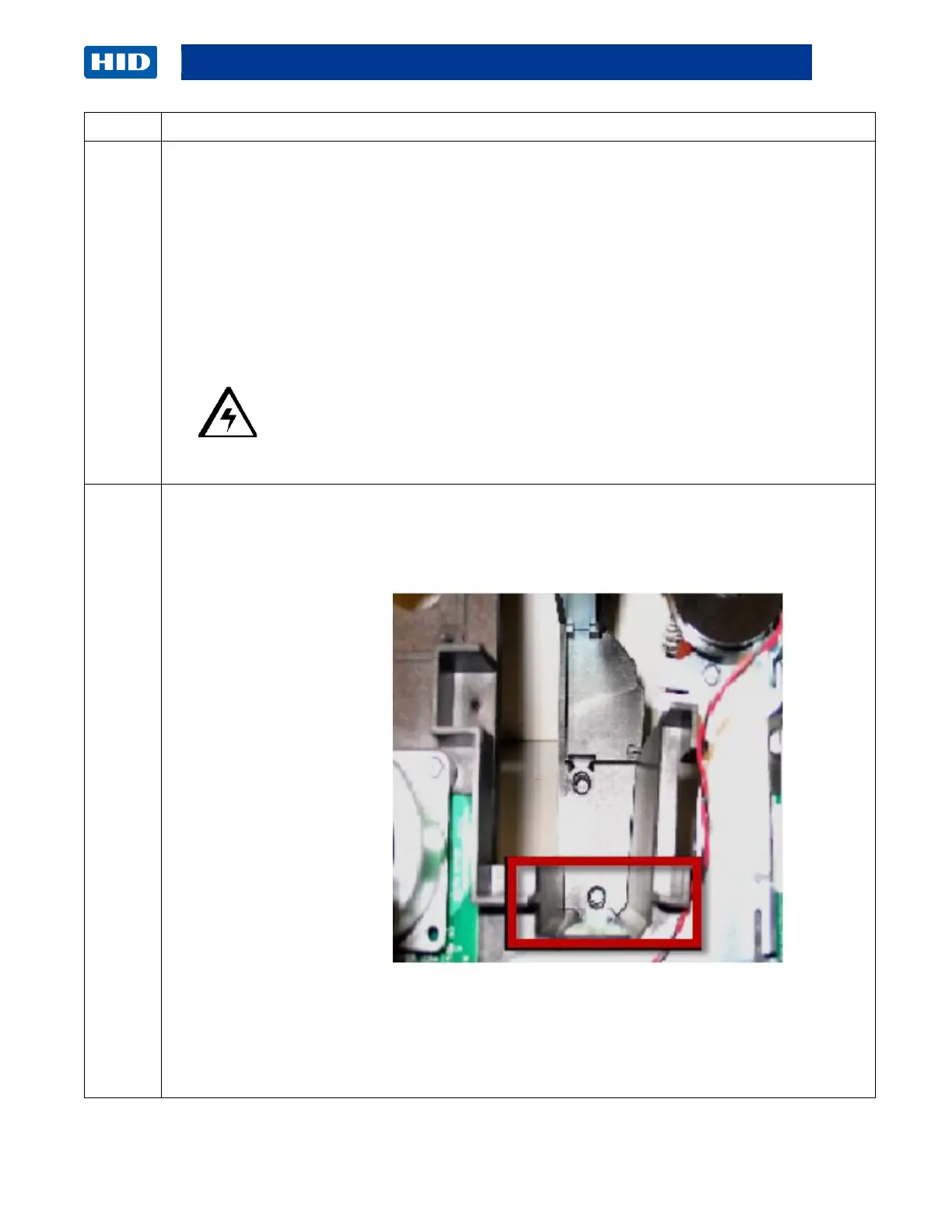
Fit the Frame Mount pin into the slot, provided within the Printer Frame.
(Important: Verify the mount pin is solidly fitted into the hole, as shown below.)
Display – Frame Mount Pin
Display – Print Platen Roller Slot and Frame Mount Pin
(continued next page)



 To Next Page