FARO
®
Laser Scanner Manual
41
Chapter 6: Getting Started
This view shows a list of all available scan profiles. This list contains factory
predefined profiles that are read-only and custom profiles that can be created
and manipulated under Manage > Profiles.
See
Factory Settings on page 108 for an overview of the available factory
predefined scan profiles. For more information, see
Selected Profile on
page 60.
Select a profile by tapping the corresponding button. The selected profile will
be highlighted.
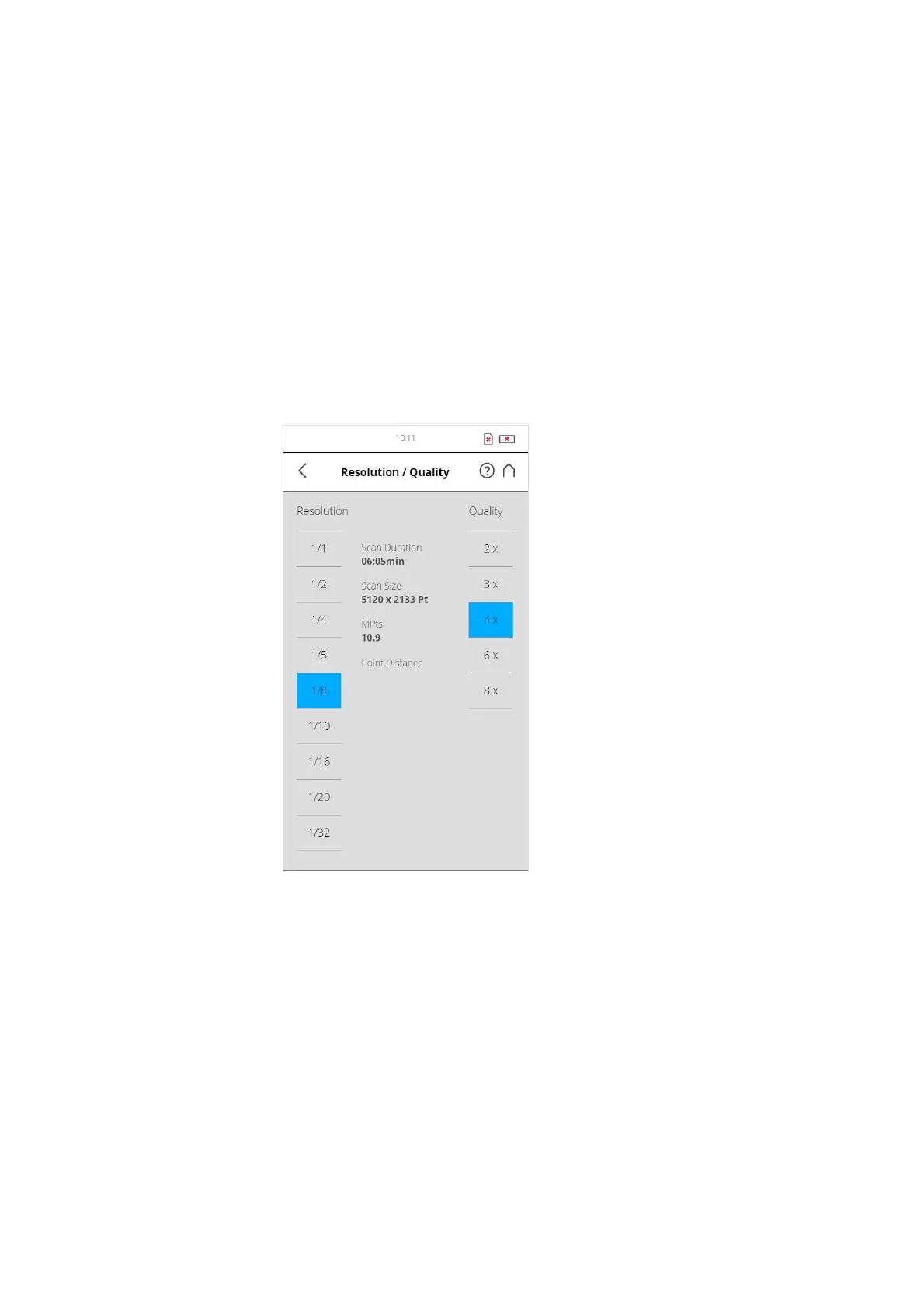
Setting Resolution and Quality
(Home > Parameters > Resolution / Quality)
Figure 6-24: Change Scan Resolution and Quality
Resolution The resulting scan resolution. You can choose among 1/1, 1/2,
1/4, 1/5, 1/8, 1/10, 1/16, 1/20 and 1/32.
Quality Affects the quality of the scan and the scanning time at constant scan
resolutions. It allows the user to balance the needs of quality and speed with
one simple slider. Moving the slider up reduces the noise in the scan data and
thus increases the scan quality that results in an increased scanning time.
Moving the slider down reduces the scanning time and increases the
efficiency of your scan project. The Quality slider sets quality levels either
through diverse measurement rates or by applying additional noise
compression.



 To Next Page