Electrical installation 85
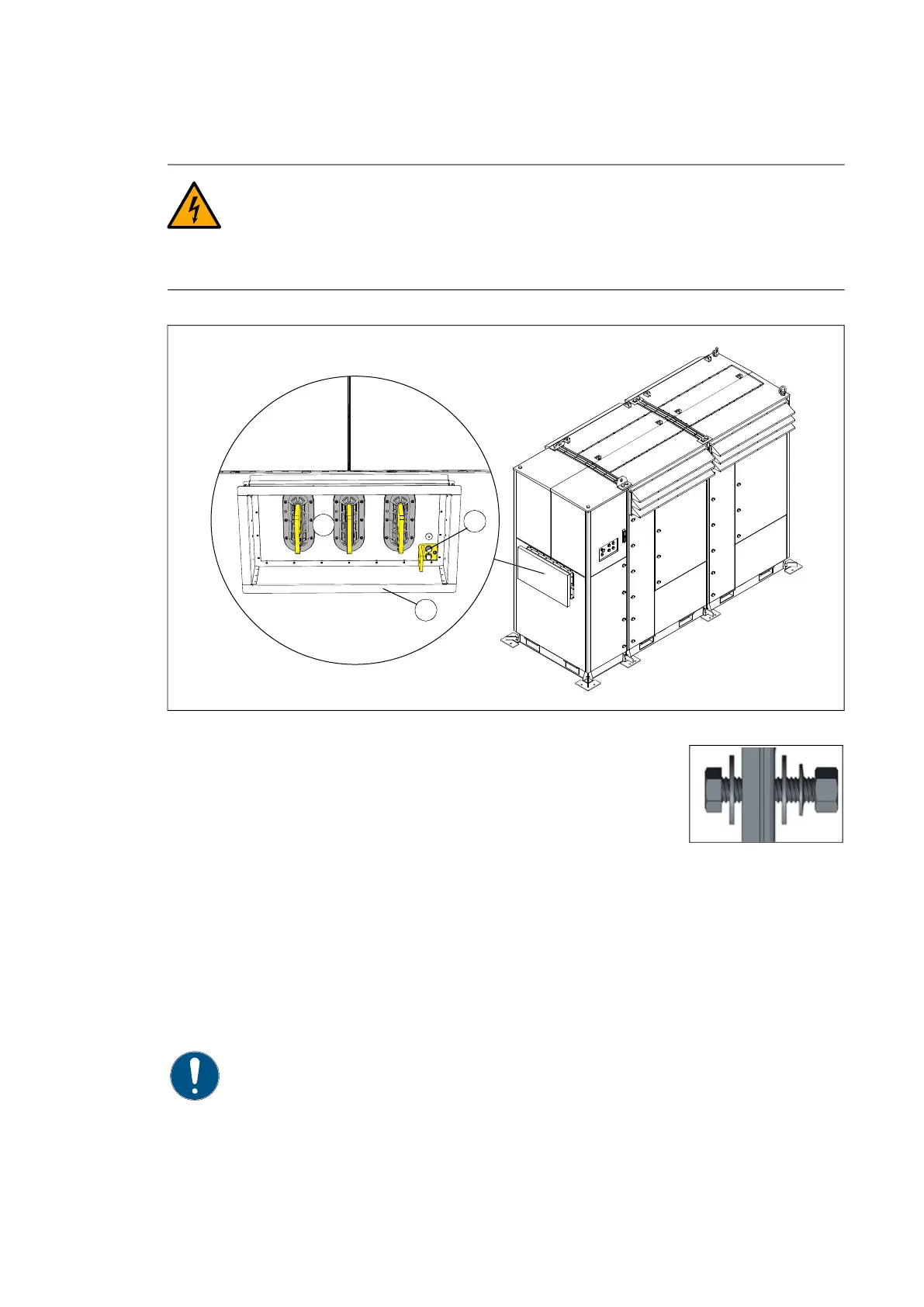
PVS980-58 AC busbar connection
WARNING! Obey the inverter safety instructions. If you ignore them, injury or
death, or damage to the equipment can occur. If you are not a qualified
electrician, do not do installation or maintenance work.
WARNING! Do the steps in section Electrical safety precautions on page 12
before you start the work.
1. Busbar connection:
• M12 (hex screw, washer [2 pcs], cup spring, nut), 18 pcs
• Tightening torque 70 N·m
• Dimension the close-coupling busbars according to the
maximum AC current.
2. Earthing:
• M6 threading tap (on the right bottom side of the connection box)
• Tightening torque 5 N·m
3. Shroud connection:
• M6×12 screw (20 pcs) and gasket
• Tightening torque 5 N·m
• Add a sealing gasket between the inverter and the close-coupling shroud to attain
the required ingress protection.
NOTE: Degree of protection UL type 3 is maintained only with the AC busbar
protective transportation cover on, or the shroud properly connected.
2
1
3



 To Next Page