Section 4: Using the Model 9500B — Function Selection 4.3-1
Final Width = 215mm
Descriptions assume 9500B/1100
4.3.1 Introduction
This sub-section is a guide to selecting the
functions in Manual mode. The following
topics are covered:
4.3.1 Introduction .................................................... 4.3-1
4.3.2 Selection of Manual Mode .............................. 4.3-1
4.3.3 Front Panel Function Keys .............................. 4.3-1
4.3.3.1 'Function' Keys .............................. 4.3-1
4.3.3.2 Default Settings .............................. 4.3-1
4.3.3.3 'OSCILLOSCOPE CALIBRATOR' Panel -
Right Side Keys select Functions ... 4.3-1
4.3.2 Selection of Manual
Mode
Whenever the 9500B is in another mode,
Manual mode can be selected by pressing the
front panel Mode key, followed by the Manual
screen key at the left of the bottom row.
(N.B. The 9500B can be made to default to
either Manual or Procedure mode at power-
up (refer to para 3.4.3.6: 'Power-up mode').
4.3.3 Front Panel Function
Keys
N.B. This description assumes that the
9500B is powered-up and that Manual mode
is active.
4.3.3.1 'Function' Keys
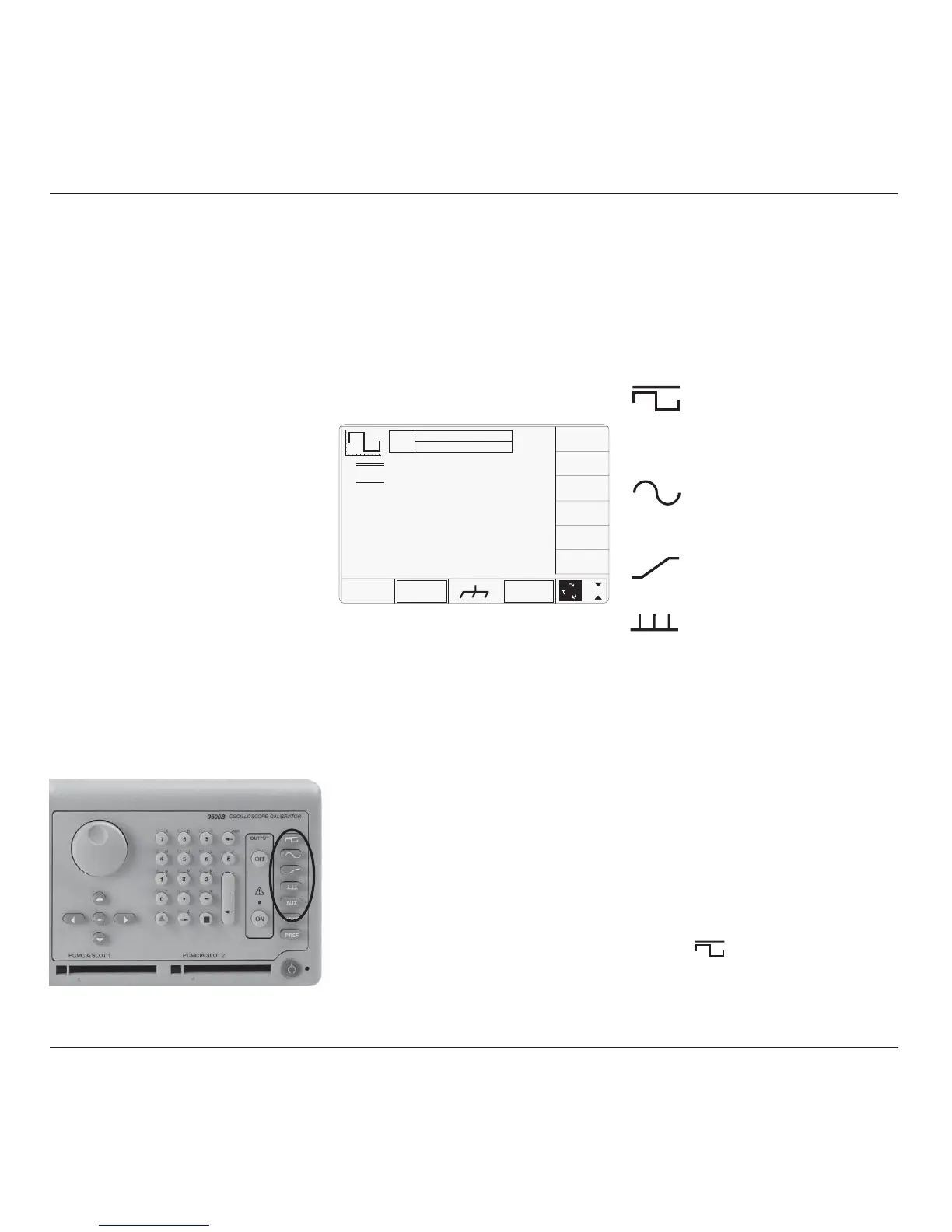
A function is accessed by pressing one of five
keys at the right of the 'OSCILLOSCOPE
CALIBRATOR' panel, as highlighted in Fig.
4.3.3.1.
4.3.3.2 Default Settings
When entering Manual mode, the system selects
DC/Square function. The system defaults to
show the DC/Square menu screen:
Fig. 4.3.3.1 9500B Function Keys
4.3 Manual Mode — Function Selection
Fig. 4.3.3.2 Manual Mode Power-Up
Screen — Multi-Channel
TODAY'S DATE TIME
OFF
SIGNAL CH1 5ØΩ
TRIGGER NONE
x 1Ø
÷ 1Ø
∆ = Ø
5.ØØ mV/div x4 = 2Ø.ØØØ mV
pk-pk
Deviation
= ØØ.ØØ %
O/P
Amplitude
= 2Ø.ØØØ mV
pk-pk
Frequency
= 1.ØØØØ kHz
WAVE
FORM
CHANNEL
SELECT
1
2
5
1.Ø
4.3.3.3 'OSCILLOSCOPE
CALIBRATOR' Panel —
Right Side Function Keys
This panel carries the main controls used to
select the operational functions and modes of
the calibrator:
Manual and Calibration Mode Function
keys are arranged down the right edge:
: DC/Square function. Select Square
with direction, or ±DCV using
screen keys. Select output channel,
amplitudes and frequency using
screen keys and cursor controls.
: Levelled Sinewave function.
Select output channel, amplitude
and frequency using screen keys
and cursor controls.
: Edge. Select polarity, amplitude
and frequency using screen keys.
: Timing Markers. Select
Waveform, Amplitude and
Frequency/Period, using screen
keys.
Aux : Auxiliary Functions. Select from
• Current,
• Composite Video,
• Linear Ramp,
• Overload Pulse,
• Zero Skew,
• Auxiliary Input,
• Load Resistance or Load
Capacitance measurement,
• UUT Input Leakage Test
using screen keys,
• Pulse Width.
As soon as a right-side screen key is pressed
(other than
), the default menu screen will
disappear, to be replaced by the default screen
of the selected oscilloscope function.
For further details refer to subjects later in this
section.



 To Next Page