4.4-4 Section 4: Using the Model 9500B — Edit Facilities
Final Width = 215mm
Descriptions assume 9500B/1100
5.ØØ mV/div x4 = 2Ø.ØØØ mV
pk-pk
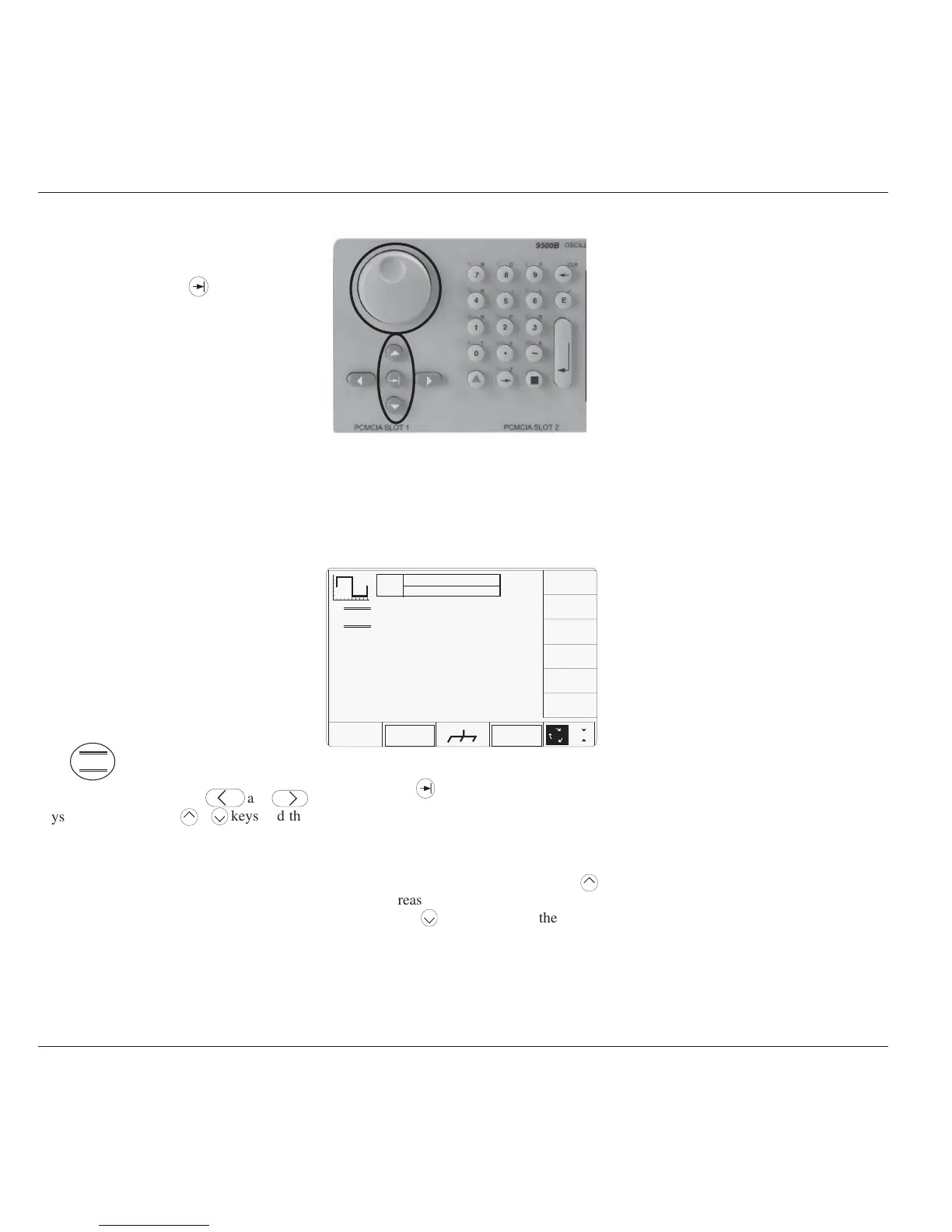
Fig. 4.4.13 Barred Cursor Control Keys
4.4.3 Scope Mode
4.4.3.1 Introduction
In Scope mode, once the
key has selected
the required variable, the cursor can take one
of two forms: 'triangular' and 'barred'. The
triangular form operates in the same way as in
Direct mode, and permits editing using Numeric
Entry as well as Digit Edit.
Note that the Units/Division and Multiplier
fields are used in Scope mode, corresponding
to similar arrangements in UUT oscilloscopes.
4.4.3.2 Cursor Controls
Triangular Cursor
For the triangular cursor, the main controls
used to manipulate the cursor are the same as
for Direct mode, except that the two keypad
shift keys have no effect, as the only variable
which uses the triangular cursor is 'Deviation',
whose resolution is constant.
'Barred' Cursor
Two pairs of horizontal lines, enclosing a
value, indicate that for that value, neither Digit
Edit nor Numeric Entry is available. The value
can be adjusted only within a preferred step
sequence. Numeric Entry editing is not
available for numbers with a 'Barred' cursor:
With this form of cursor, the
keys and the
spinwheel increase or decrease the whole value,
using the preferred sequence for that parameter
(refer to Section 3, subsection 3.3). The controls
used for the barred cursor are highlighted in
Fig. 4.4.13:
TODAY'S DATE TIME
1
2
5
1.Ø
Fig. 4.4.14 DC/Square Default Screen
OFF
SIGNAL CH1 50Ω
TRIGGER NONE
∆ = Ø
5.ØØ mV/div x4 = 2Ø.ØØØ mV
pk-pk
Deviation
= ØØ.ØØ %
O/P
Amplitude
= 2Ø.ØØØ mV
pk-pk
Frequency
= 1.ØØØØ kHz
WAVE
FORM
CHANNEL
SELECT
x 1Ø
÷ 1Ø
4.4.3.3 Use of Sequence Scroll
Having already dealt with Digit Edit, Sequence
Scroll is easy to understand. The default DC/
Square screen of Fig. 4.4.1 is repeated in Fig
4.4.14 as an example:
Using the Tab
key to transfer through the
four available fields in turn, it can be seen that
the 'mV/div', the Multiplier and the Frequency
fields use barred cursors, with the Deviation
field using a triangular cursor.
Returning to the mV/div field, pressing the
key will reduce the whole
value to 2.00mV (always assuming that the
sequence 1→2→5 has been selected in 'Pref'
facility). All other values with barred cursors
will also be incremented in the preferred
sequence.



 To Next Page