Maintenance and care
131
The exchange procedure starts.
PostBase Vision moves the ink cartridge to
the exchange position and opens the flap.
• Follow the instructions on the display. The
screen sequence demonstrates the
procedure of changing the cartridge.
The required steps are described in detail
below.
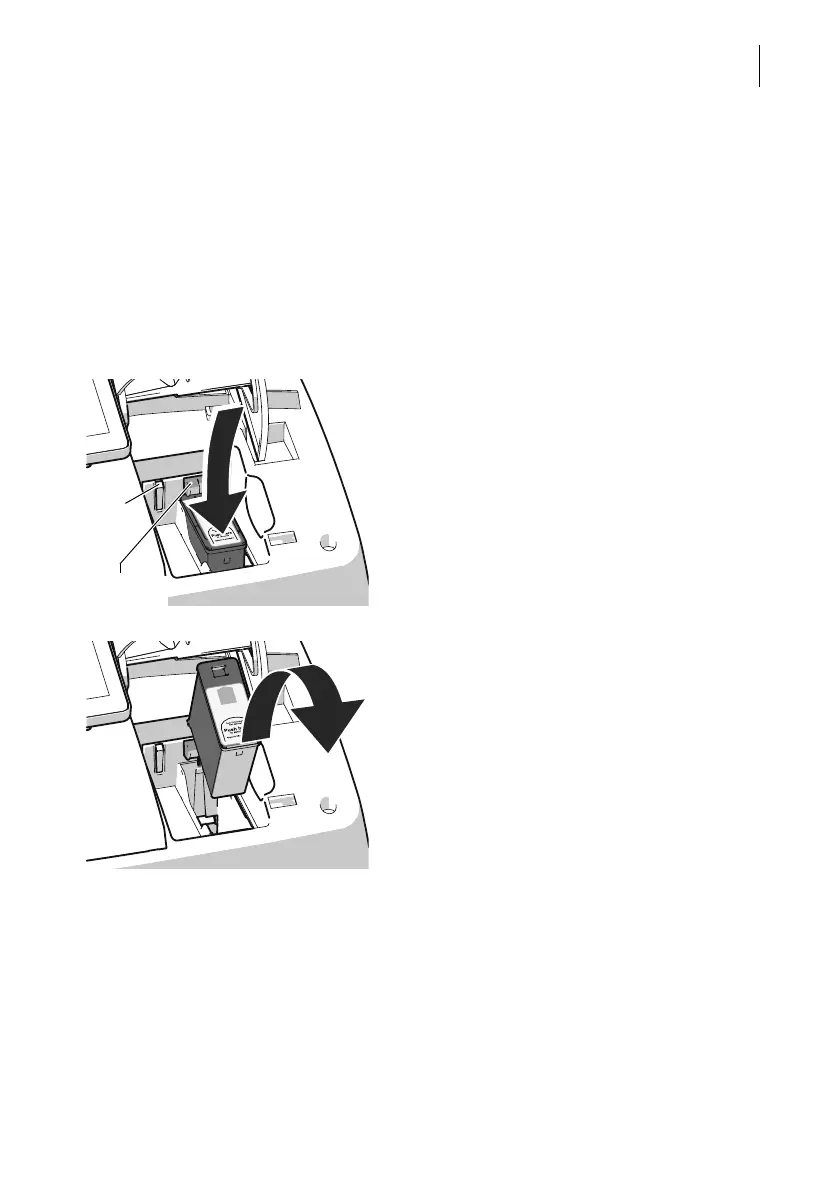
Removing the ink cartridge
• Slightly push the cartridge down on the
“Push here …” mark. In doing so, the car-
tridge tilts to the front.
The cartridge is unlatched. The green LED
flashes.
• Ease off against the spring pressure and
let the cartridge slide upwards, past the
green catch.
. • Take the ink cartridge upward and out of
the socket.
Inserting new ink cartridge
The full functioning of the PostBase Vision
mailing system at the time of delivery can only
be guaranteed when using original
Francotyp-Postalia ink cartridges.



 To Next Page