PostBase Vision
132
Caution! Insert the ink cartridge only after it
has adapted to the ambient temperature of
the PostBase Vision (e.g. after storage in the
basement or after transport in a cold vehicle).
Else, no correct calibration can be per-
formed.
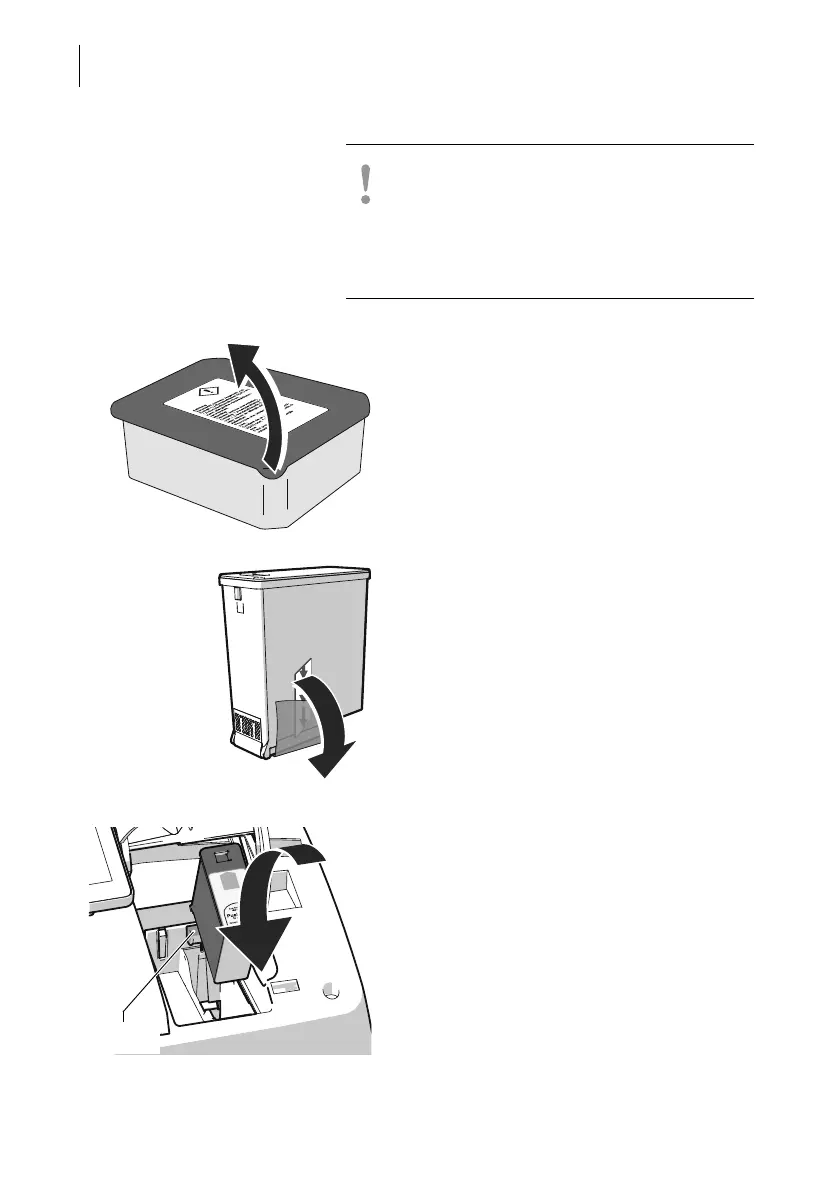
• Open the cartridge packaging.
• Remove the ink cartridge from its packag-
ing.
• Remove the protective strip (nozzle protec-
tion).
• Hold the ink cartridge with its connectors
facing backwards, i.e. towards the back of
PostBase Vision. The green arrow on the
cartridge points towards the green catch on
the cartridge bracket.
• Insert the ink cartridge into its bracket.
• Push down the ink cartridge and let it snap
to the back, under the catch.



 To Next Page