Maintenance and care
133
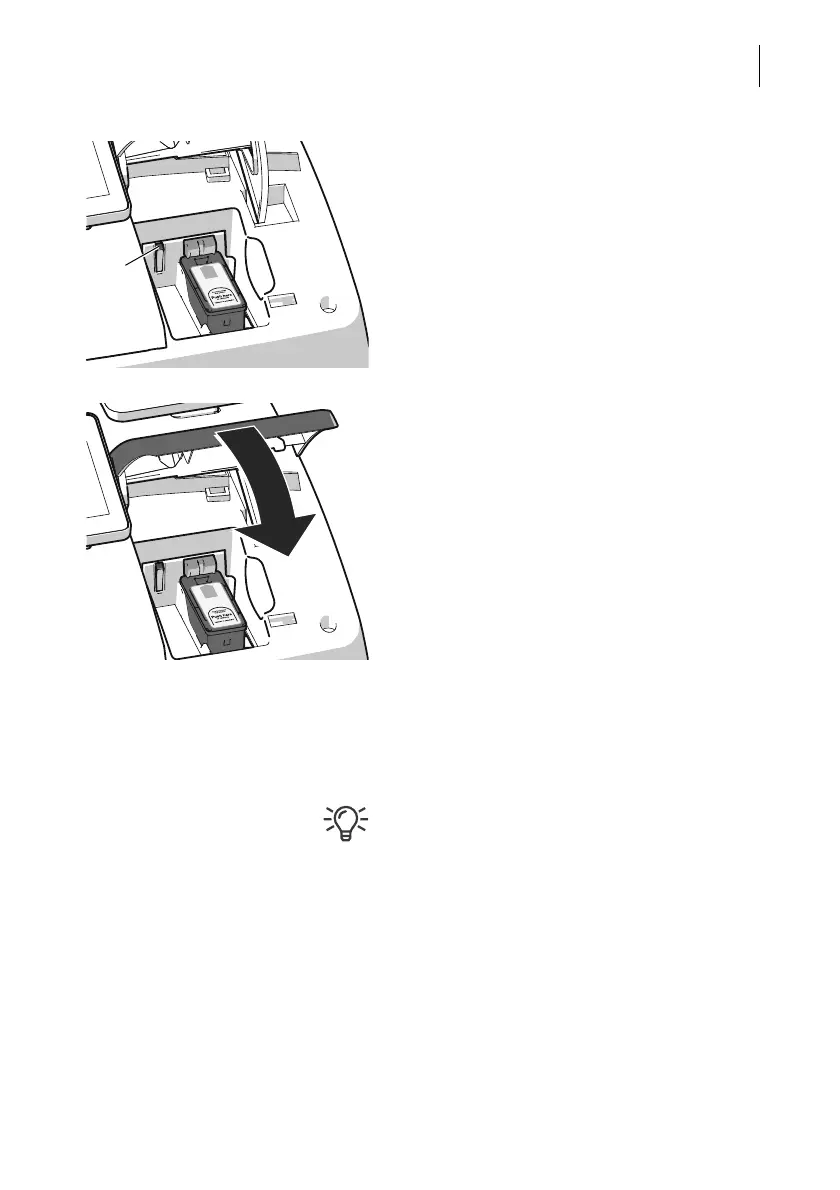
When the cartridge is inserted correctly, the
green LED glows continuously.
• Close the flap of the print system:
Push down the flap in the area of the
PostBase Vision logo until the latch
catches.
Preparing for operation After changing the ink cartridge,
PostBase Vision internally prepares the car-
tridge for operation. Please be patient until
this process is complete.
We recommend checking the print quality by
performing a Test Imprint (see chapter 16.4).



 To Next Page