Fax/Internet Fax
125
Fax
4
Note • When using the DTMF method, use specific symbols. For information on the DTMF method,
refer to "Remote Mailbox (Using Remote Mailbox)" (P.141), and "Broadcast" (P.152).
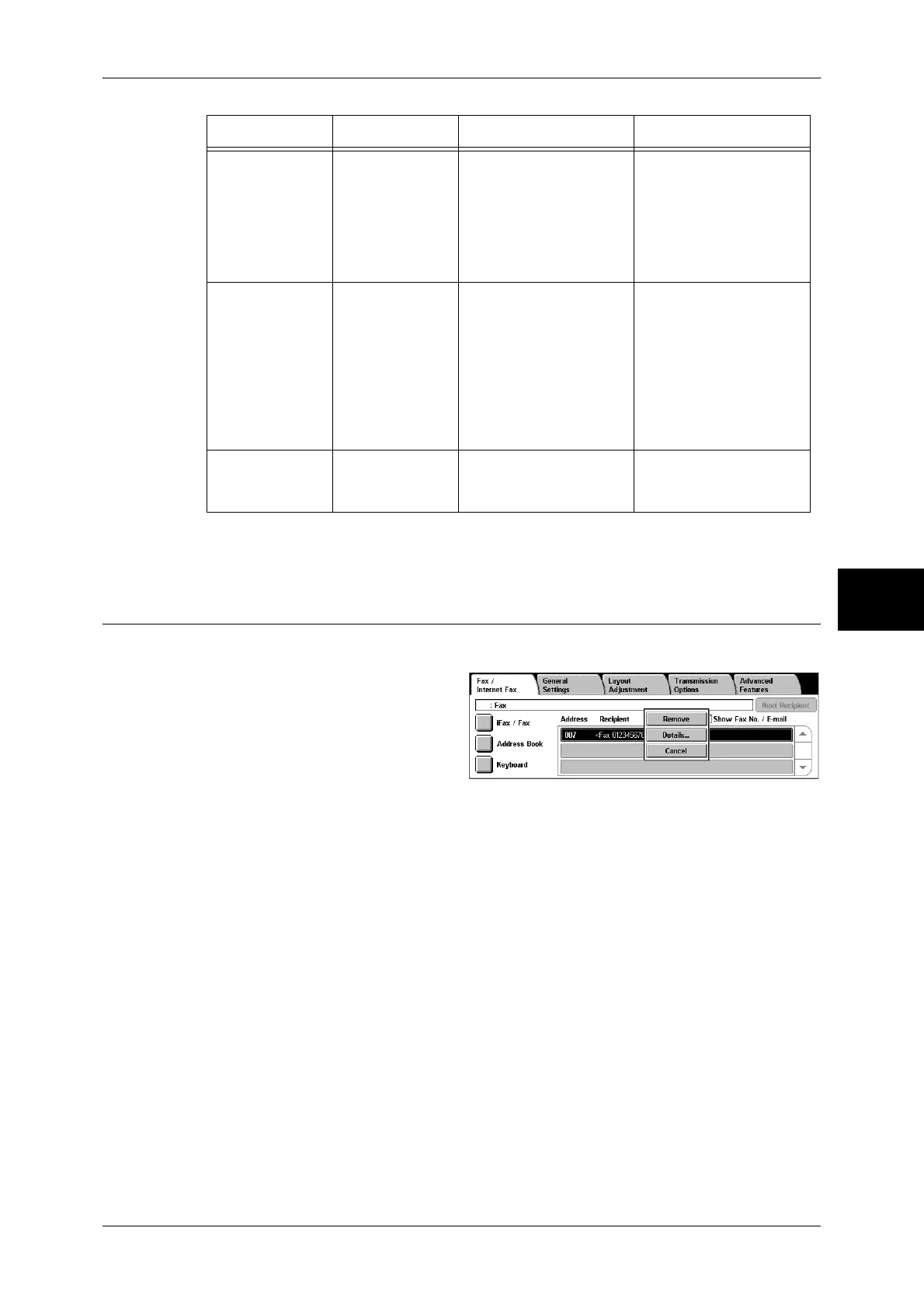
Removing/Confirming Specified Recipient
You can remove or confirm recipients using the pop-up menu.
1 Select the recipient to be removed
or confirmed from [Address/
Recipient].
2 Select any item from the pop-up
menu.
Remove
Removes the recipient.
Details...
The [Recipient Details] screen is displayed. You can confirm recipients or address
numbers.
Transmit using a
password
S When a password has
been set, transmission
will only start if the
password matches the
ID number on the remote
terminal.
1. Select [Keyboard] in
the [Fax/Internet Fax]
screen to display the
keyboard.
2. Select [S].
(Example)
0312345678S12345678
Transmit DTMF
signal
! Use to transmit the
DTMF signal.
1. Select [Keyboard] in
the [Fax/Internet Fax]
screen to display the
keyboard.
2. Select [More
Characters].
3. Select [!].
(Example)
0311123456!123#
Transmit PB
(from dial pulse
to tone)
: Switches the dial type
from pulse to tone when
the Fax service is used.
1. Select [Tone (:)] on
the [On-hook] or [Off-
hook] screen.
Feature Button Function Input method


 To Next Page
 Loading...