E-mail
177
Scan
5
More Characters
Displays symbols. Use this button to enter symbols for the e-mail address.
Next Recipient
Allows to specify the e-mail address for sending e-mail to multiple recipients
(Broadcast).
Backspace
Moves the cursor back to delete one character.
Shift
Used for entering uppercase characters.
Adding the Sender's Address
This button is used to add the sender's address to [To], [CC], or [BCC].
1 Select [Add Me].
2 Select a type.
To
Adds the sender's address to To.
CC
Adds the sender's address to CC.
BCC
Adds the sender's address to BCC.
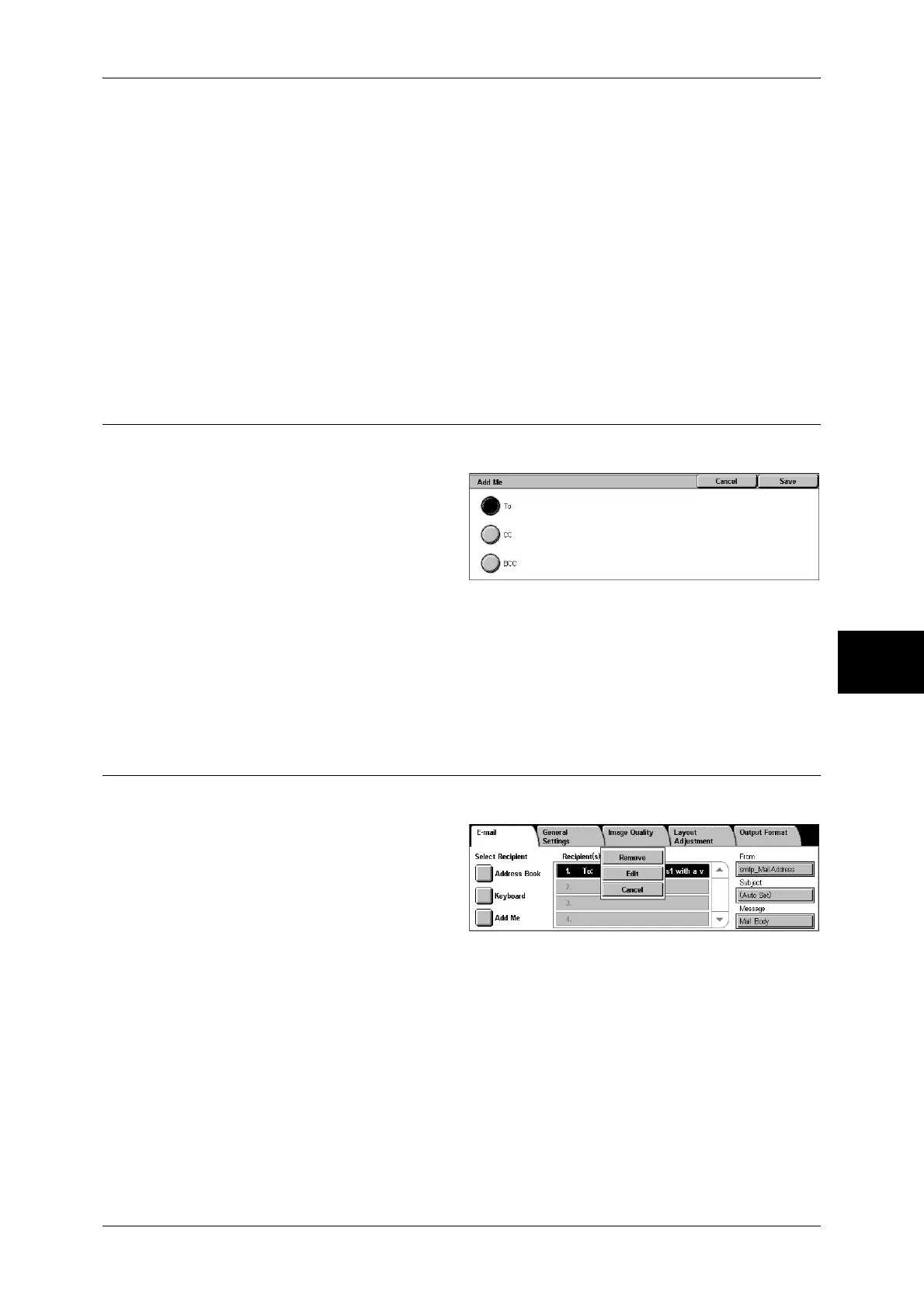
Recipient(s)
Allows you to confirm, delete or change recipients using the pop-up menu displayed.
1 Select the recipient to be deleted,
confirmed, or changed from
[Recipient(s)].
2 Select any item from the pop-up
menu.
Remove
Removes the selected recipients.
Edit
Displays the [Edit Recipient] screen. Allows you to confirm or change the recipient.
Refer to "[Edit Recipient] Screen" (P.178).
Cancel
Hides the pop-up menu.


 To Next Page
 Loading...