15 Problem Solving
538
Problem Solving
15
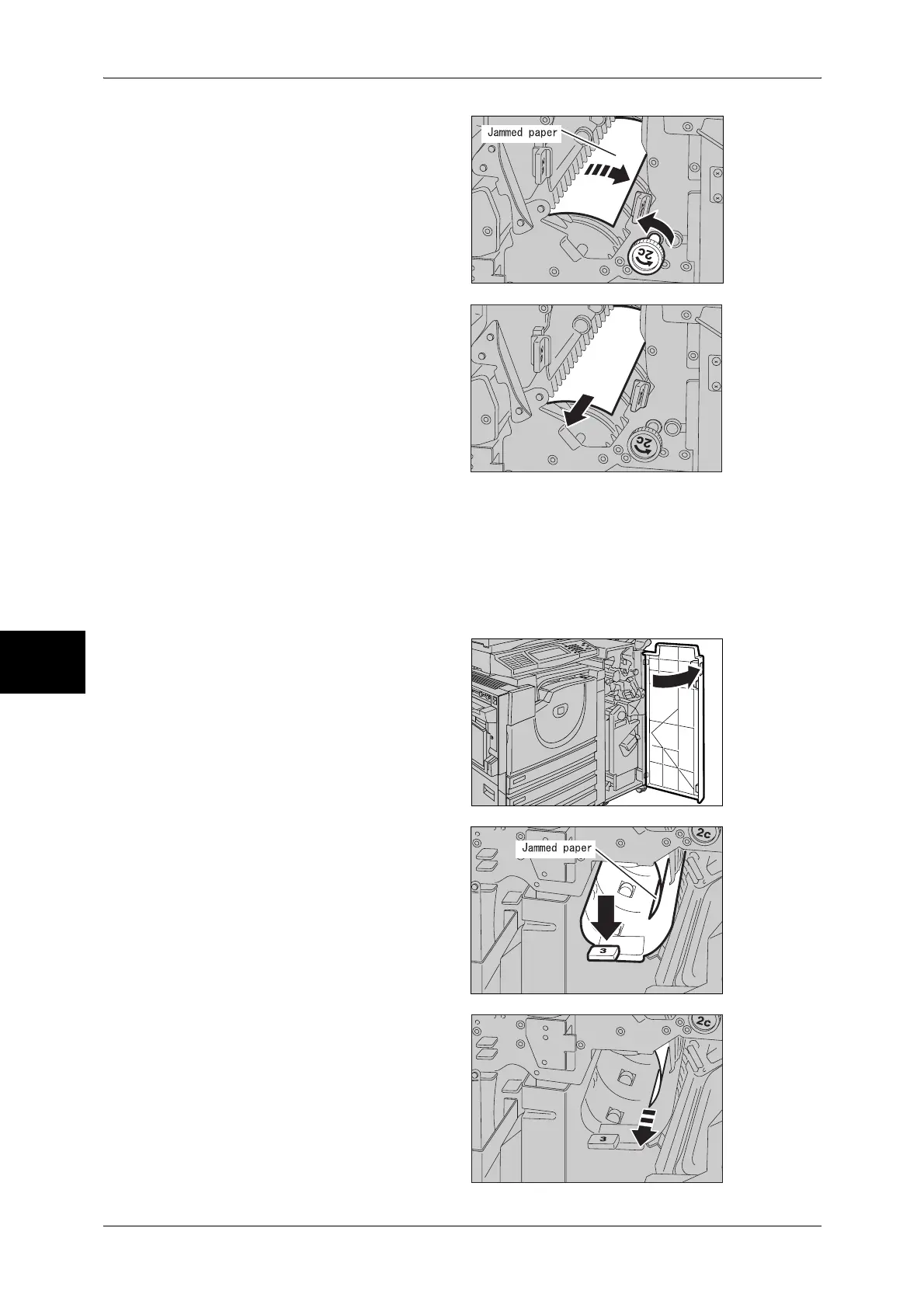
3 Turn the wheel 2c in the direction
of the arrow to eject the jammed
paper.
4 Gently remove the paper.
5 Return the lever 2b to its original position.
6 Close the front cover of the finisher.
Note • A message will be displayed and the machine will not operate unless the front cover is
completely closed.
Paper Jams at 3 in the Finisher
1 Open the front cover of the finisher.
2 Pull down the lever 3.
3 Remove the jammed paper.


 To Next Page
 Loading...