16 Appendix
606
Appendix
16
Using the Telephone
This section describes how to use an external telephone connected to the machine with
the fax feature.
Placing a Call
The following describes how to place a call using the external telephone.
To place a call, there are the following two methods.
z
Dialing with the receiver lifted (off-hook dialing)
z
Dialing with the receiver resting in the cradle (on-hook dialing)
Off-hook Dialing
The following describes how to place a call with the receiver off-hook.
1 Pick up the receiver of the external
telephone.
Note • While the machine is in the
Power Saver mode, you
cannot place a call using the
external telephone. To place a
call, press the <Power Saver>
button to switch out of the
Power Saver mode.
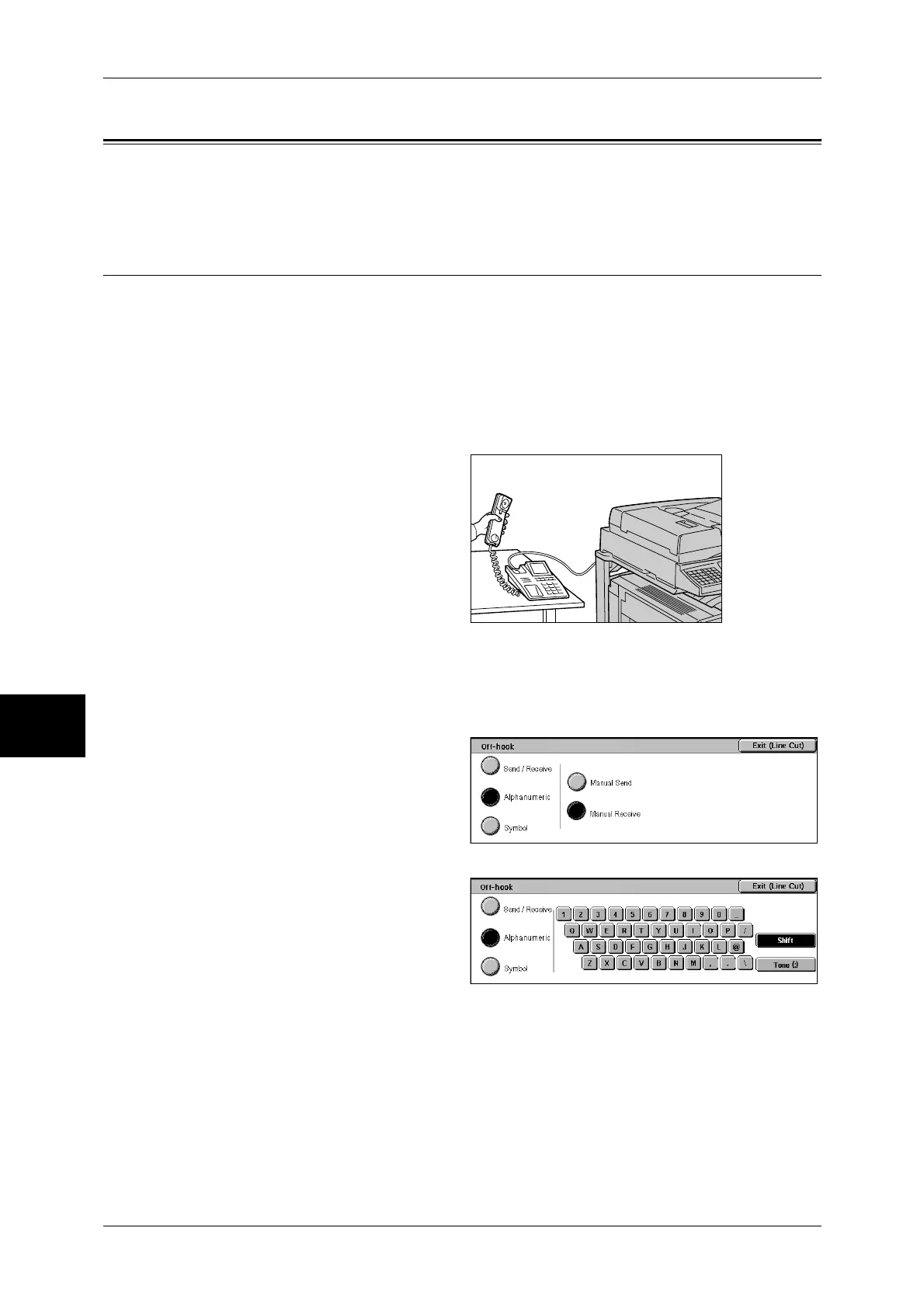
2 Specify the call destination.
z
The call destination can be specified using the numeric keypad, address numbers,
or one-touch buttons. The address book cannot be used.
z
The call destination can be
specified also with the keyboard
displayed by pressing
[Alphanumeric] or [Symbol]
button.
Note • To cut the line, select [Exit
(Line Cut)].
• If your telephone line is set to
touch-tone, [Tone (:)] does not
appear.
• If you want to send tones (or
to use the touch-tone
services) while using a pulse
line, select [Tone (:)].
• Some touch-tone services
may not be available even if
you set your telephone to
send tones.
3 When the call is connected, start speaking.
4 When the call is finished, place the receiver back in the cradle.
Important • Make sure that the receiver is placed properly in the cradle. Otherwise, the line will remain
"busy".
5 Select [Close].


 To Next Page
 Loading...