14 Maintenance
426
Maintenance
14
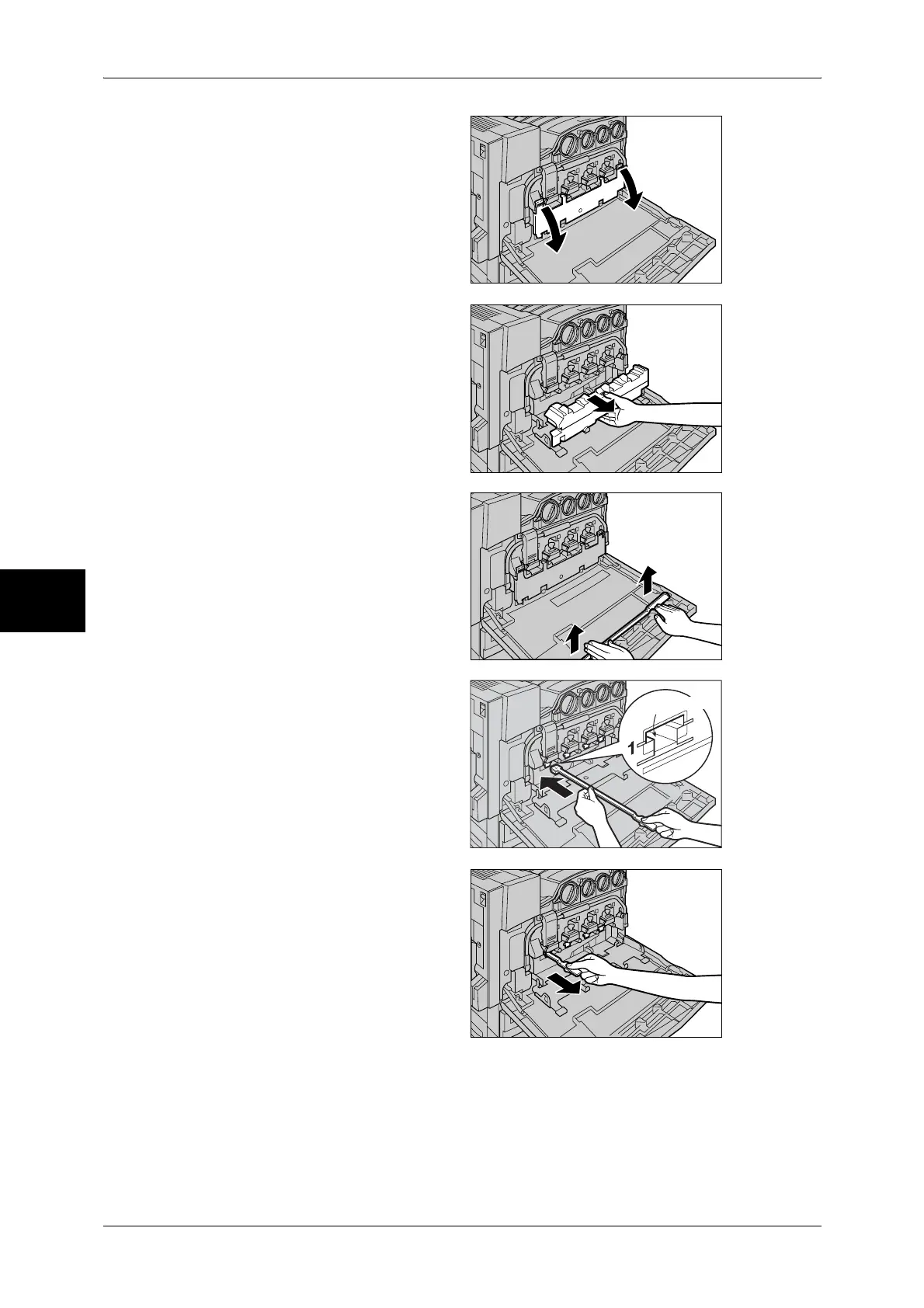
2 Pull open the black cover (B) on
the machine's front face, by holding
its left and right orange levers.
3 Hold the center section of the
waste toner container to pull the
container towards you until it stops.
Note • Place paper on the floor
beforehand, and put the
removed waste toner
container on it being careful
not to tilt the container and
spill toner.
4 Hold the cleaning stick attached on
the rear face of the front cover.
5 Hold the cleaning stick with its pad
face down, and gently insert the
stick into each square cleaning
hole (D1 to D4).
6 When the cleaning stick reached
the end of the hole, gently pull it
out.
Note • Clean all the holes one time
each.
• Dirt attached on the pad is not
well visible.
Cleaning hole


 To Next Page
 Loading...