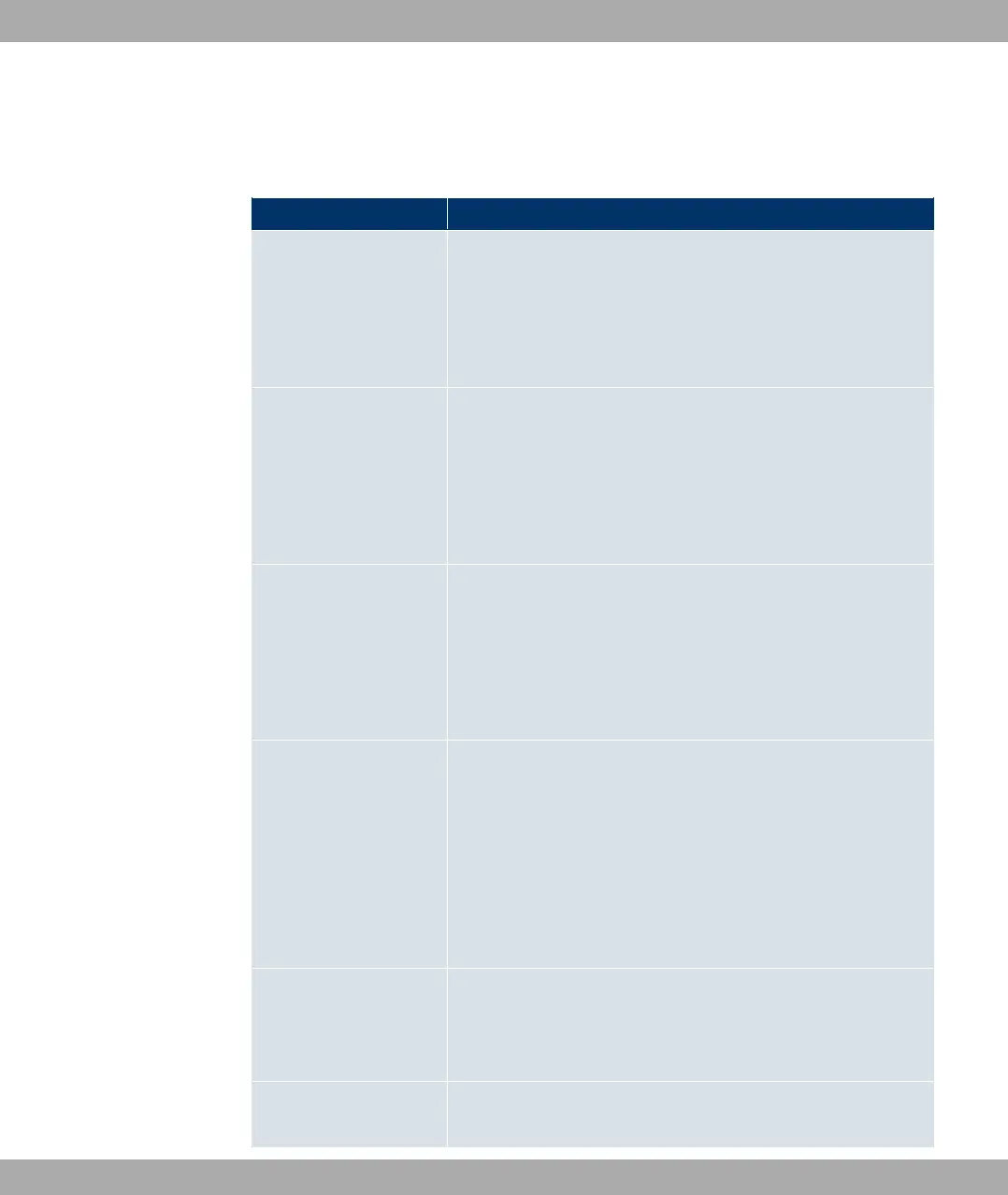
The Local Services -> DNS ->Domain Forwarding -> New menu consists of the following
fields:
Fields in the Forwarding Parameters menu
Field Description
Forwarding Select whether a host or domain is to be forwarded.
Possible values:
• : " (default value)
• 4
Host Only for Forward = : "
Enter the name of the host to be forwarded.
The entry can also start with the wildcard *, e.g. *.funkwerk.com.
If a name is entered without a full stop, once you confirm with
OK, it is completed with " <Default Domain>.".
Domain Only for Forward = 4
Enter the name of the domain to be forwarded.
The entry can also start with the wildcard *, e.g. *.funkwerk.com.
If a name is entered without a full stop, once you confirm with
OK, it is completed with " <Default Domain>.".
Forward to Select the forwarding destination requests to the name defined
in Host or Domain.
Possible values:
• 2" (default setting) The request is forwarded to the
defined Interface.
• 4- 3: The request is forwarded to the defined DNS
server.
Interface Only for Forward to = 2"
Select the interface via which the requests for the defined Do-
main are to be received and forwarded to the DNS server.
DNS Server Only for Forward to = 4- 3
Funkwerk Enterprise Communications GmbH
10 Local Services
funkwerk W1002/W2002/WIx040/WIx065 159



 To Next Page