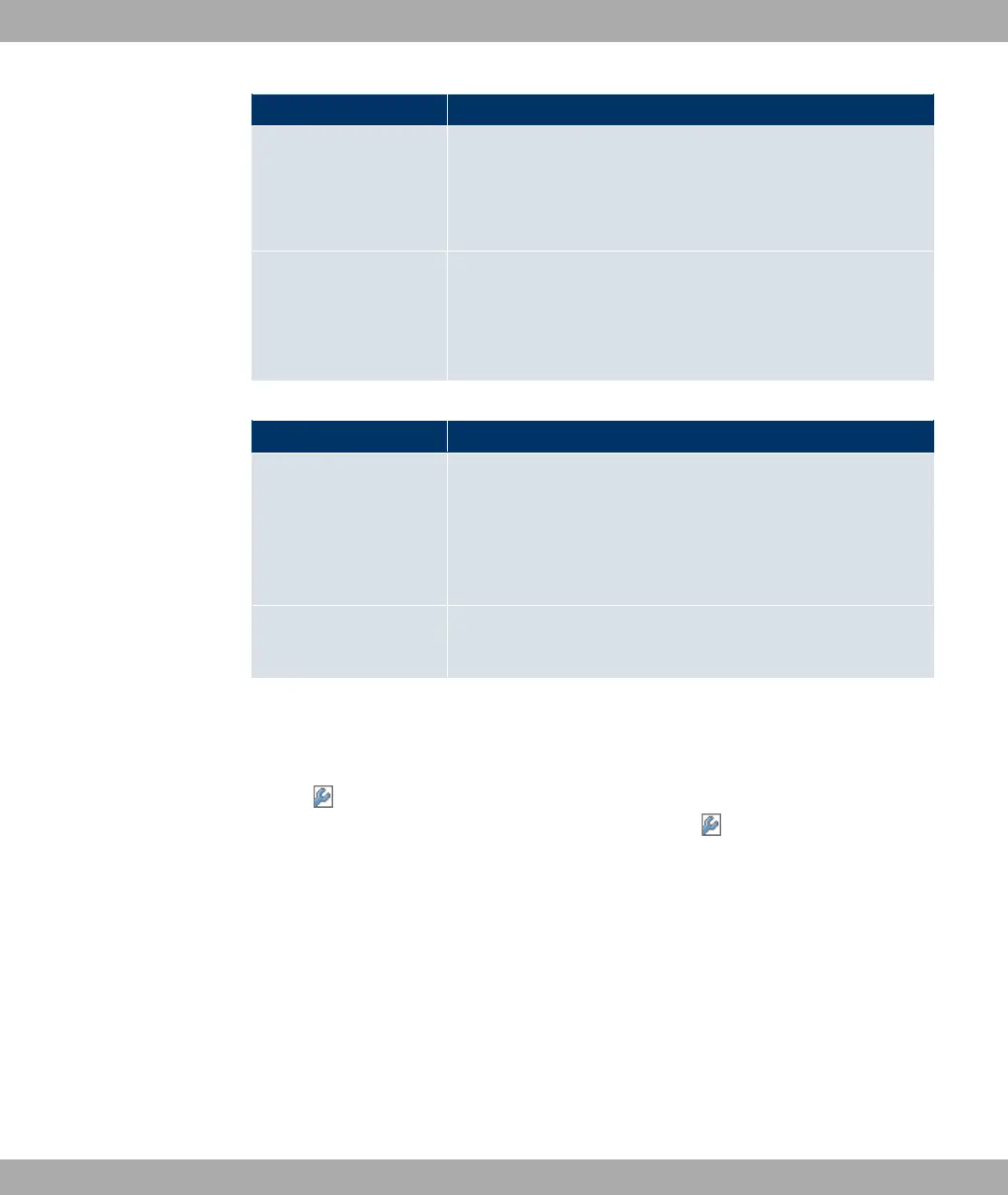
Field Description
• (default value): WPA and WPA 2 can be
used.
• : Only WPA is used.
• : Only WPA2 is used.
Preshared Key Only if Security Mode =
Enter the WPA password.
Enter an ASCII string with 8 - 64 characters.
Fields in the MAC Filter menu
Field Description
ACL Mode Select whether only certain clients are to be permitted for this
wireless network.
The function is activated by choosing 7#,.
The function is not activated by default.
Allowed Addresses Use Add here to make entries and enter the MAC addresses
(MAC Address) of the clients to be permitted.
8.1.3 WDS Links
If you operate your device in access point mode (Wireless LAN -> WLANx -> Radio Set-
tings -> -> Operating Mode = "), you can set up and edit the desired
WDS links in the Wireless LAN -> WLANx -> WDS links -> ->/New menu.
Select the channel to be used. The WDS link can only be configured in the 2.4 GHz band if
the channel is NOT ".
The number of channels you can selected depends on the country setting. Please consult
the data sheet for your device.
WDS links (WDS = Wireless Distribution System) are static links between access points
(AP), which are generally used to connect clients with networks that are not directly ac-
cessible to them e.g. because the distance is too great. The access point sends from one
client to another access point, which then forwards the data to another client.
8 Wireless LAN Funkwerk Enterprise Communications GmbH
132 funkwerk W1002/W2002/WIx040/WIx065



 To Next Page