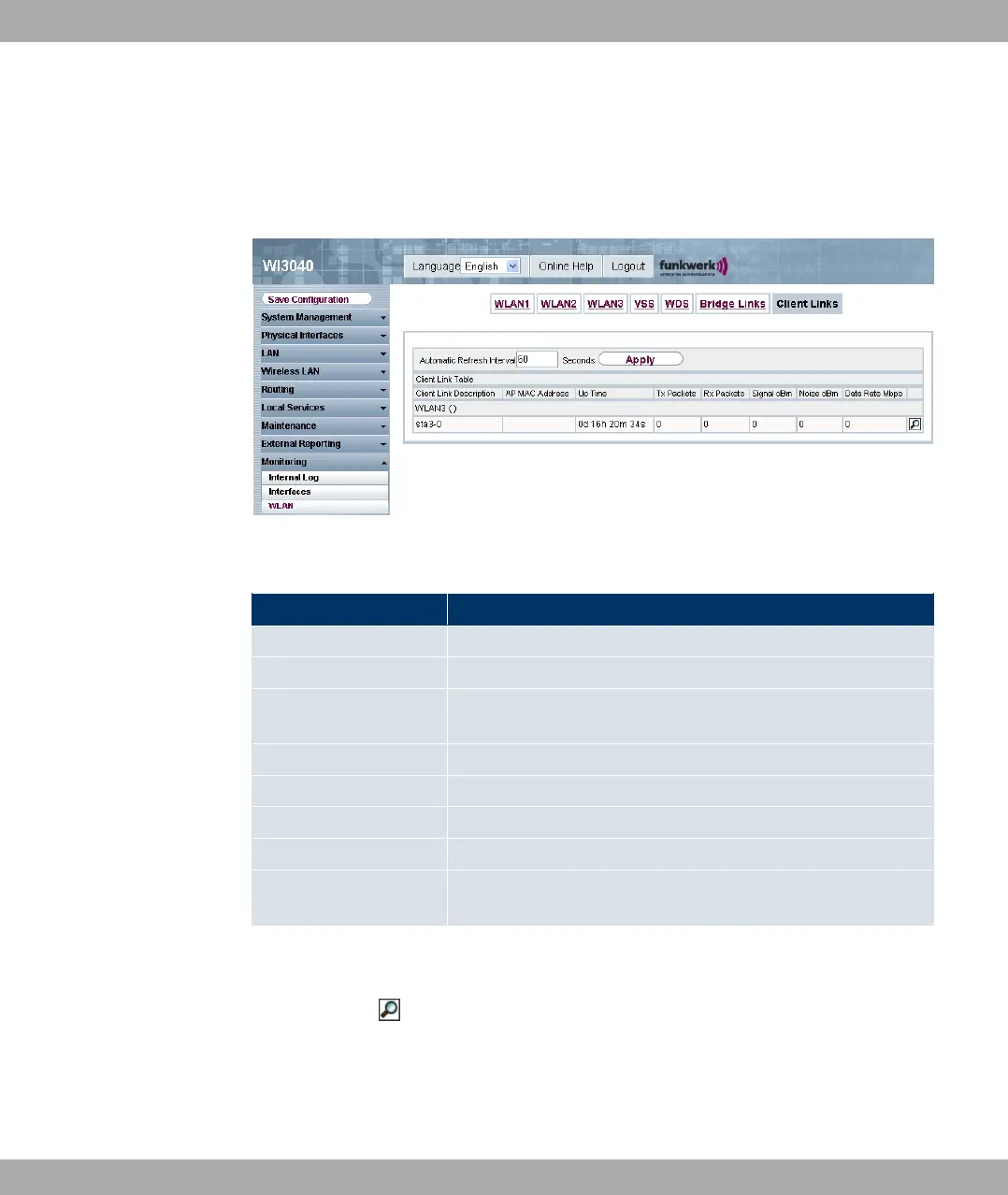
13.3.5 Client Links
In the Monitoring -> WLAN -> Client Links menu, the current values and activities of the
client links are shown.
Fig. 117: Monitoring -> WLAN -> Client Links
Values in the list Client Links
Field Description
Clent Link Description Shows the name of the client link.
AP MAC Address Shows the MAC address of the client link partner.
Uptime Shows the time in hours, minutes and seconds for which the cli-
ent link in question is active.
Tx Packets Shows the total number of packets sent.
Rx Packets Shows the total number of packets received.
Signal dBm Shows the received signal strength in dBm.
Noise dBm Shows the received noise strength in dBm.
Data Rate Mbps Shows the current transmission rate of data received on this cli-
ent link in Mbps.
Client Link Details
You can use the icon to open a summary of further details of the client links.
Funkwerk Enterprise Communications GmbH
13 Monitoring
funkwerk W1002/W2002/WIx040/WIx065 211



 To Next Page