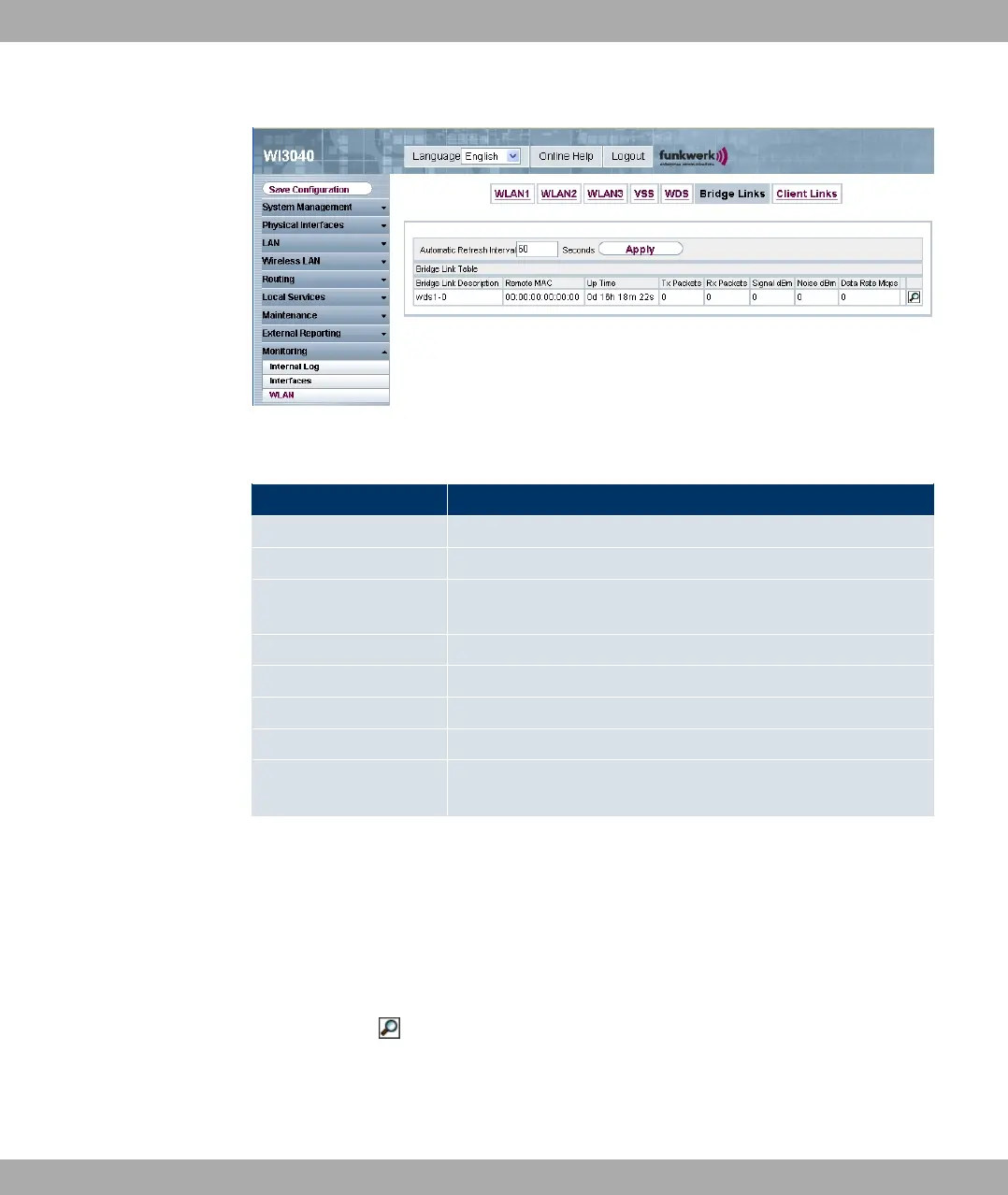
Fig. 115: Monitoring -> WLAN -> Bridge Links
Values in the list Bridge Links
Field Description
Bridge Link Description Displays the name of the bridge link.
Remote MAC Displays the MAC address of the bridge link partner.
Uptime Shows the time in hours, minutes and seconds for which the
bridge link is active.
Tx Packets Shows the total number of packets sent.
Rx Packets Shows the total number of packets received.
Signal dBm Shows the received signal strength in dBm.
Noise dBm Shows the received noise strength in dBm.
Data Rate Mbps Shows the current transmission rate of data received on this
bridge link in Mbps.
If required, the Test link can be used to start a link test.
The link test provides all the data necessary for checking the quality of the bridge link. The
link test also helps you to align the antennas. This option is only displayed if the link state is
7#,.
Bridge link details
You can use the icon to open a summary of further details of the bridge links.
Funkwerk Enterprise Communications GmbH
13 Monitoring
funkwerk W1002/W2002/WIx040/WIx065 209


 To Next Page