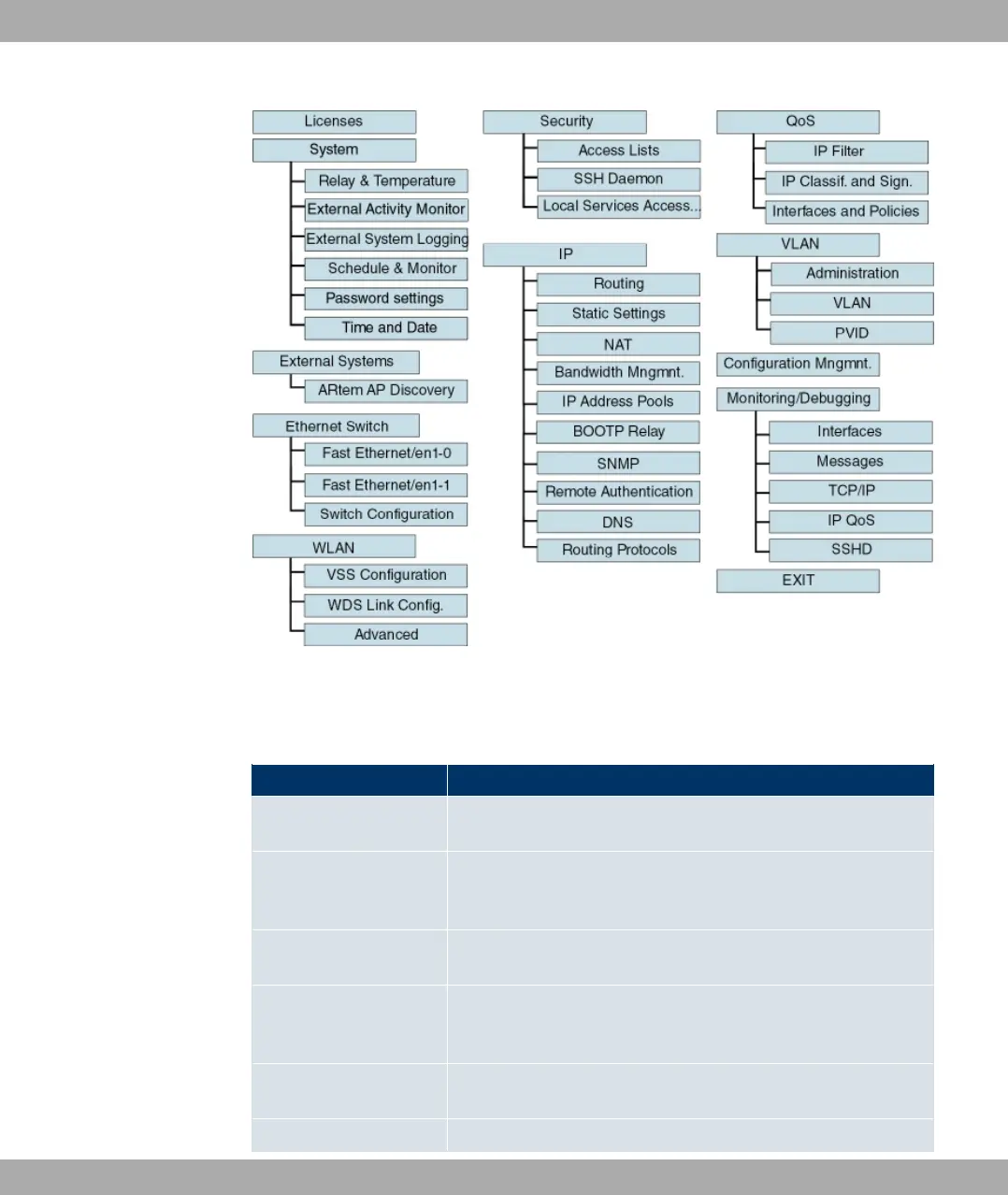
Fig. 40: Setup Tool menu structure
To help you when making the configuration settings, the menus are briefly explained below:
Setup Tool menus
Menu Function
Licences In this menu, you can manage licences that are needed for us-
ing certain functions.
System In this menu, you enter the basic system settings of your device,
such as, for example, system name, system date, system time,
passwords.
External Systems In this menu, you can configure management functions for ex-
ternal systems, e.g. Artem access points.
Ethernet Switch In this menu, you configure the Ethernet interface of your
device. Here you enter data such as the IP address and net-
work mask of the device, for example.
WLAN In this menu, you configure the connection to a host in the LAN
over WLAN.
Security In this menu, you configure the security features of your device,
4 Access and Configuration Funkwerk Enterprise Communications GmbH
76 funkwerk W1002/W2002/WIx040/WIx065



 To Next Page