6. SETTINGS ON WEB INTERFACE
6-25
PC settings
Note: The following procedure uses Windows
®
10 for screenshots. If your PC is using
a different Windows
®
version, see your Windows
®
manual for the correct method to
access the network settings.
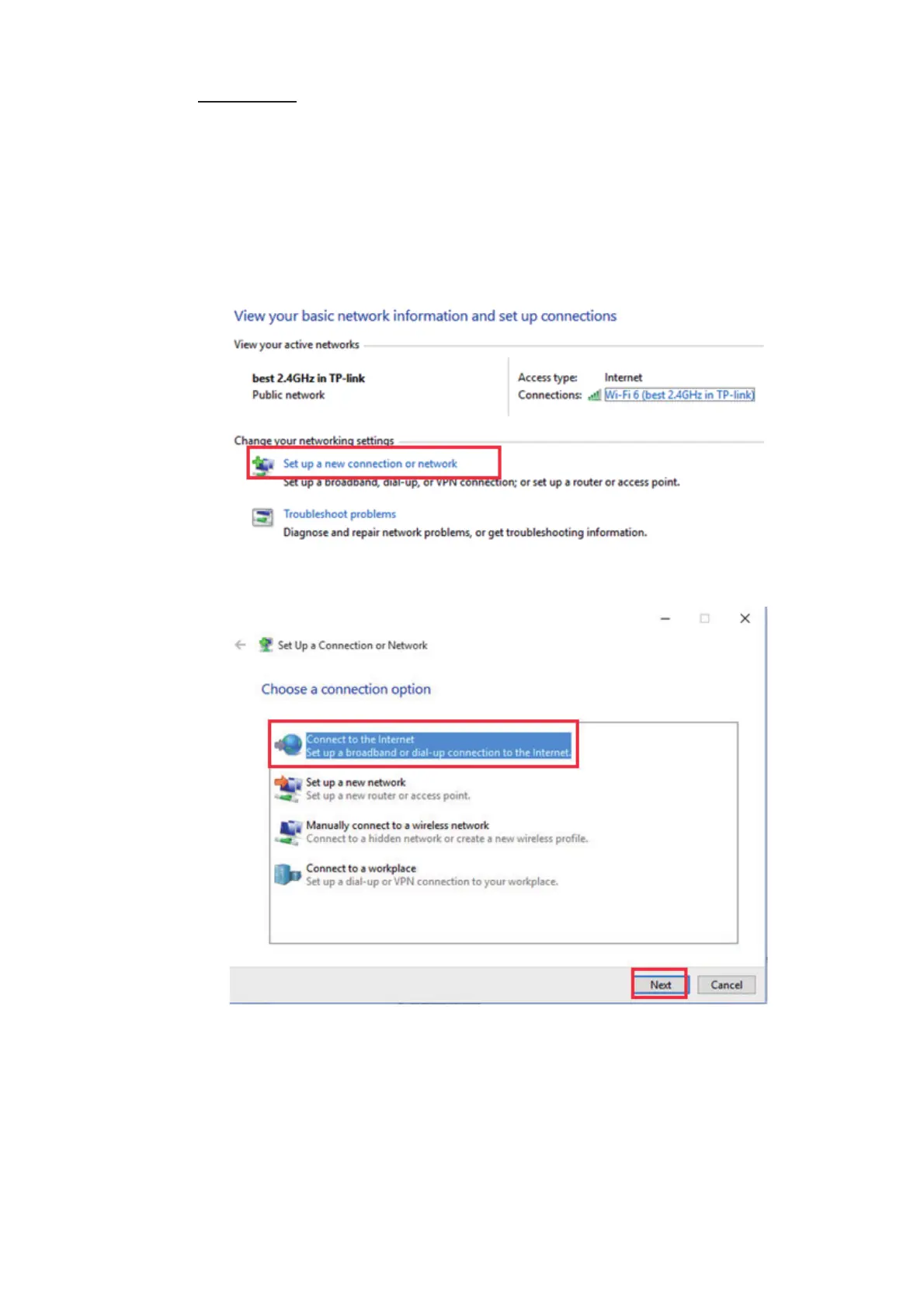
First set the PPPoE information on the Web interface, then set it on the PC.
1. Access the [Control Panel] on your PC.
2. Click [View network status and tasks] in the [Network and Internet] field.
3. Click [Set up a new connection or network].



 To Next Page