6. SETTINGS ON WEB INTERFACE
6-26
4. Select [Connect to the Internet], then click the [Next] button.
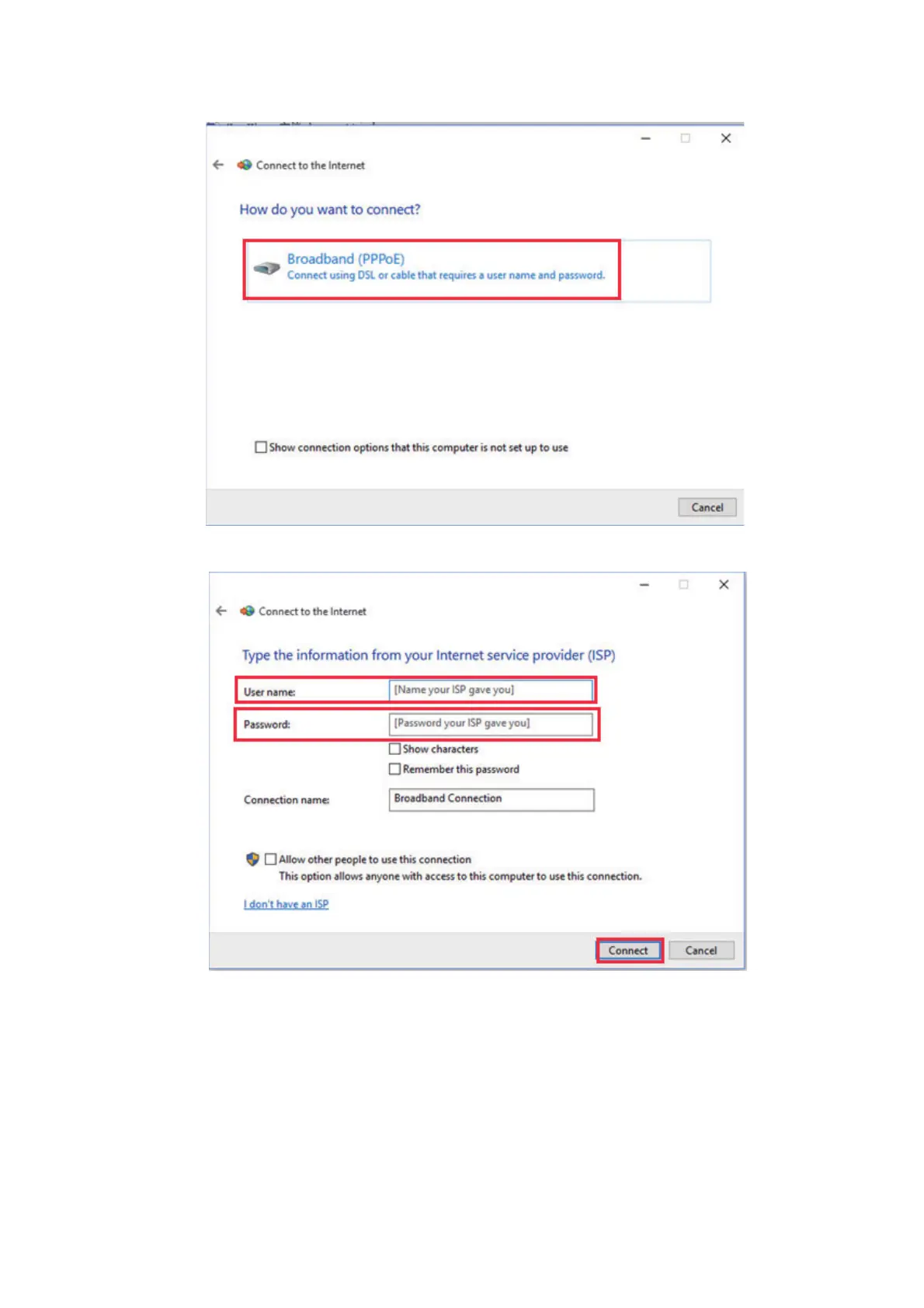
5. Click [Broadband (PPPoE].
6. Input the [Username] and [Password] according to the PPPoE settings (see step 6
in section 6.8.2).
7. You may rename the connection using the [Connection name] field.
Renaming the connection is optional.



 To Next Page