Revision 14
106 August 02, 2019
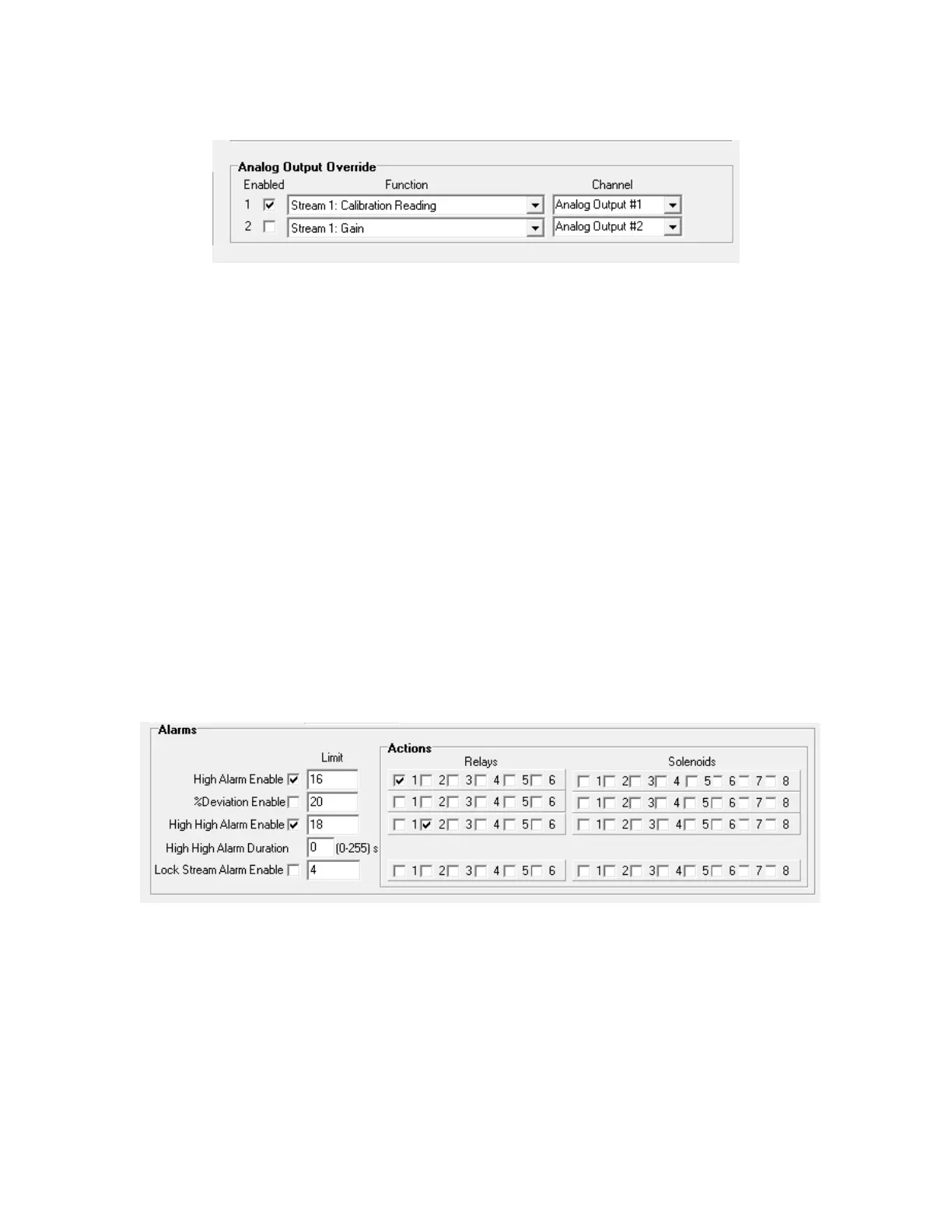
Figure 5-26: Analog Output Field
5.10.3.5 Stream Calibration Used
There can only be one gain calculation per stream. If the analyzer is a one stream H
2
S and
total sulfur unit, and it has the H2 cut off option (uses hydrogen only during the total sulfur
analysis), only the H2S or the Total Sulfur gas run can be used to calculate the stream gain.
Therefore even though physically there is only one stream, the software needs to be set up
as two streams; one for H2S and one for total sulfur An example of this function being used
would be if you had a 2 stream H
2
S / total sulfur analyzer where the H
2
S calibration gain for
Stream 1 was also used for the stream 2 H
2
S calculation, while the total sulfur gain
calculation from stream 2 was used for the stream 1 total sulfur concentration calculation.
5.10.3.6 Alarms
The Alarms field (Figure 5-25) is used to assign the alarms to the appropriate relay or
solenoid and enter the level at which the alarm should be triggered. All alarm types can be
configured to trigger specific relays and/or solenoids. To enable specific outputs for each
alarm, as well as to cause the alarm to be logged in the Status tab of the GUI and the Alarms
list on the analyzer screen, simply put a checkmark in the desired checkboxes in the Actions
box.
Figure 5-27: Alarms Field
• High Alarm Enable - If this box is checked, then the limit value entered will be used as an
alarm point. The High Alarm is an alarm that triggers when the calculated concentration at
the end of a cycle is higher than the High Alarm set point. The High Alarm set point can be
set either through the keypad or through the GUI. The analyzer compares the final
calculated concentration at the end of the sample interval with the alarm 1 set point value. If
the value of the calculated concentration is higher than the alarm set point value, the alarm



 To Next Page