Revision 14
79 August 02, 2019
5.4 The Analysis Tab
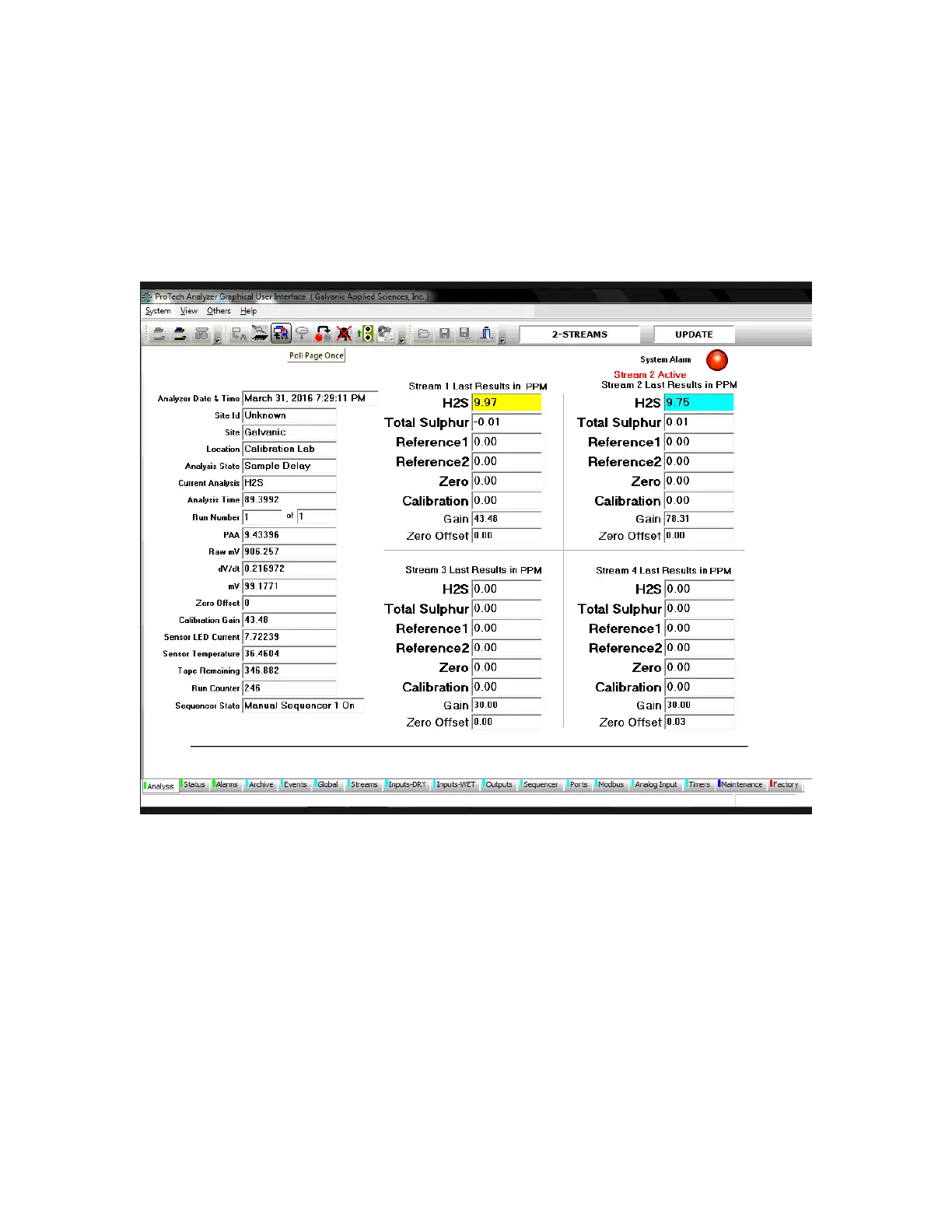
The Analysis tab (Figure 5-8) is the default tab of the application program and allows the
operator to see the status of many facets of the analyzer all at a glance. The application
program automatically polls the analyzer every three seconds, allowing the user to be able to
monitor the status of the analyzer on a continuous basis.
Figure 5-8: Analysis Tab
5.4.1 Field Names and Explanations
The left side of the Analysis tab includes 20 fields which provide general information about
the status of the analyzer (Table 5-5). These fields cannot be edited on this tab (the first four
fields can be edited as described in Section 5.9),



 To Next Page