Revision 14
41 August 02, 2019
3.4.5 Open the Application Program and Set
Communication Parameters
To open the application program, double click the GAS903 icon on the desktop (Figure 3-8).
Figure 3-8: GAS903 Software Icon
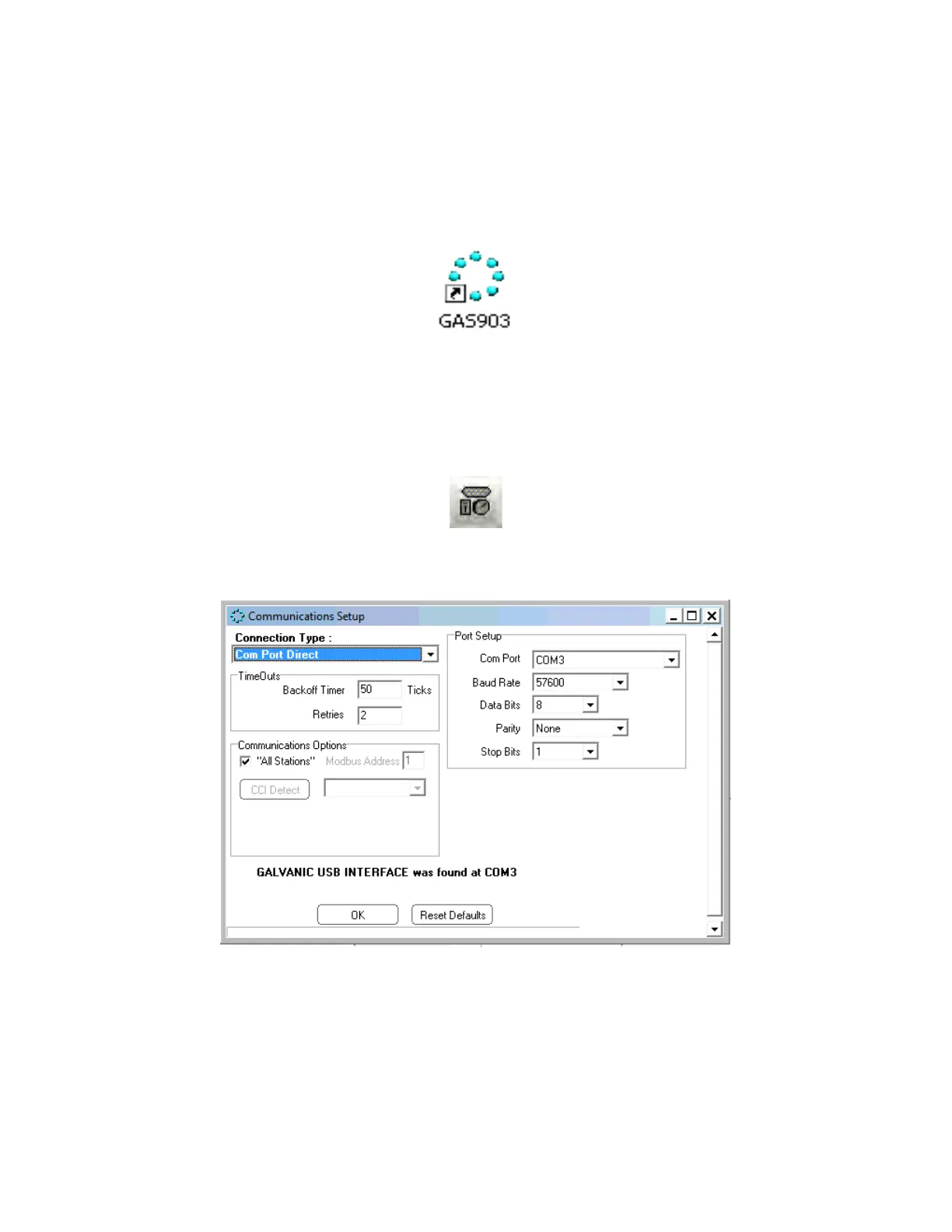
Click on the Communications Settings button (Figure 3-9) on the button bar of the application
program to access the Communications Setup dialog box window (Figure 3-10).
Figure 3-9: Communication Settings Button
Figure 3-10: Communications Setup Dialog Box (Com Port Direct)
The communications program allows the user to choose from four types of protocols, Com
Port Direct (Section 3.4.4.1), Modem (Section 3.4.4.2), Dial-up Networking (RAS) (Section
3.4.4.3) and Ethernet (TCP) (Section 3.4.4.3).



 To Next Page