Revision 14
115 August 02, 2019
5.14 Sequencer Tab
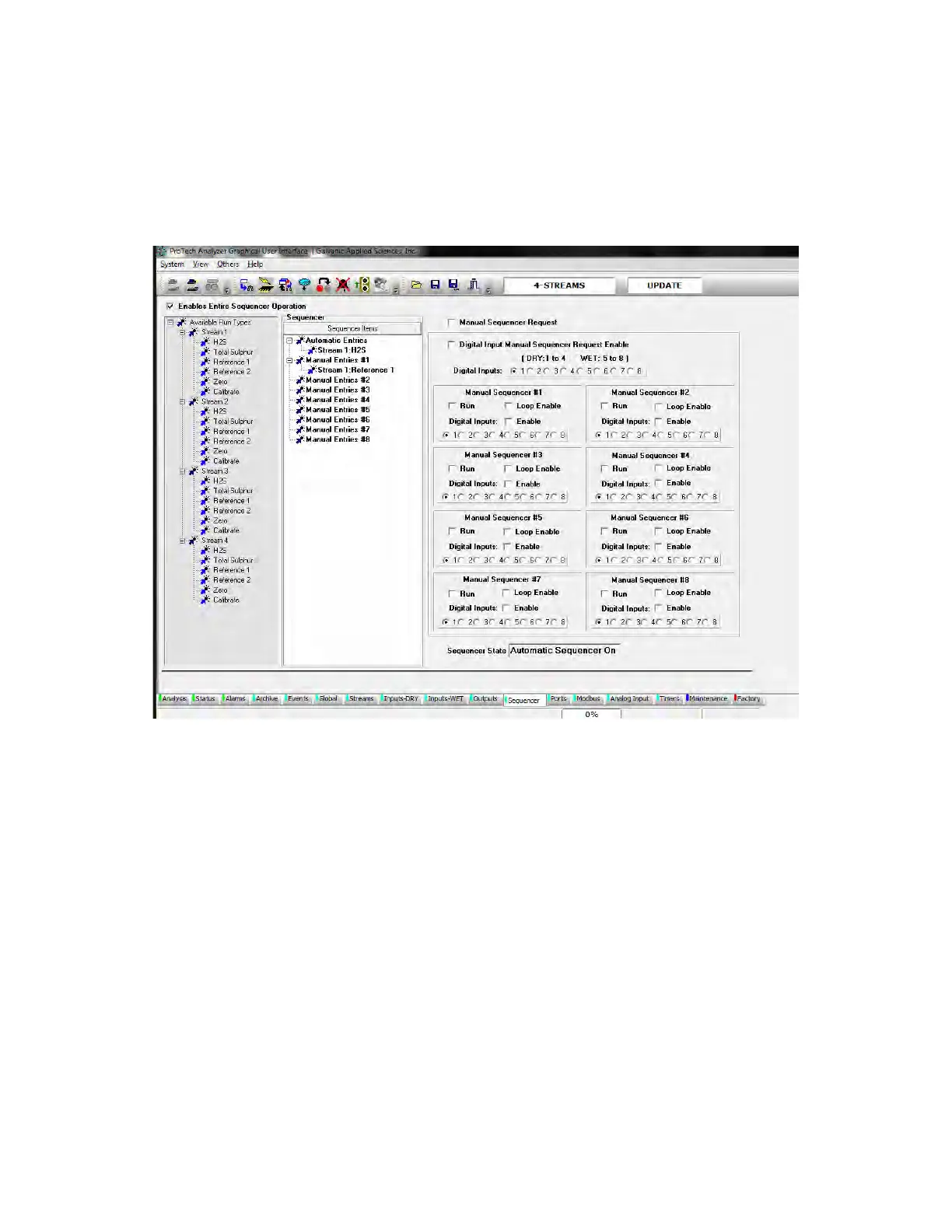
The Sequencer tab (Figure 5-29) is used to generate the analyzer gas run sequences or
indicate that manual operation is desired.
Figure 5-31: Sequencer Tab
The Sequencer tab is divided into three main areas: Available Run types, Sequencer Items
and the Manual Sequencer area.
5.14.1 Enables Entire Sequencer Operation
Checkbox
The Enables Entire Sequencer Operation checkbox must be checked for sequencer
operations to execute. If this box is not checked, the analyzer will be in “Idle”, hence not
analyzing the gas stream.
5.14.2 Available Run Types
A list of all the types of gas runs listed under each stream is provided on the left side of the
tab. To setup a sequence of gas runs, click on the desired gas type in the Available Run



 To Next Page