X1D II 50C USER GUIDE www.hasselblad.com
115
SETTINGS
Contents
General Settings Menu
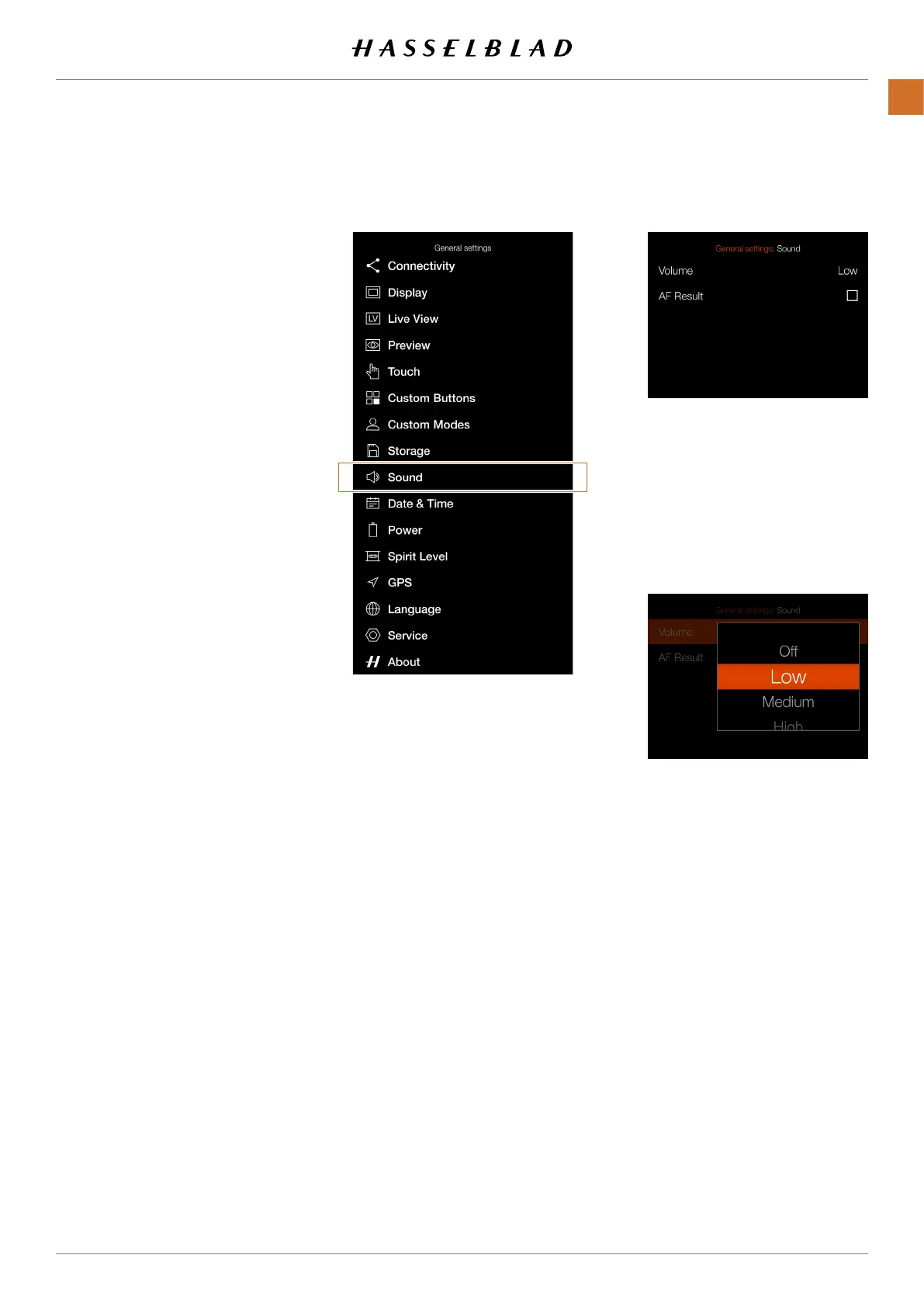
Sound Settings Menu
Volume Settings Menu
SOUND
MAIN MENU > GENERAL SETTINGS >
SOUND
1 Press the General Settings icon on
the Touch Display.
2 The General Settings Menu
appears.
3 Press the Sound Menu.
Swipe right or press the Menu / EXIT
button to get back to the Main Menu.
1
1
Volume
Choose between:
Off, Low, Medium, High
AF Result
When this box is checked, a sound
will indicate a nished AF setting.
If AF is successful or not, the
camera will play different sounds.



 To Next Page
 Loading...






