4.10 LIGHT METER EXPOSURE MODE
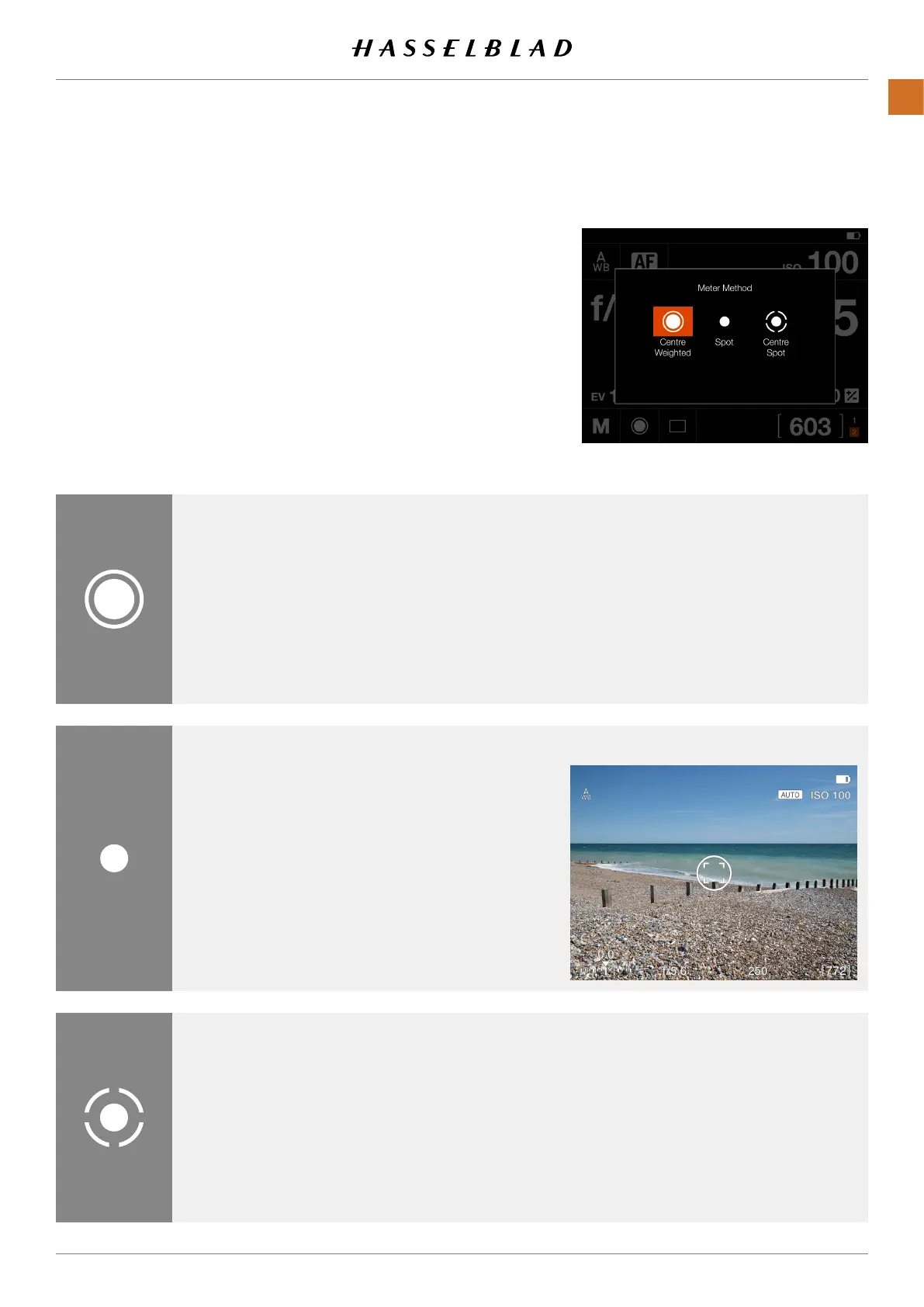
The Light Meter Mode can be changed on the Control Screen.
Tap the desired mode or use the Rear Wheel to select Mode.
Different Light Metering Modes
There are three reective metering modes available.
Centre Weighted
.
Spot
.
Centre Spot
.
Centre Weighted
Used for light situations where there is no
particular dominance of light or dark areas
across the tonal range. Takes into account
approximately 25% of the image seen in
the viewnder.
Centre Spot
Emphasizes the central section of the
focusing screen equivalent to approximately
25% of the image. This provides a balanced
assessment and is a typical choice where the
main subject is in the centre of the image.
Spot
The sensitive area is equivalent to approx-
imately 2.5% of the image area (the central
spot on the viewnder screen). Any parts
of the image outside of this area will not
affect the exposure reading. This provides
a very accurate measurement of specic
tones. Also excellent for tonal comparison
measurements.
Spot area is marked in Live View screen.
Light Metering ModesSymbol
Metering Modes
Live View with Spot area
X1D II 50C USER GUIDE www.hasselblad.com
62
FUNCTIONS
Contents



 To Next Page
 Loading...






