OVERVIEW OF MENUS AND SETTINGS ON
TOUCH DISPLAY
Settings can be controlled directly on the touch sensitive
screen by pressing the menus and icons. You can scroll up,
down and from left to right as described in previous chapters.
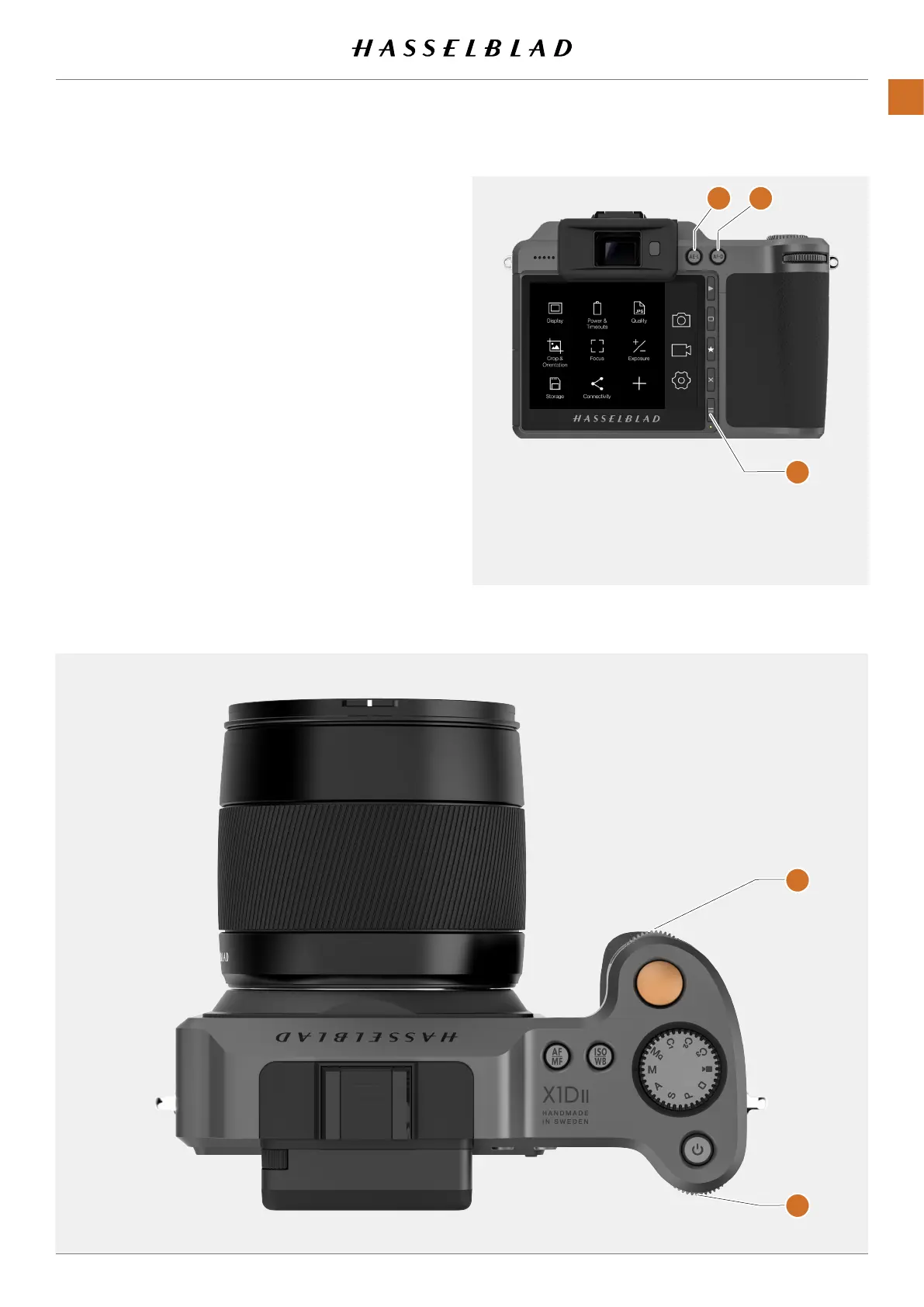
You can also navigate the on screen menus by using the
following buttons and scroll wheels:
1 Control buttons next to the Touch Display for example
Menu Button.
2 Front Scroll Wheel.
3 AE-L Button.
4 AF-D Button.
5 Rear Scroll Wheel.
Navigation using buttons is described on page 83 (Using
Buttons).
The Menu Button (1) navigates back to Main Menu or
the Control Screen.
2
3 4
5
1
X1D II 50C USER GUIDE www.hasselblad.com
47
FUNCTIONS
Contents



 To Next Page
 Loading...






