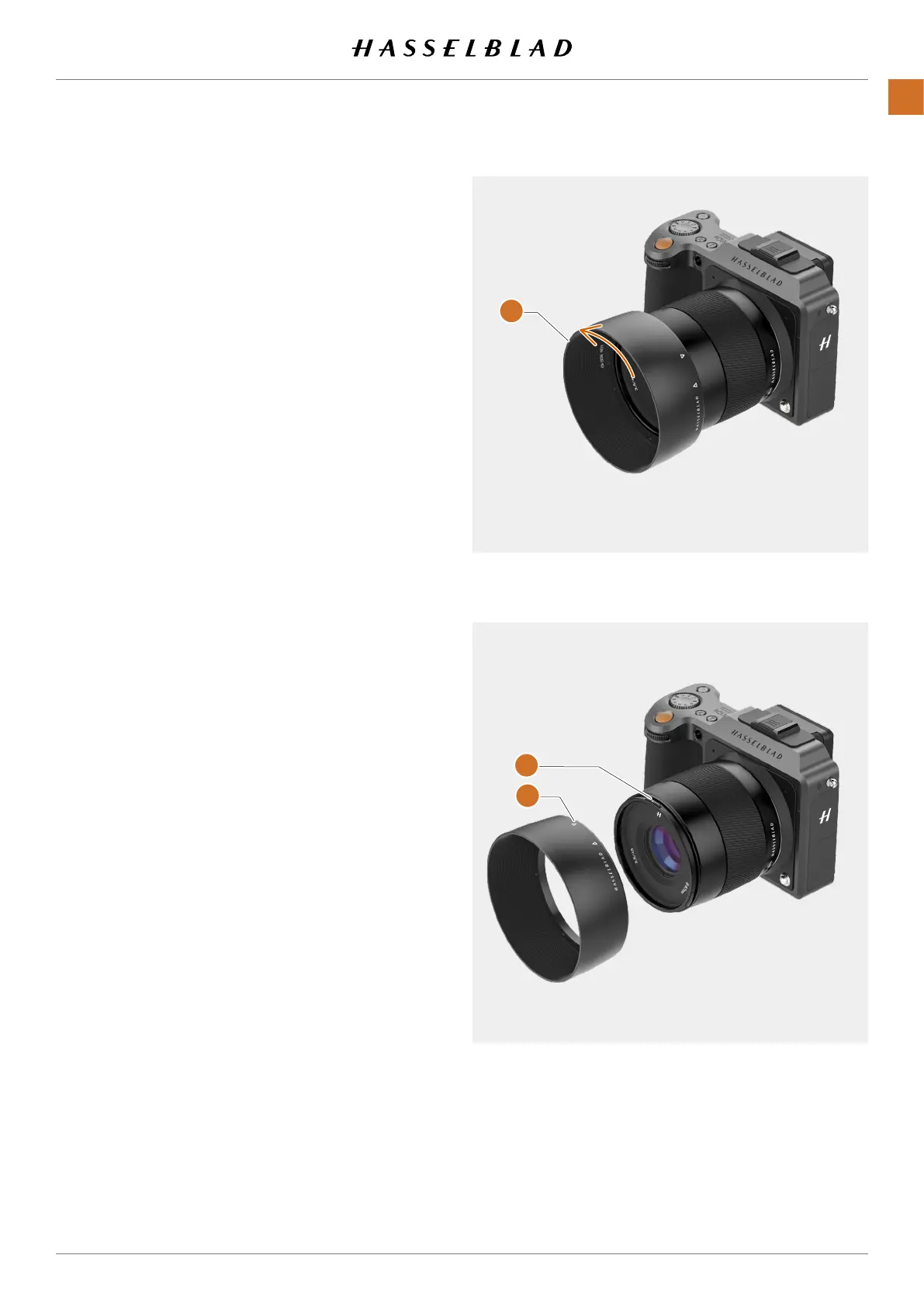
REMOVE THE LENS SHADE
All lenses are supplied with lens shades that additionally
provides extra protection for transport and storage when
mounted in reverse.
1 Turn the lens shade
(A)
counter-clockwise.
2 Remove the lens shade
(A)
.
ATTACH THE LENS SHADE
All lenses are supplied with lens shades that additionally
provides extra protection for transport and storage when
mounted in reverse.
1 Place the lens shade on the lens.
2 Make sure that the index on the lens shade
(A)
aligns with
the index on the front of the lens
(B)
.
3 Turn the lens cap clockwise until it snaps into place.
A
B
A
X1D II 50C USER GUIDE www.hasselblad.com
27
LENSES
Contents



 To Next Page
 Loading...






