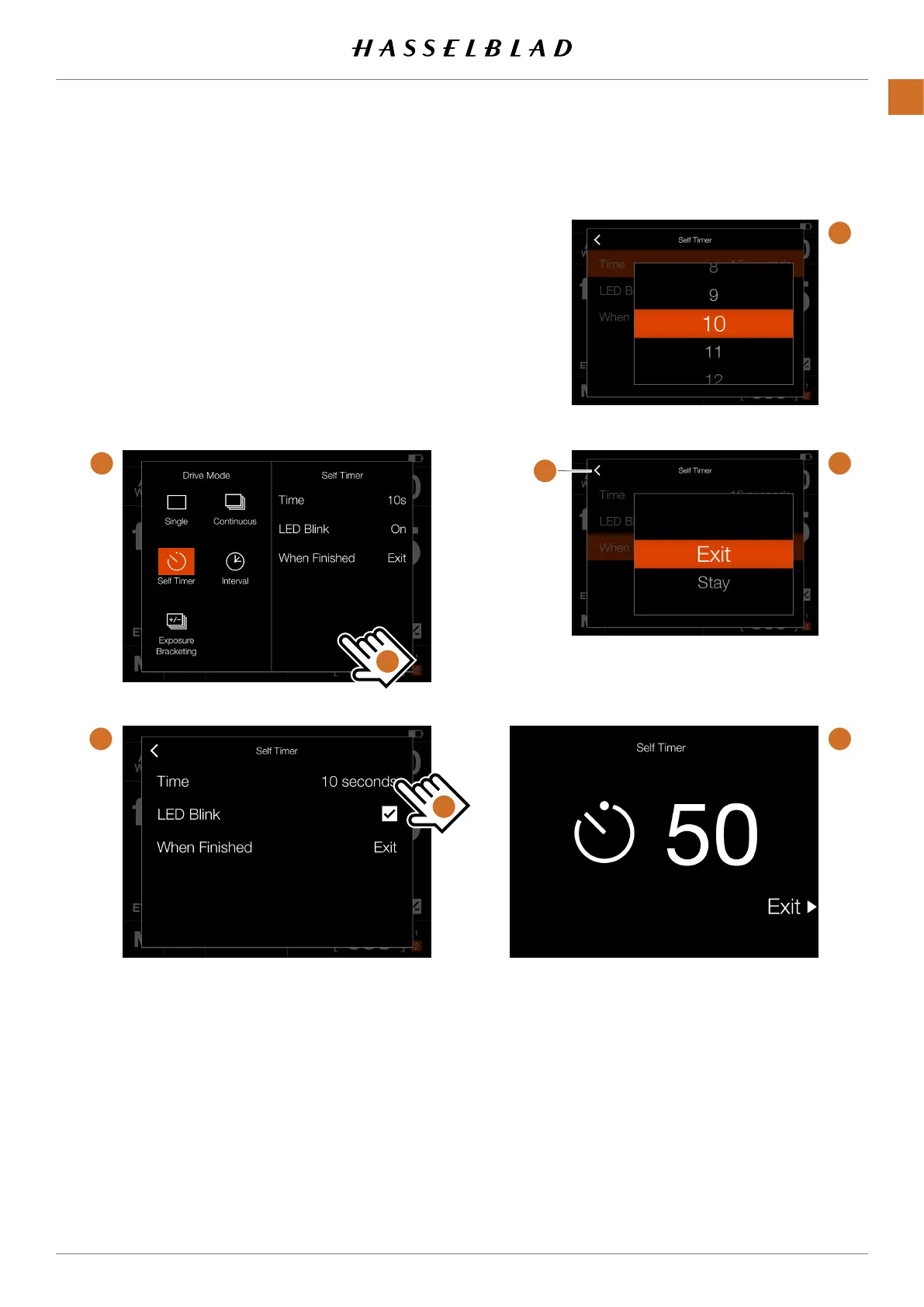
SELF TIMER SETTINGS
On the Control Screen tap the Drive Mode icon which brings
up the settings screen
(A)
. To change settings, tap the right
panel
(C)
to show the Settings Menu
(B)
.
To change any of the settings, tap the value to bring up any of
the screens
(E)
or
(F)
.
When the settings is made, tap the left arrow
(G)
to return to
the Drive Mode settings screen.
When the Shutter Release is fully pressed, the rear screen or
EVF will show the Count Down
(H)
. After the pre-set time is
elapsed, the exposure will be made.
A
B
C
D
E
F
G
H
X1D II 50C USER GUIDE www.hasselblad.com
55
FUNCTIONS
Contents



 To Next Page
 Loading...






