4.19 CHANGE SETTINGS ON THE GRIP
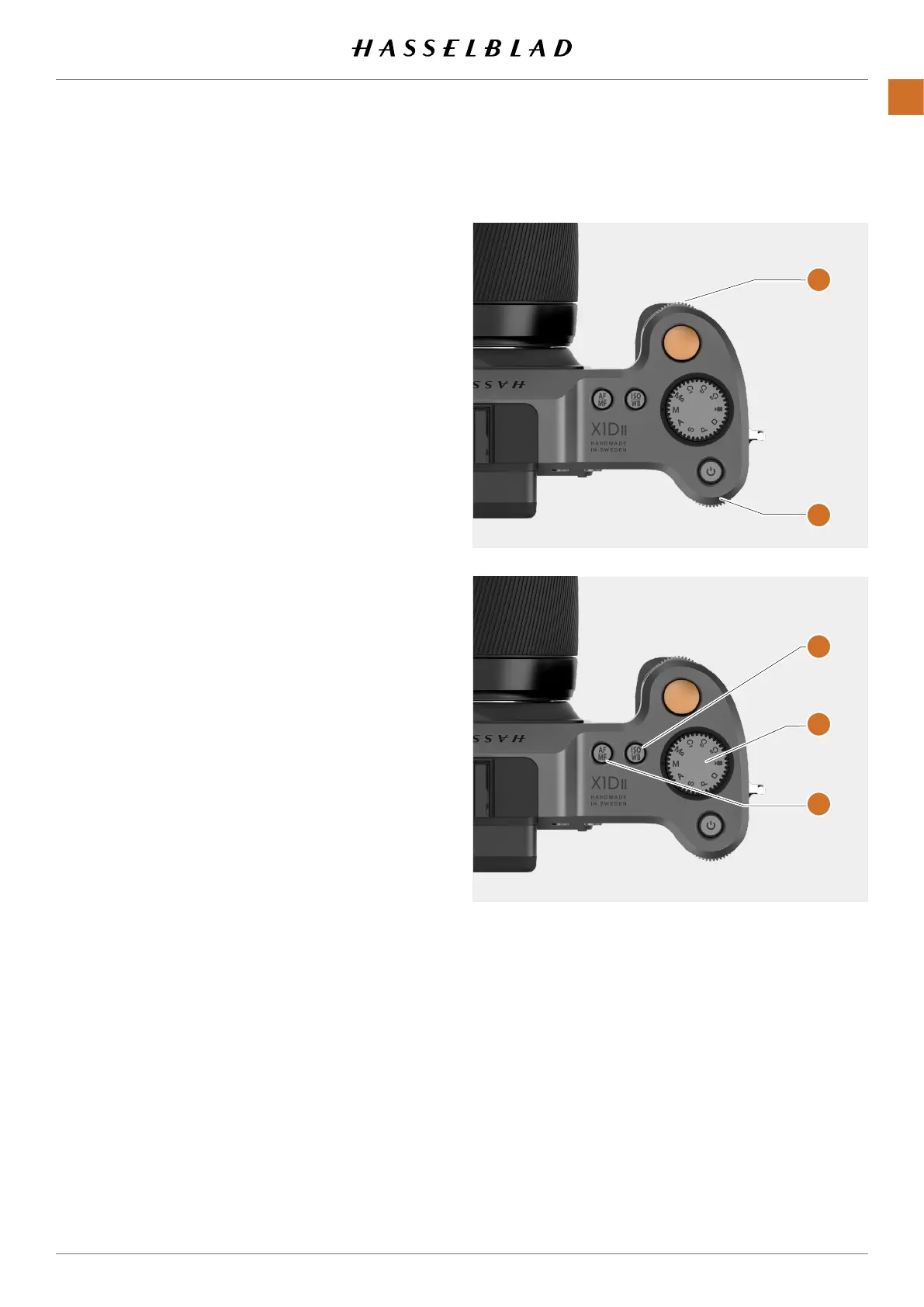
How to change AF/MF and ISO/WB settings
AF / MF modes
Press the AF/MF button
(D)
to toggle between AF and
MF.
ISO / WB modes
1 Press the ISO/WB button
(C)
on top of the Camera Grip
once to select ISO.
2 Press twice to select WB.
3 Press a third time to exit.
ISO
Change ISO mode by scrolling the Rear
(B)
or Front Scroll Wheel
(A)
left or right.
WB
Change WB mode by scrolling the Rear
(B)
or Front Scroll Wheel
(B)
left or right.
When in WB M Manual Mode, use Rear
Scroll Wheel
(B)
to select setting.
Also see page 51 for more details.
Mode Dial (E)
MQ Manual Quick Mode.
M Manual Mode.
A Aperture Priority Mode.
S Shutter Priority Mode.
P Program Mode.
Rectangle Automatic Mode. ISO are also
automatically set. Several functions are
limited or locked.
Video Video Mode (Not implemented yet).
C3 Custom Program 3.
C2 Custom Program 2.
C1 Custom Program 1.
A
B
C
D
E
X1D II 50C USER GUIDE www.hasselblad.com
79
FUNCTIONS
Contents



 To Next Page
 Loading...






