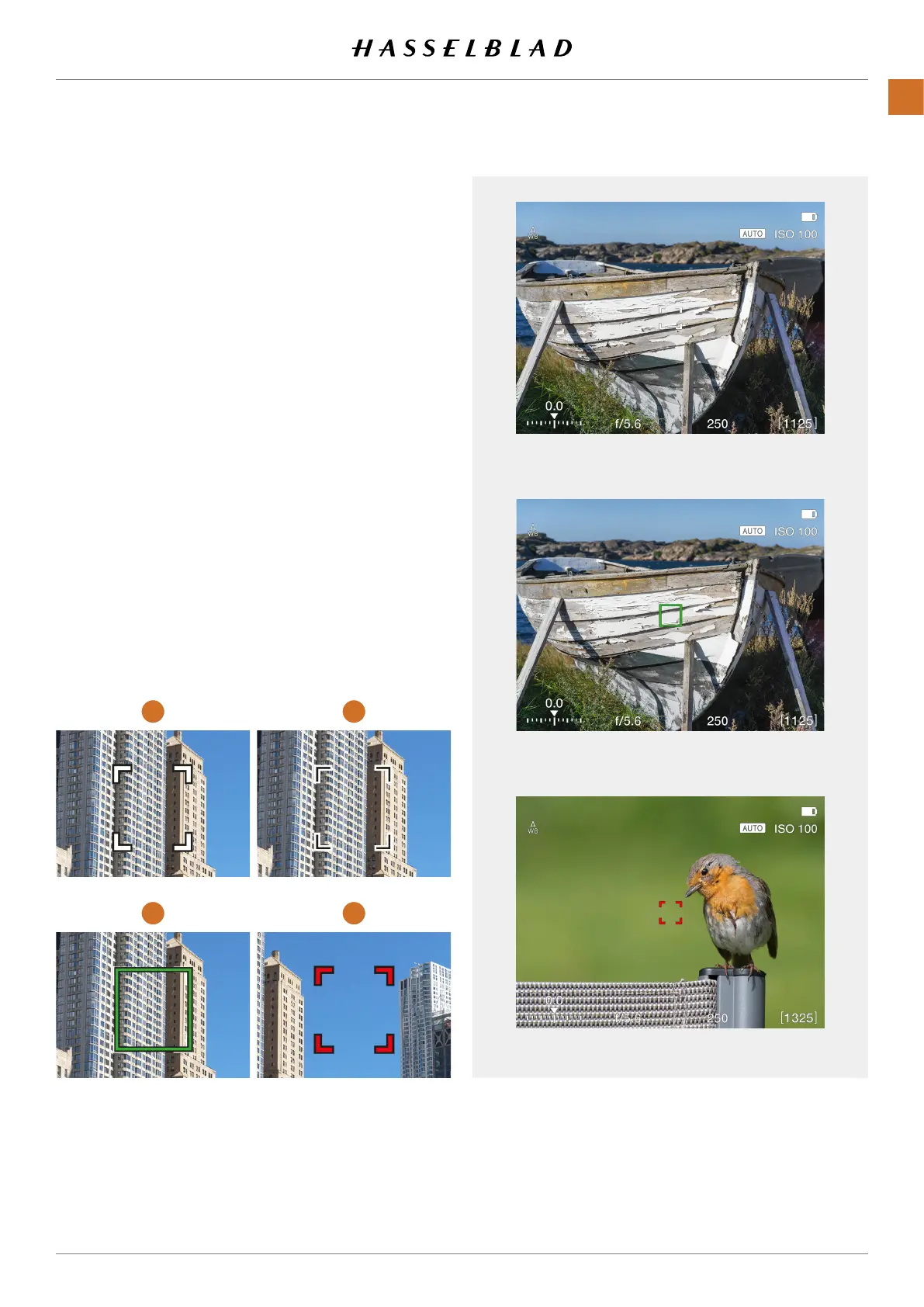
White AF indicator. Normal mode.
Green AF indicator. AF set correctly.
Red AF indicator. AF analysis failed to focus.
AF INDICATIONS
1 2
3 4
X1D II 50C USER GUIDE www.hasselblad.com
70
FUNCTIONS
Contents
The AF indicator in the Live View centre indicates status of the
AF system. Start the Autofocus function by a soft half-press on
the Shutter Release Button or by pressing the AF Drive button
(AF-D).
White, black outline
(1)
Normal mode. Autofocus is not analysing the subject.
Black, white outline
(2)
Autofocus is ongoing.
Green
(3)
Autofocus performed and focus is set correct.
Red
(4)
Autofocus failed to focus and is not set correct.



 To Next Page
 Loading...






