Settings on the Control Screen
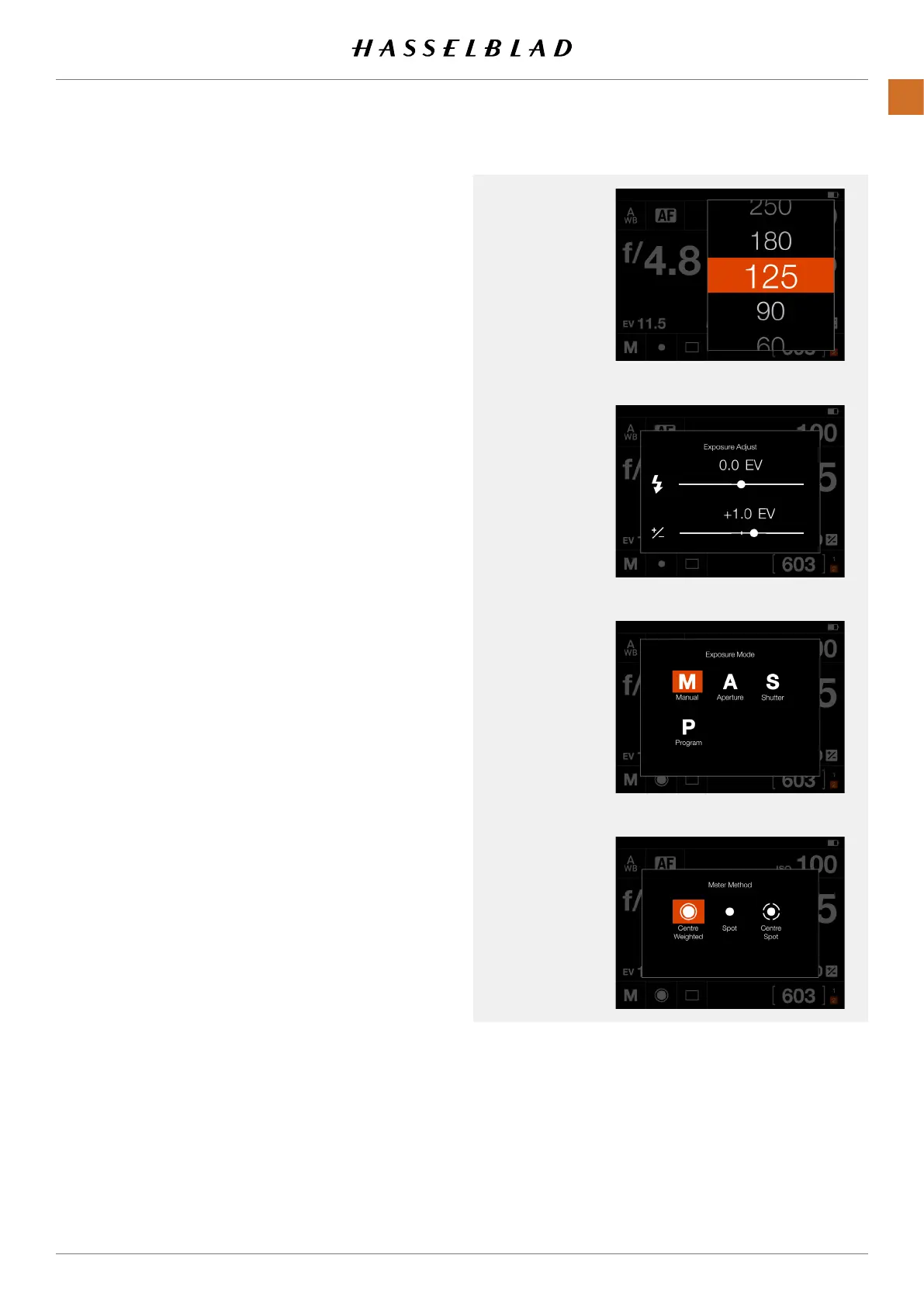
Shutter Speed
- Select Shutter Speed value.
Exposure Adjust
- Adjust Flash Exposure by sliding right or left.
- Adjust Exposure by sliding right or left.
Tapping the line to the left or right of the dot, will
increase or decrease the value with the value set
in
Main Menu > Camera Settings > Exposure >
Increment Step Size > exposure Adjust
.
Reset the value to zero by double-tapping the icon to
the left of the line.
Exposure Mode
M Manual Mode.
A Aperture Priority Mode.
S Shutter Priority Mode.
P Program Mode.
Note!
Exposure Mode can only be set from the Control
Screen when the Mode Dial is set to C1, C2 or C3.
Metering Mode
- Centre Weighted.
- Spot.
- Centre Spot.
This Chapter continues on the next page.
Exposure Adjust
Shutter
Exposure Mode
Metering Mode
X1D II 50C USER GUIDE www.hasselblad.com
52
FUNCTIONS
Contents



 To Next Page
 Loading...






